Labels, Selectors & Annotations
Taints & Toleration
Resource Limits
Multiple Schedulers
Daemonsets
StatefulSets
Node Selectors & Node Affinity
Core Idea
The scheduler normally picks a node by filling in
nodeNamethrough a binding object, but you can bypass it and place a pod yourself by settingnodeName(or creating a Binding) when there is no scheduler.
- Manual scheduling: set
spec.nodeName: node01at creation, or POST a Binding resource pointing the pod at a target node.- Placement controls around the scheduler: labels and selectors, taints and tolerations, node selectors and affinity, multiple schedulers, DaemonSets, and StatefulSets.
- The default path and the manual path both end with the pod running on exactly one node.
Manual Scheduling
Kubernetes manual scheduling refers to the process where a Kubernetes administrator manually assigns a pod to a specific node in the cluster, bypassing the Kubernetes scheduler’s automatic placement or No scheduler’s environment.
apiVersion: v1
kind: Pod
metadata:
  name: manual-scheduled-pod
spec:
  containers:
  - name: nginx
    image: nginx
  nodeName: node01  # <-- Specify the target node
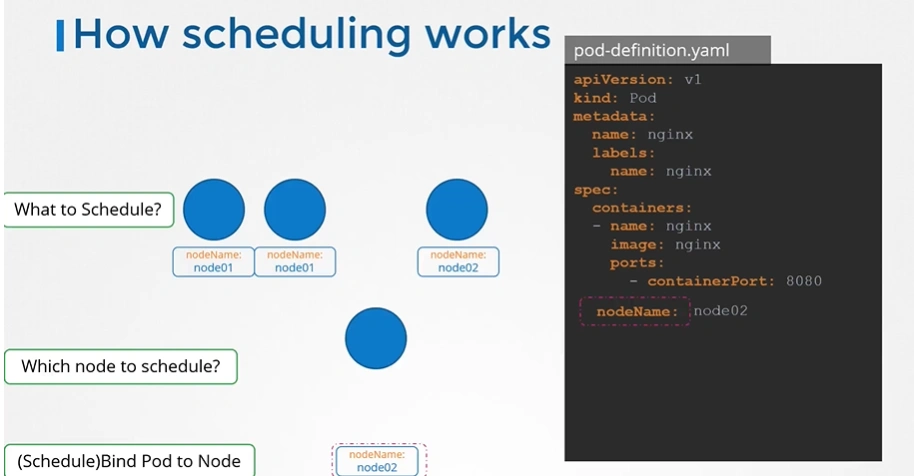
How Scheduling Works
- What do you do when you do not have a scheduler in your cluster?
-
Every POD has a field called NodeName that by default is not set. You don’t typically specify this field when you create the manifest file, kubernetes adds it automatically.
-
Once identified it schedules the POD on the node by setting the nodeName property to the name of the node by creating a binding object.
apiVersion: v1
kind: Pod
metadata:
 name: nginx
 labels:
  name: nginx
spec:
 containers:
 - name: nginx
   image: nginx
   ports:
   - containerPort: 8080
 nodeName: node02
-
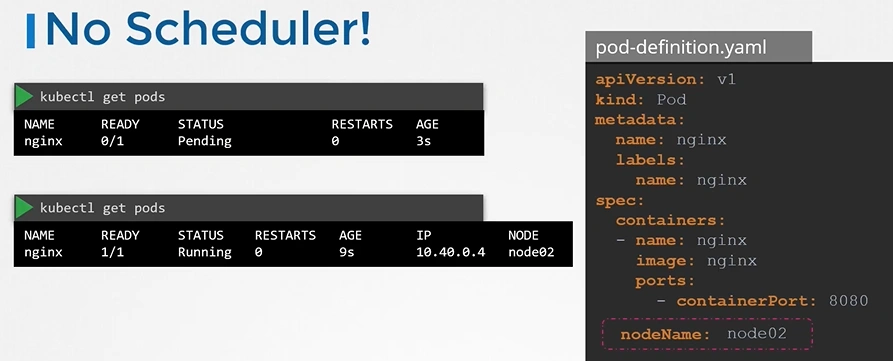
No Scheduler
- You can manually assign pods to node itself. Well without a scheduler, to schedule pod is to set
nodeNameproperty in your pod definition file while creating a pod.
- Another way
    apiVersion: v1
    kind: Binding
    metadata:
      name: nginx
    target:
      apiVersion: v1
      kind: Node
name: node02 apiVersion: v1
kind: Pod
metadata:
name: nginx
labels:
name: nginx
spec:
containers:
- name: nginx
image: nginx
ports:
- containerPort: 8080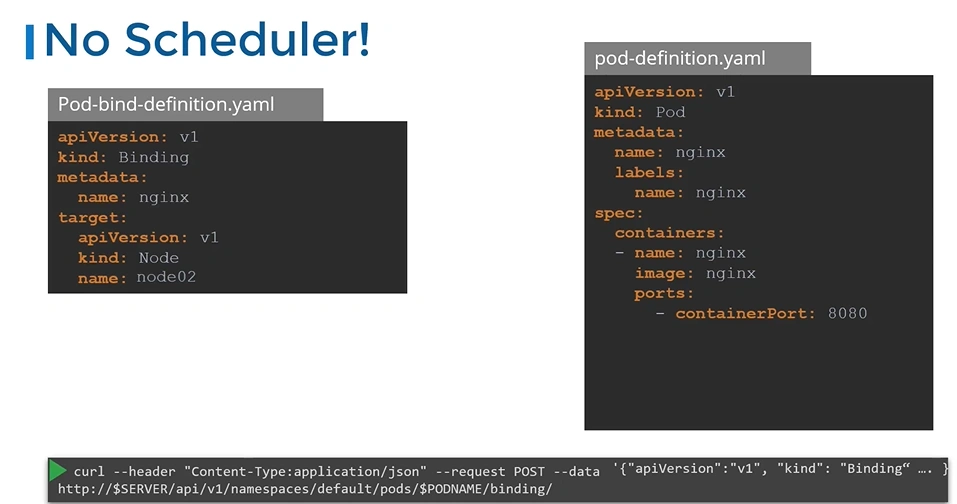
K8s Reference Docs: