A Deeper Look into Node.js Docker Images: Help, My Node Image Has Python!
How to Build Smaller Container Images: Docker Multi-Stage Builds
What’s Inside Distroless Container Images: Taking a Closer Look
Building Container Images FROM Scratch: 6 Pitfalls That Are Often Overlooked
Core Idea
An image is named, tagged, layered, and content-addressed: the note walks registries, naming and tagging, layers and overlay filesystems, pull-by-digest, hashes, and vulnerability scanning.
- Images, registries, and the naming and tagging rules.
- Image layers: overlay filesystems, sharing layers between images, and pulling by digest.
- Hashes (image versus layer, content versus distribution) plus vulnerability scanning and the scratch image.
Images
An image is a read-only package containing everything you need to run an application. This means they include application code, dependencies, a minimal set of OS constructs, and metadata.

Images are made by stacking independent layers and representing them as a single unified object. One layer might have the OS components, another layer might have application dependencies, and another layer might have the application. Docker stacks these layers and makes them look like a unified system.
Images are build-time constructs, whereas containers are run-time constructs.
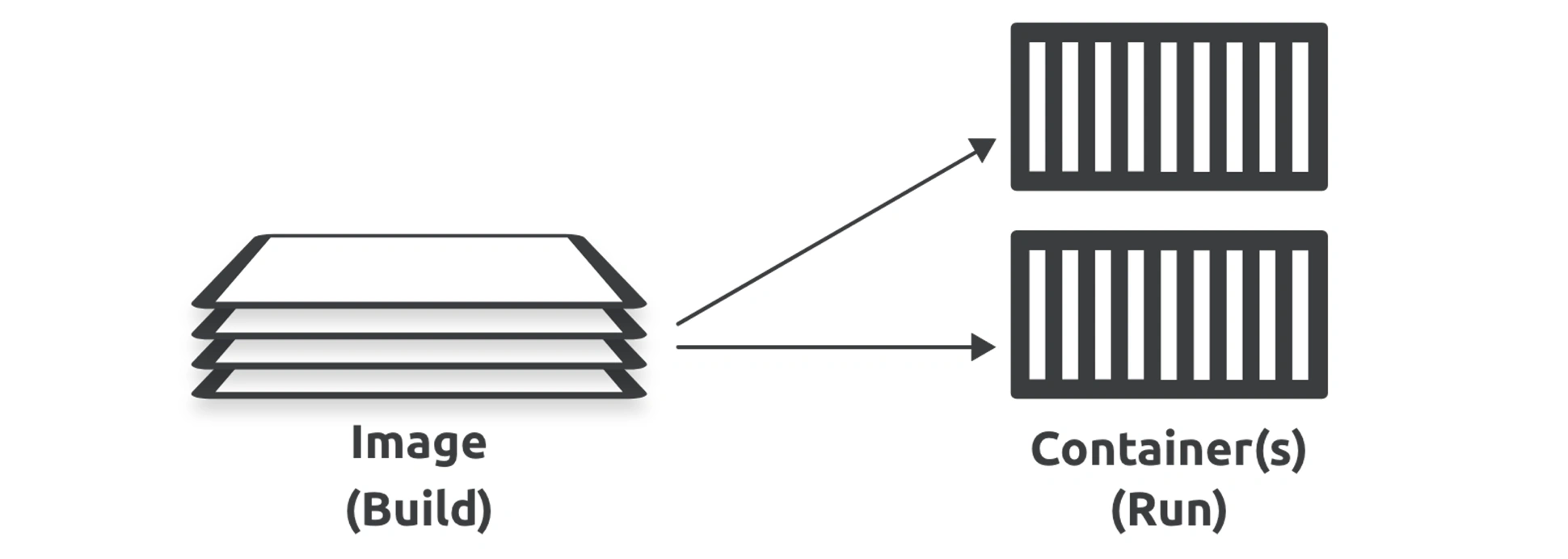
The only OS-related components in most images are filesystem objects,
Image Registries
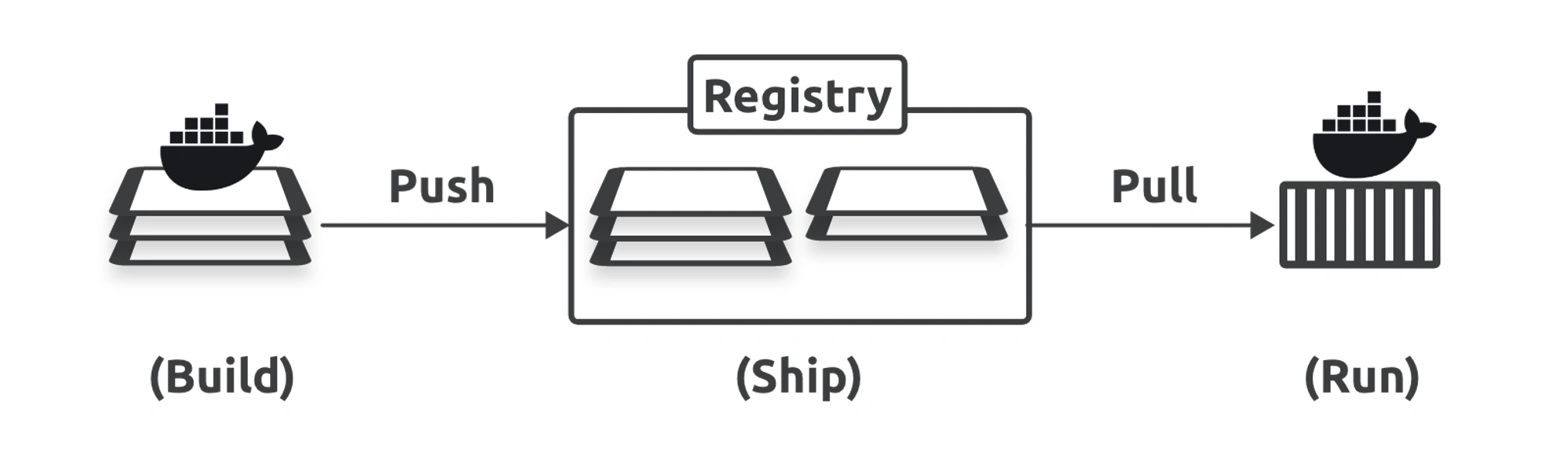
Image Naming and Tagging
Docker automatically populates the registry and tag values if you don’t specify them.
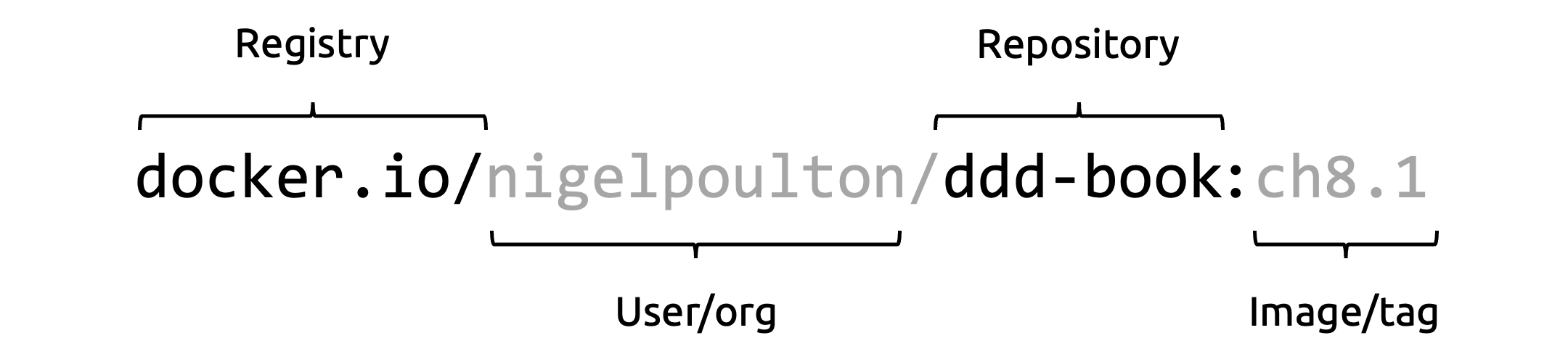
As previously mentioned, if you don’t specify an image tag after the repository name, Docker assumes you want the image tagged as latest. The command will fail if the repository has no image tagged as latest.
Image Layers
images are a collection of loosely connected read-only layers where each layer comprises one or more files.
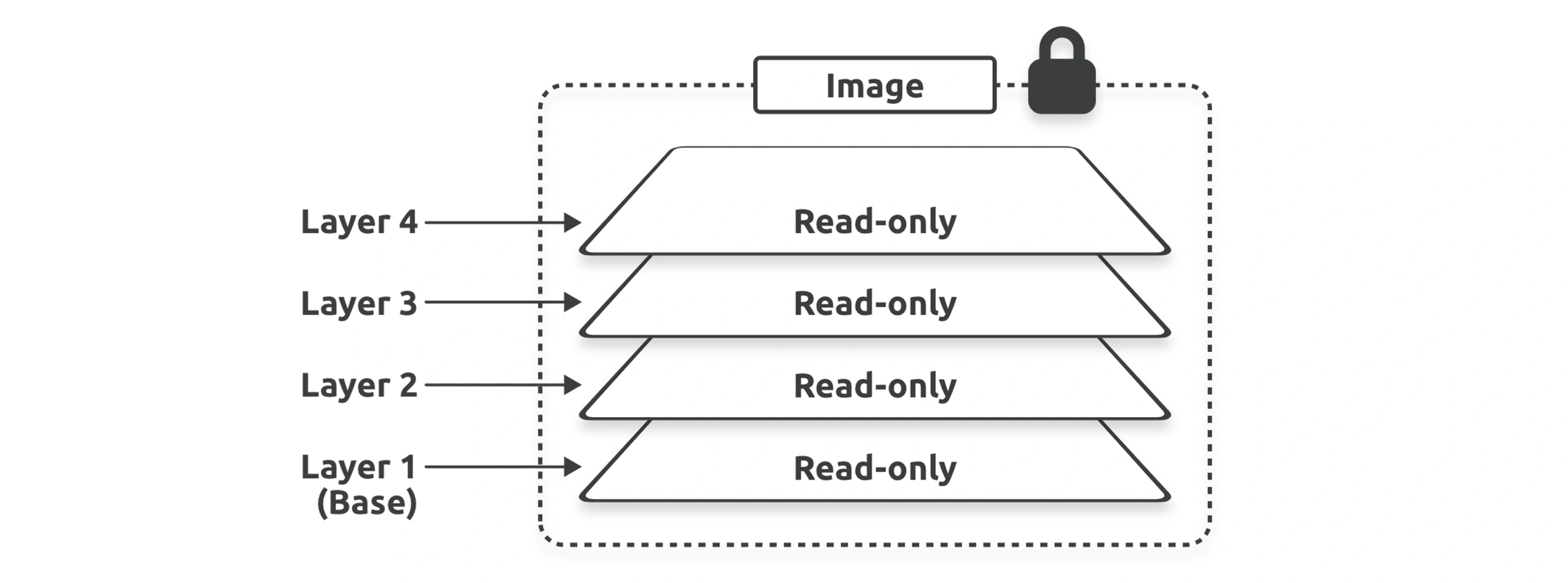
All Docker images start with a base layer, and every time you add new content, Docker adds a new layer.
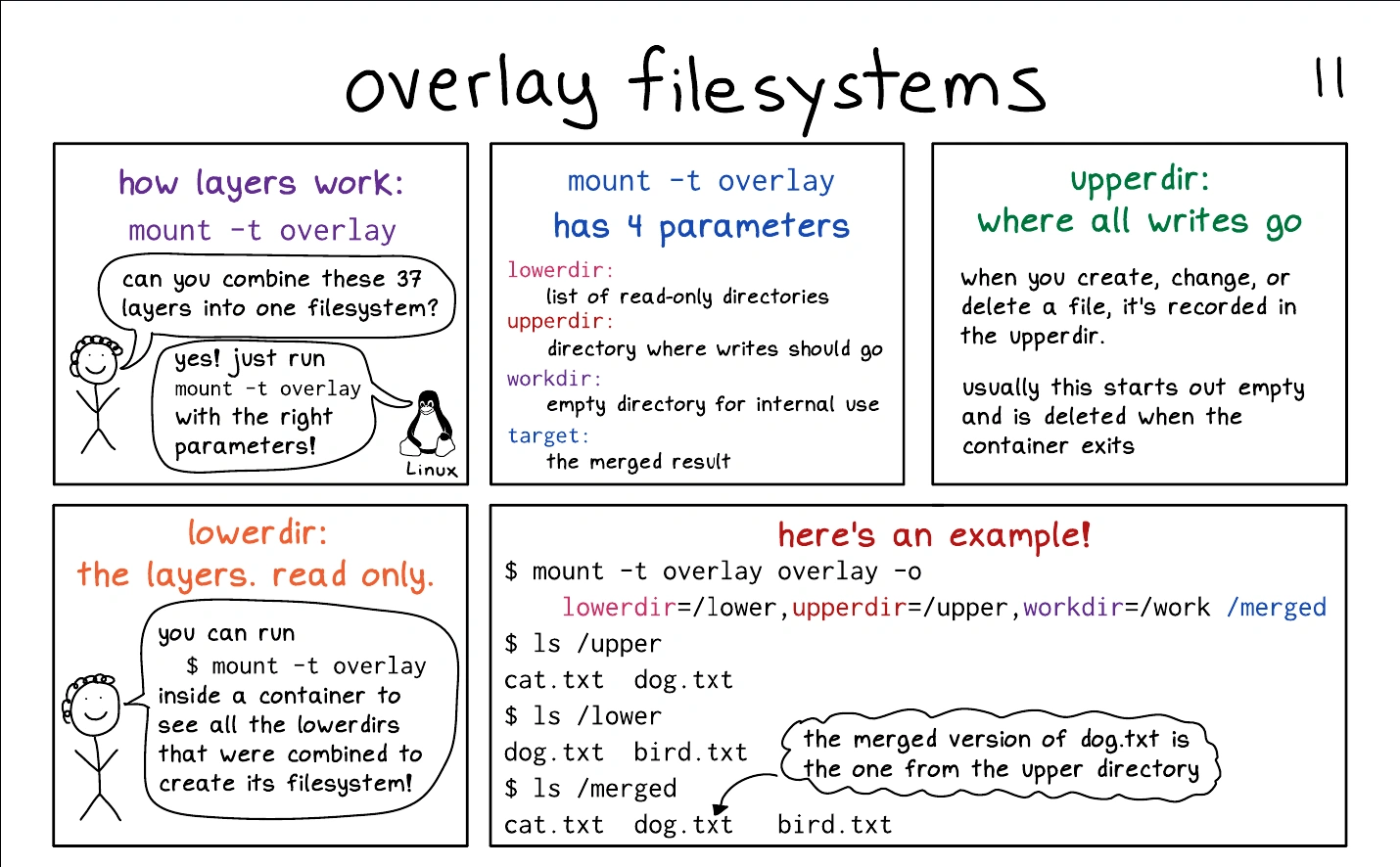
Under the hood, Docker uses storage drivers to stack layers and present them as a unified filesystem and image. Almost all Docker setups use the overlay2 driver.
you can update the file in an image by adding new layers.
Overlay Filesystems
09. Volume & persistent data > Copy-On-Write (CoW)
👉 Docker Overlayfs
👉 Docker container file system (OverlayFS)
Sharing image layers
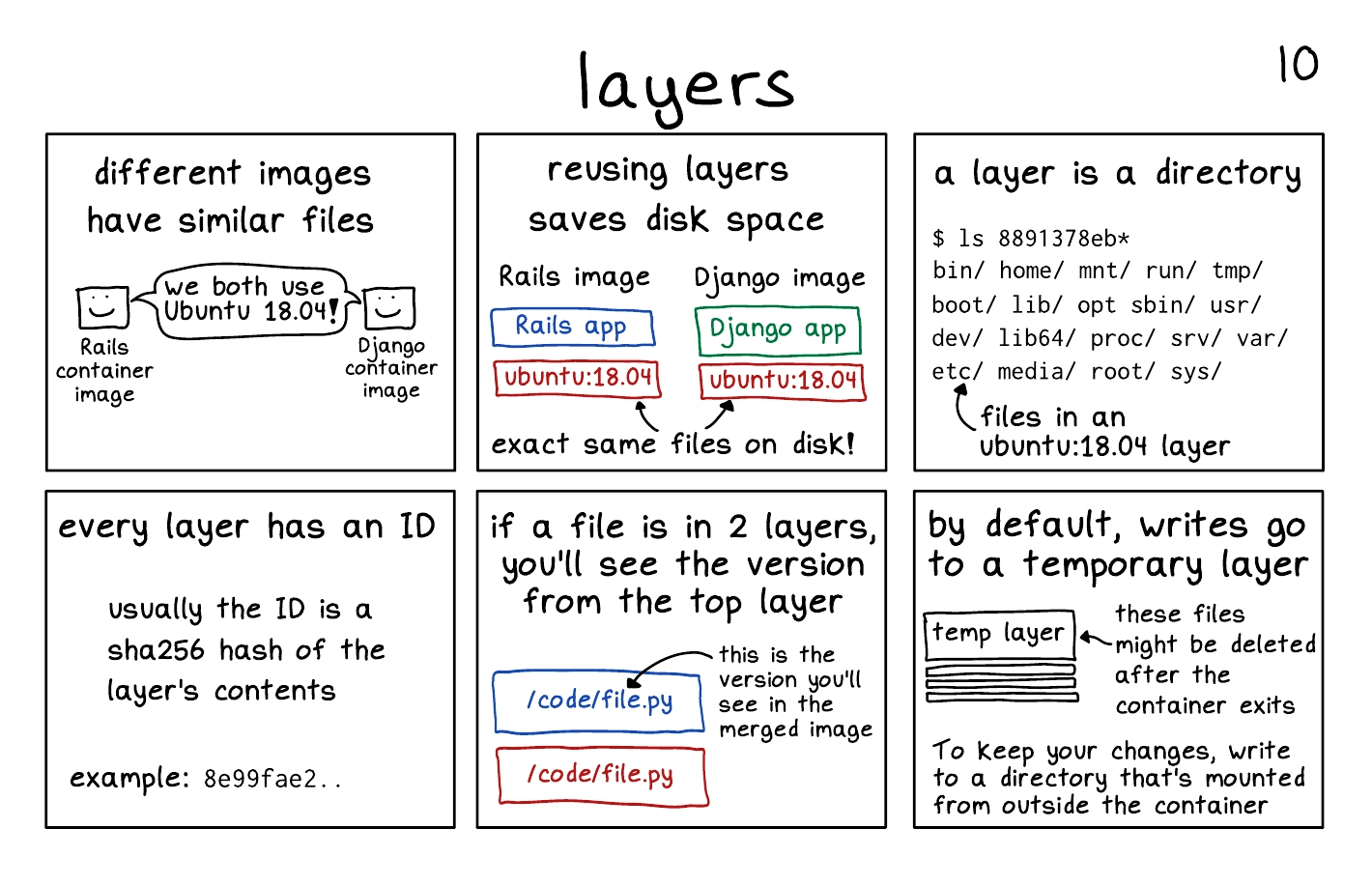
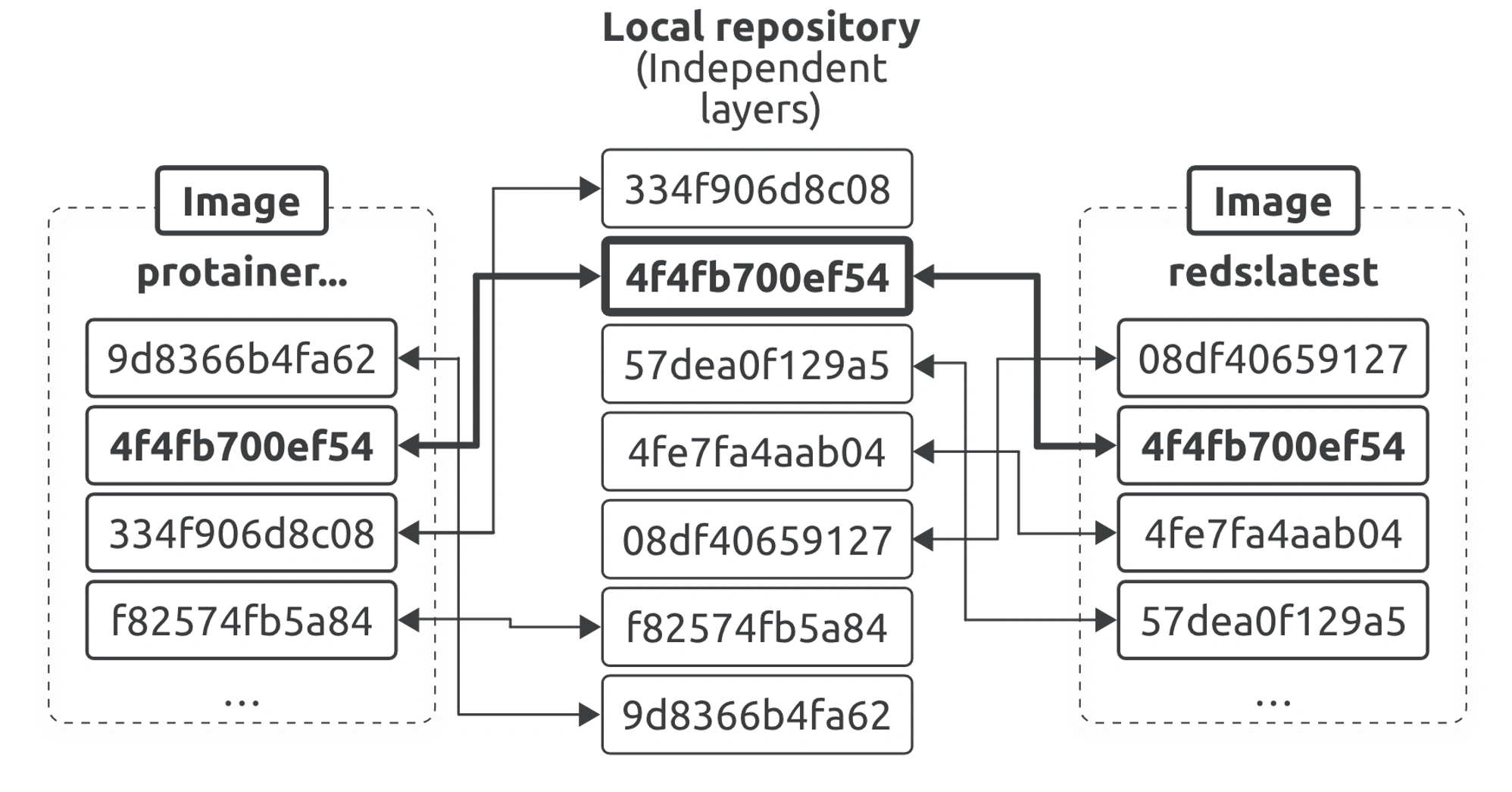
images can share layers, leading to efficiencies in space and performance.
Layers are also shared on the registry side. This means you can store lots of similar images in a registry, and the registry will save space by never storing more than a single copy of any layer.
Pulling Images by digest
Docker uses a content addressable storage model where every image gets a cryptographic content hash that we usually call the digest. As these are hashes of an image’s contents, it’s impossible for two different images to have the same digest. It’s also impossible to change an image without creating a new unique digest. Fortunately, Docker lets you work with image digests instead of just names.
docker images --digests alpine

docker buildx imagetools inspect nigelpoulton/k8sbook:latest

curl "https://hub.docker.com/v2/repositories/nigelpoulton/k8sbook/tags/?name=latest" \ |jq '.results[].digest'
Hashes
Image Hashes & Layer Hashes
An image is just a manifest file with some metadata and a list of layers.
The actual application and all its dependencies live in the layers.
However, layers are fully independent and have no concept of being part of an image.
- Images digests are a crypto hash of the image manifest file
- Layer digests are a crypto hash of the layer’s contents
Content hashes vs distributions hashes
Docker compares hashes before and after every push and pull to ensure no tampering has occurred.
it also compresses images during push and pull operations to save network bandwidth and storage space on the registry. As a result of this compression, the before and after hashes won’t match.
- Content hash (uncompressed)
- Distribution hash (compressed)
Every time Docker pushes or pulls a layer from a registry, it includes the layer’s distribution hash and uses this to verify no tapering occurred.
Vulnerability scanning
Docker image scanning is a process of identifying known security vulnerabilities in the packages of your Docker image. This gives you the opportunity to find vulnerabilities in container images and fix them before pushing the image to a registry or running them as a container. Docker provides us with a scan command. In addition to that, there are a lot of other open-source tools as well. Let us look at how to scan the Docker Images using a tool called Trivy.
01104 - Docker Images
Docker Image Vulnerabilities | Trivy Image Scan Guide
Docker Scratch Image
- Most Minimal Image.
- Base ancestor for all other images.
- The scratch image actually empty.
- Mostly used for build base images.
Tip
Scratch isn’t technically an image, but it’s merely a reference. The way container images are constructed is that it makes use of the underlying Kernel providing only the tools and system calls that are present inside the kernel. Because in Linux everything is a file you can add any self-contained binary or an entire operating system as a file in this filesystem.
This means that when creating an image from Scratch, it technically refers to the Kernel of the host system and all the files in the image are loaded in the filesystem using a technique/tool called OverlayFS. That’s why building from Scratch is also a no-op operation and when adding just a single binary the size of the image is only the size of that binary plus a bit of overhead.