Core Idea
Persistent data outlives containers: distinguish what you must keep from what you can drop, then use container storage and volumes to keep stateful apps safe across restarts and nodes.
- Persistent versus non-persistent data, and what makes an app stateful.
- Container storage: copy-on-write, containers with volumes.
- Sharing storage across cluster nodes for stateful workloads.
Persistent data is the stuff you care about and need to keep. It includes things like customer records, financial data, research results, audit data, and even some types of logs.
Non-persistent data is the stuff you don’t care about and don’t need to keep.
Applications that create and manage persistent data stateful apps
Applications that don’t create or manage persistent data stateless apps
stateless apps, Docker creates every container with an area of non-persistent local storage that’s tied to the container lifecycle. This storage is suitable for scratch data and temporary files, but you’ll lose it when you delete the container or the container terminates.
Docker has volumes for stateful apps that create and manage important data. Volumes are separate objects that you mount into containers, and they have their own lifecycles. This means you don’t lose the volumes or the data on them when you delete containers. You can even mount volumes into different containers.
Container Storage
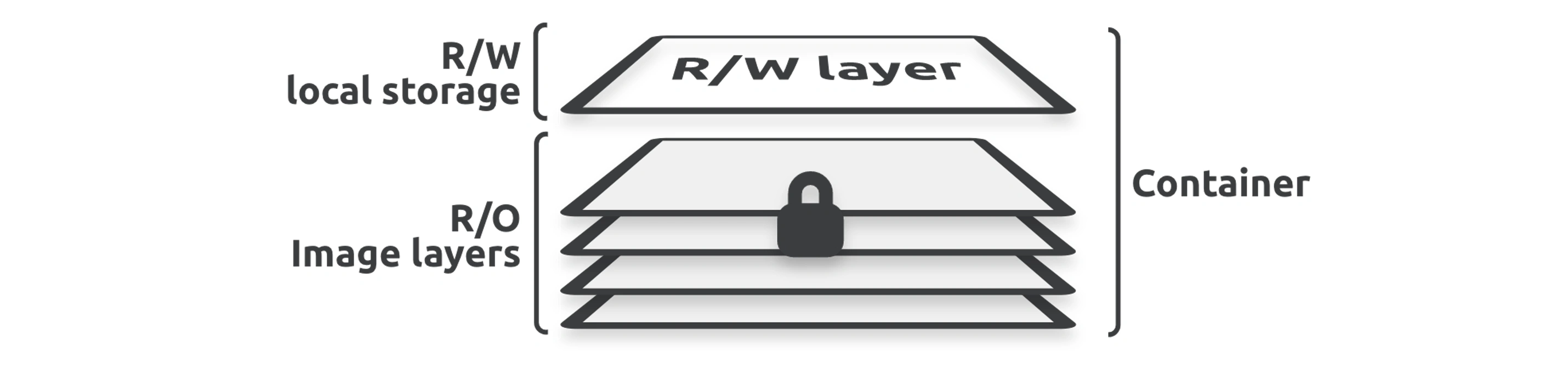
This thin layer of local storage is integral to the read-write nature of containers.
For example, if an application needs to update existing files or add new files, it makes the changes in the local storage layer, and Docker merges them into the view of the container. However, the local storage is coupled to the container’s lifecycle, meaning it gets created when you create the container, and deleted when you delete it. This means it’s not a good place for data that you need to keep (persist).
Docker keeps the local storage layer on the Docker host’s filesystem, and you’ll hear it called various names such as the thin writeable layer, ephemeral storage, read-write storage, and graphdriver storage.
👉 04. Docker Images > Image Layers
Copy-On-Write (CoW)
Copy-On-Write (CoW) is a key concept in Docker’s storage system. It is a mechanism that optimizes storage usage and performance by delaying the copying of data until it is modified. Docker uses CoW extensively in its layered filesystem to manage images and containers efficiently.
Copy-On-Write Behavior:
- When a container tries to modify a file from a read-only layer, the file is copied to the writable layer.
- The modification happens only on the writable copy, leaving the original file in the read-only layer untouched.
Containers are disposable, not repairable
Even though the local storage layer allows you to update live containers, you should never do this. Instead, you should treat containers as immutable objects and never change them once deployed.
For example, if you need to fix or change the configuration of a live container, you should create and test a new container with the changes and then replace the live container with the new one.
Containers with Volumes
11. Storage Drivers & Volume Drivers > Docker Volume Drivers
There are three main reasons you should use volumes to handle persistent data in containers:
- Volumes are independent objects that are not tied to the lifecycle of a container
- You can map volumes to specialized external storage systems
- Multiple containers on different Docker hosts can use volumes to access and share the same data
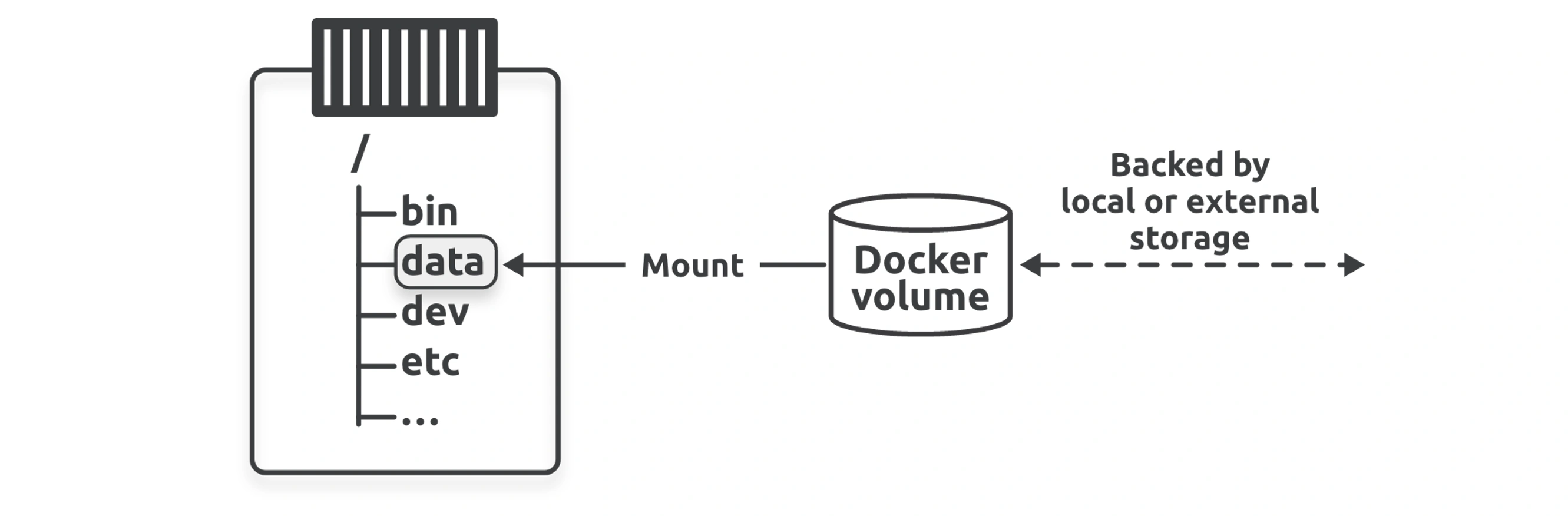
Third-party drivers provide advanced features and access to external storage systems such as cloud storage services and on-premises storage systems such as SAN and NAS.
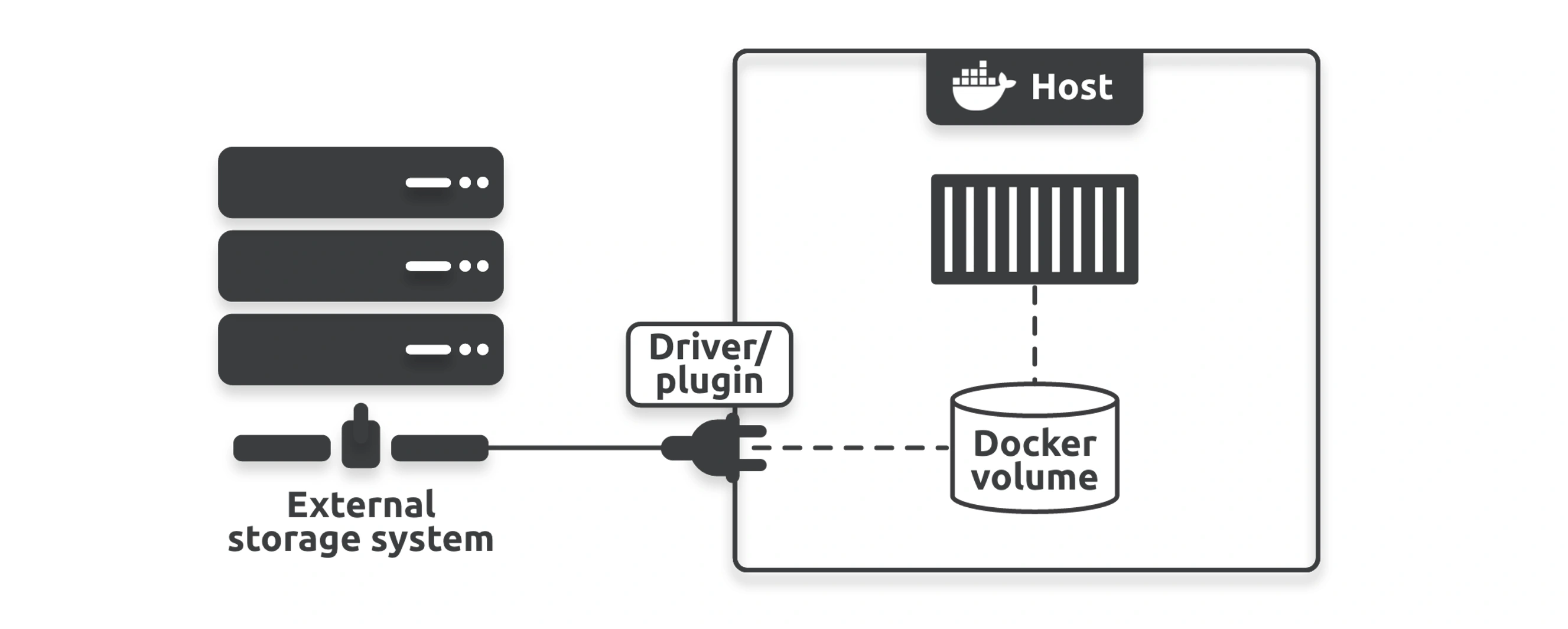
The command specified the --mount flag,
- If you specify a volume that already exists, Docker will use it
- If you specify a volume that does not exist, Docker will create it
Sharing storage accross cluster nodes
Integrating Docker with external storage systems lets you present shared storage to multiple nodes so that the containers running on different nodes can share the same volumes.
These external systems can be cloud storage services or enterprise storage systems in your on-premises data centers. For example, you can present a single storage LUN or NFS share (shared volume) to multiple Docker hosts so that any container on those hosts can access and share the volume.
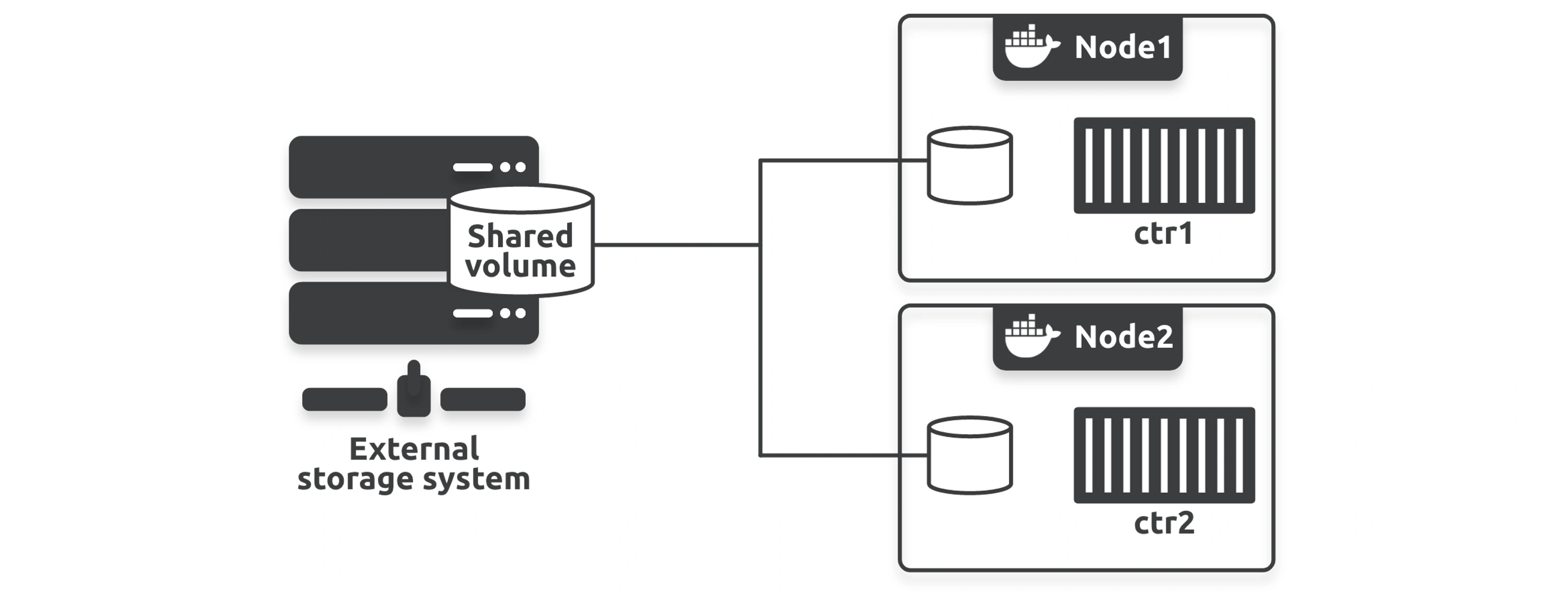
Data corruption is a major concern for any shared storage configuration.