Core Idea
Docker images are stacks of read-only layers with a thin writable layer on top: OverlayFS merges them so reads, overwrites, deletes, and new files each behave differently, and images can only grow.
- How Docker images are built and why it is not as simple as one filesystem.
- The layers model walked through five scenarios: reading, overwriting, deleting, and creating files.
- Why images cannot decrease in size once layers are added.
How Docker images are built
Why it’s not as simple as you think
Looking at the following Dockerfile one might assume the resulting image might be smaller than the original ubuntu image.
FROM ubuntu:latest

RUN rm -rf /usr
But in reality, it’s larger in size. The reason for this is the way images are stored and built.
Introducing layers
Docker uses a category of file systems called union file systems, more specifically OverlayFS. OverlayFS works by overlaying one or several read-only directory trees (lowerdir1 and lowerdir2) and a single (or none) writable directory tree (upperdir), resulting in a merged single writable directory tree (merged).
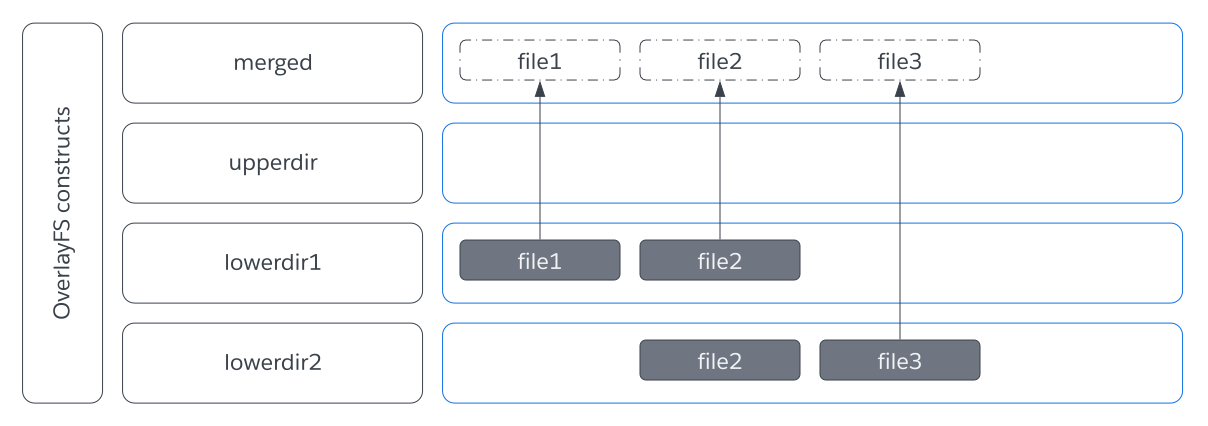
Let’s look at the following imaginary OverlayFS filesystem. Be aware we always operate on the merged view of the directory tree.
Scenario 1: Reading file1
When trying to read/access file1 in the merged directory tree, it will actually read file1 of lowerdir1.
Scenario 2: Reading file2
When trying to read/access file2 in the merged directory tree, it will actually read file2 of lowerdir1. Even though file2 is both present in lowerdir1 and lowerdir2 the upper layers will “overlay” the layers below.
Scenario 3: Overwriting file1
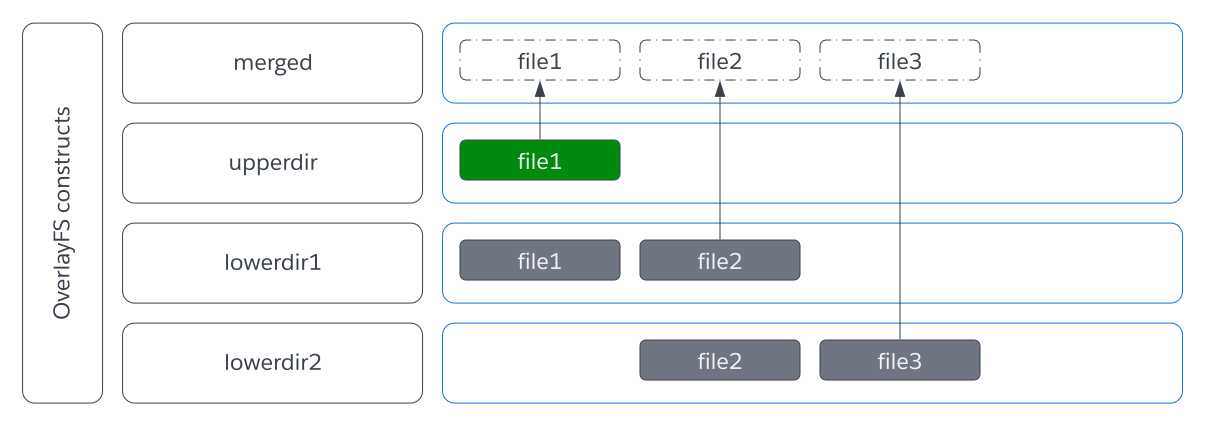
When overwriting an already existing file inside the `merged` directory tree, like `file1` in this example, the base file in `lowerdir1` won't actually be overwritten (Remember: All lowerdirs are always read-only), instead a new copy with the edits made will be created inside `upperdir`, leaving the base file untouched.
Scenario 4: Deleting file3
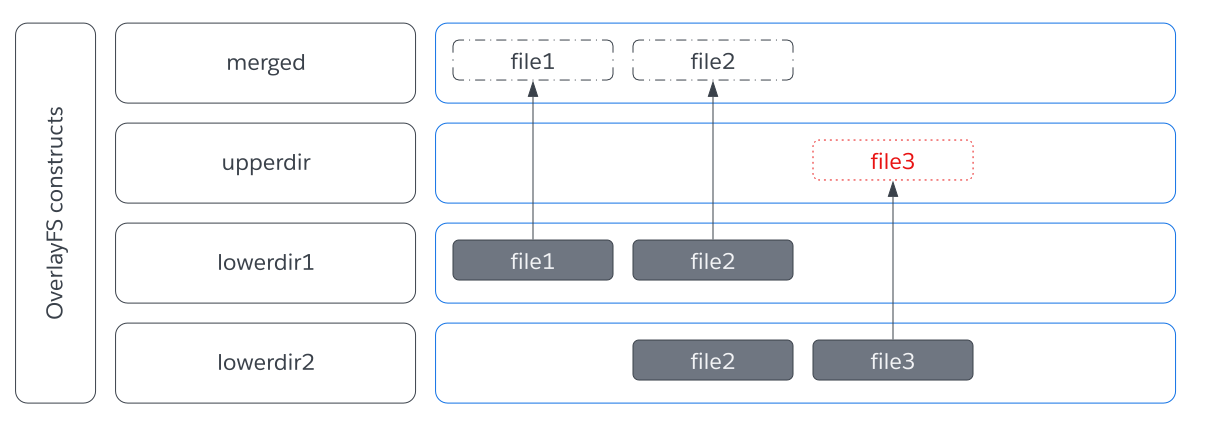
When deleting an file that exists in one of the `lowerdir`, a so called "whiteout" file is created (inside a special overlayfs directory) which marks the file as deleted. Inside the `merged` directory tree, no file will be present.
Attention: When deleting a file inside the upperdir, the file will actually be deleted.
Scenario 5: Creating file4
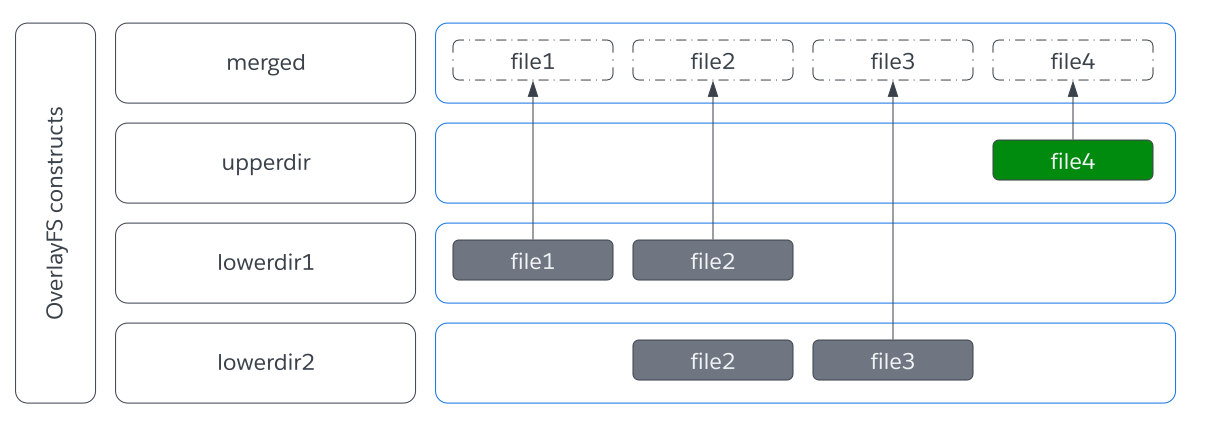
When creating a new file, the file will be created inside the upperdir directory tree.
Summary
- All writes or deletes always happen on the
upperdir(or in case there is none, they will fail). - All reads will access the file inside the most upper layer, in which it exists.
Why docker images can’t decrease in size
Using this newly gained knowledge of how OverlayFS works, let's go back to our original observation of the docker image that can't decrease in size.
Docker images are built out of layers, which map to dirs/layers in OverlayFS. Each build instruction inside a Dockerfile will first start a new container mounting an OverlayFS as root filesystem with all previously built layers as lowerdirs (read-only) and a newly created layer as upperdir (read/write). Once the build step is completed (in the above case rm -rf /usr) it will commit the upperdir as a new readonly layer/lowerdir.
Therefore the above docker image will actually be larger in size due to a new layer that contains white-out files.