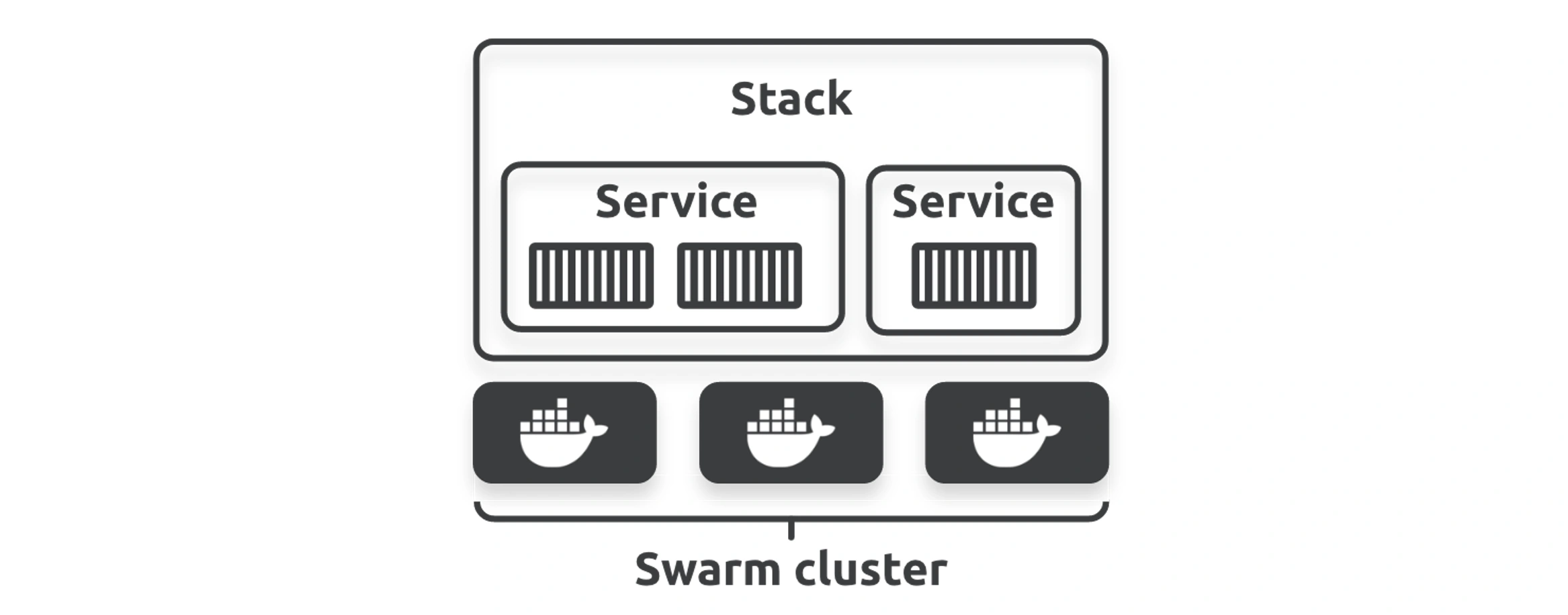
Compose runs multi-container apps on one host, Swarm turns a cluster of hosts into one orchestrator with HA and overlay networks, and Stack deploys whole applications onto Swarm.
Compose for defining and running services locally.
Swarm: cluster setup, high availability, split brain, security (lock it, dedicate managers), and deploy plus manage workflows.
Overlay networking across the swarm, and Docker Stack for application-level deploys.
Compose
Docker to deploy a single container for this service. You can specify a different number of replicas to deploy multiple identical containers for the service. However, this won’t work on Docker Desktop installations as you only have a single Docker host, and only one container can use port 5001 on the Docker Desktop host.
Swarm
Docker Swarm is two things:
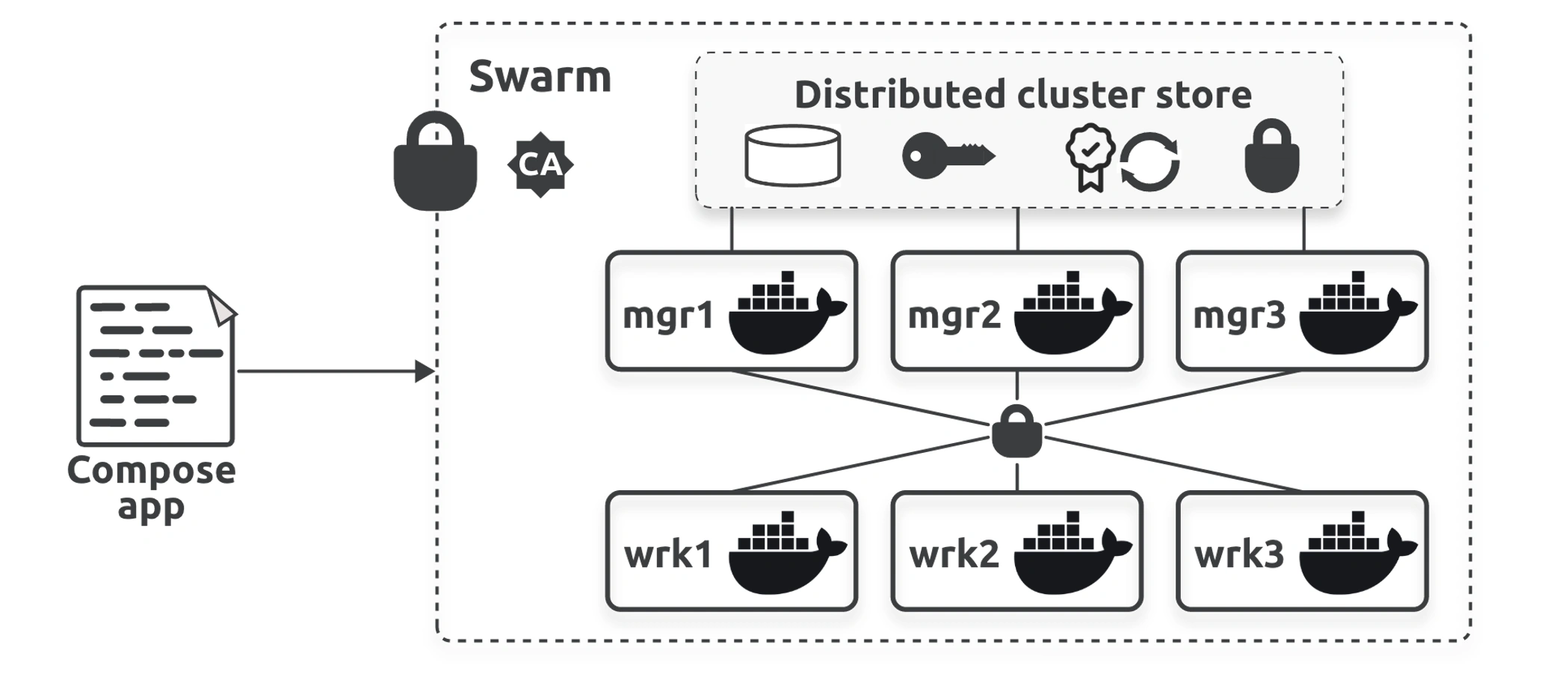
An enterprise-grade cluster of Docker nodes
An orchestrator of microservices apps
On the clustering front, a swarm is one or more Docker nodes that can be physical servers, VMs, cloud instances, Raspberry Pi’s, and more.
Managers run the control plane services that maintain the state of the cluster and schedule user applications to workers
Workers run user applications
you can force user applications to run on worker nodes on important clusters, allowing your managers to focus on cluster management operations.
swarm stores its state and configuration in an in in-memory distributed database that replicates across all manager nodes.
Swarm uses TLS to encrypt communications, authenticate nodes, and authorize roles (managers and workers). It also configures and performs automatic key rotation.
The Docker Engine on each node is now operating in swarm mode, and the swarm is secured with TLS.
High Availabiity
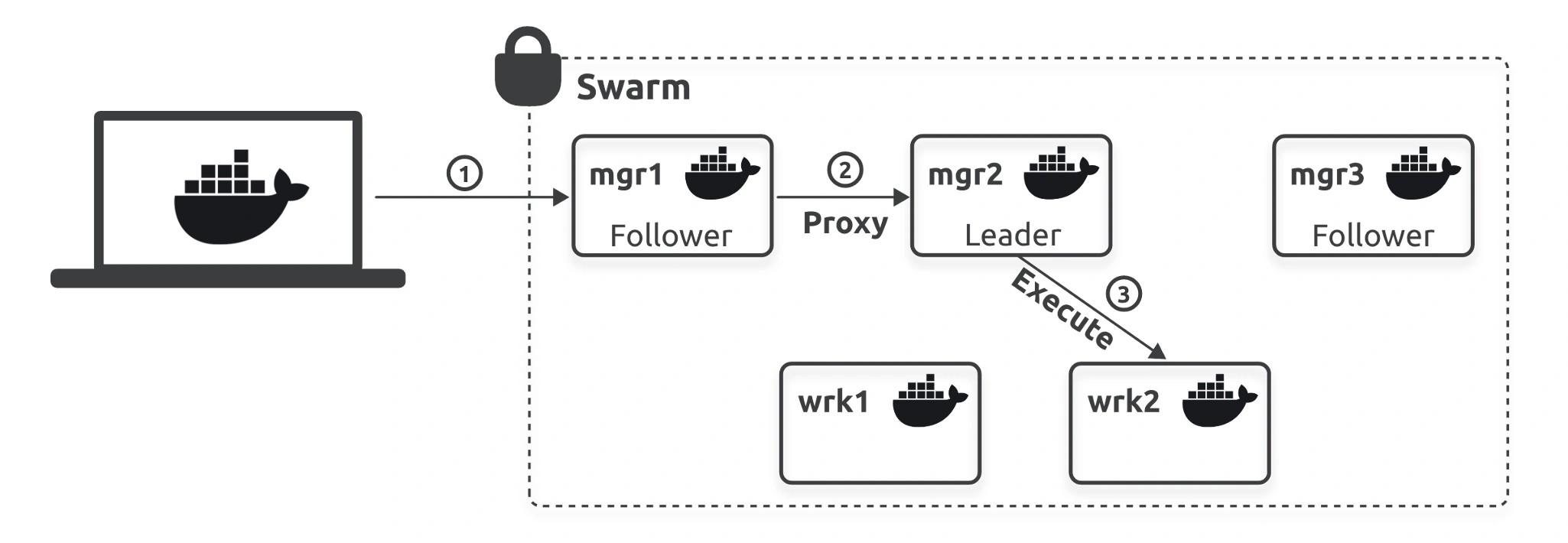
Technically speaking, Swarm implements active/passive multi-manager HA. This means a swarm with three managers will have one active manager, and the other two will be passive. In a swarm, we call the active manager the leader and the passive managers followers, and the leader is the only manager that can update the swarm configuration. If the leader fails, one of the followers will be elected as the new leader and the swarm will keep running without any service interruption. If you send commands to a follower, it proxies them to the leader.
Leader and follower is Raft terminology, and we use it because Swarm implements the Raft consensus algorithm to maintain a consistent cluster state across multiple highly-available managers.
Good Practices
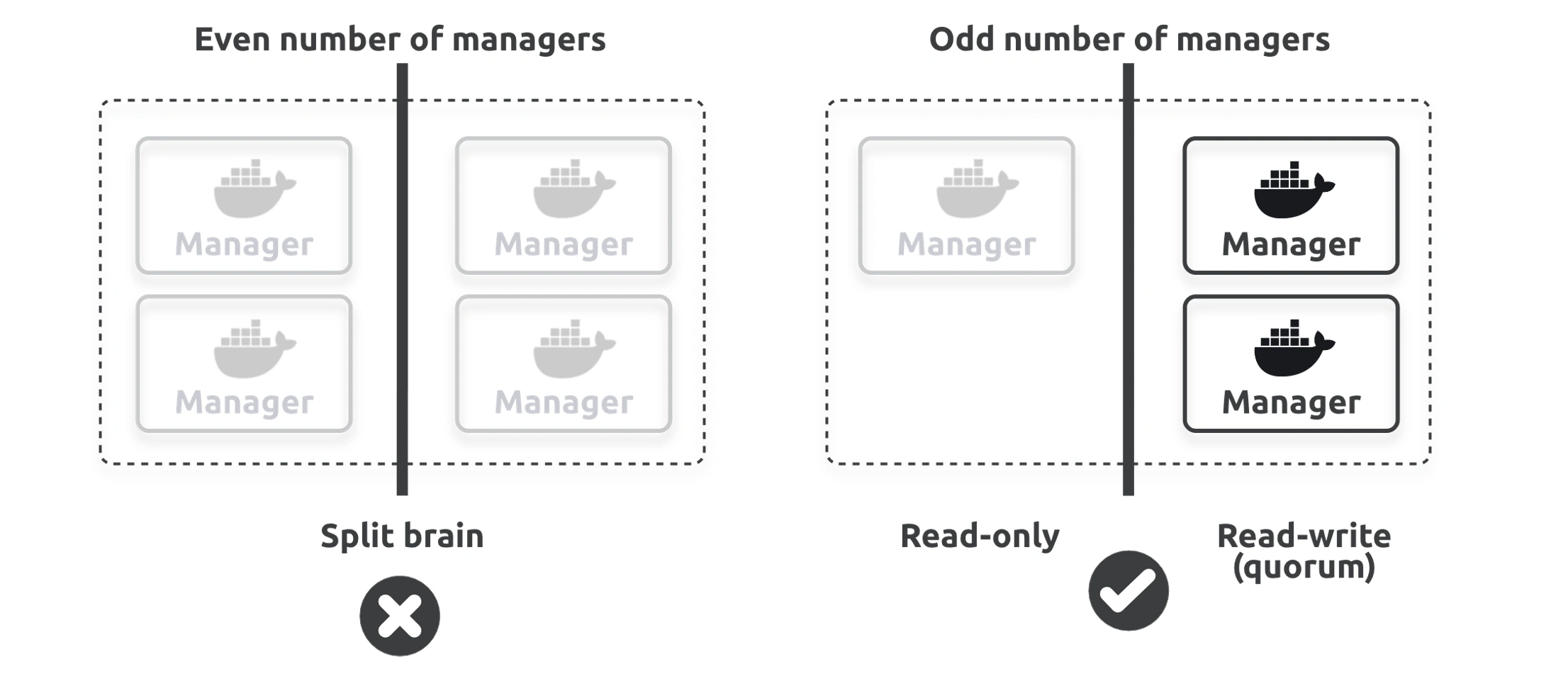
Always deploy an odd number of managers
Don’t deploy too many managers (3 or 5 is usually enough)
The swarm on the left has an even number of managers, and a network incident has created a network partition with two managers on either side.
We call this a split brain because neither side can be sure it has a majority, and the cluster goes into read-only mode. When this happens, your apps continue working but you can’t make changes to them or to the cluster.
However, the swarm on the right has an odd number of managers and remains fully operational in read-write mode because the two managers on the right side of the network partition know they have a majority (quorum).
So, even though the swarm on the right has fewer managers than the one on the left, it has better availability.
As with all consensus algorithms, more participants means longer times to achieve consensus.
While you should definitely spread your managers across availability zones, they need to be connected by fast and reliable networks.
Swarm security
Swarm ships with a lot of security features, such as a built-in certificate authority (CA), mutual TLS, an encrypted cluster store, encrypted networks, cryptographic node IDs and join tokens, and more. Fortunately, Swarm automatically configures them with sensible defaults.
Locking Swarm
$ docker swarm update --autolock=true$ docker swarm unlockPlease enter unlock key: <enter your key>
Swarm has two modes for deploying replicas to nodes:
Replicated (default)
Global
The default replicated mode allows you to deploy as many replicas as you need and attempts to distribute them evenly across available nodes.
The global mode deploys a single replica on every available node in the swarm.
Overlay Network
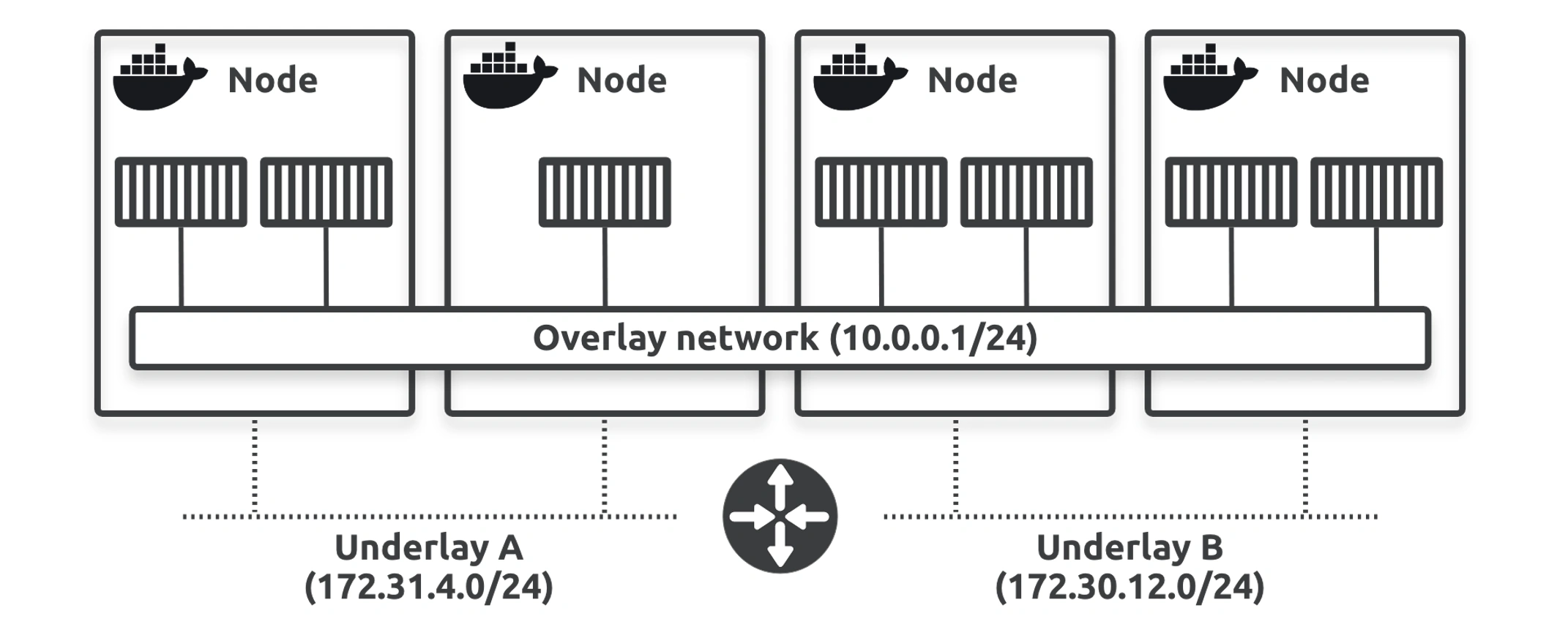
docker network create -d overlay uber-net
The overlay network spans all four nodes and creates a single flat layer 2 network abstracting all the underlying networks. All container replicas are connected to the overlay and can communicate with each other.
Docker Stacks combine Compose and Swarm to create a platform for easy deployment and management of complex multi-container apps on secure, highly available infrastructure.
From an architecture perspective, stacks are at the top of the Docker application hierarchy — they build on top of services, which in turn build on top of containers, and they only run on swarms.
The stack will update two replicas at a time and wait 10 seconds between each. Once the stack has converged and all replicas are updated, you should see the new version of the app as shown in Figure 11.4. Refresh your browser a few times to make sure it works. Don’t worry if some requests get the old version while the rollout is in progress.
The volume will still exist, and you’ll need to delete it manually.