Go has arrays. However, arrays are rarely used directly in Go.
Go Has only one dimensional arrays. but we can simulate multidimensional arrays.
Using [...] makes an array. Using [] makes a slice.
A slice is the first type you’ve seen that isn’t comparable. It is a compile-time error to use to see if two slices are identical or != to see if they are different. The only thing you can compare a slice with using is nil:
The reflect package contains a function called DeepEqual that can compare almost anything, including slices. It’s a legacy function, primarily intended for testing. Before the inclusion of slices.Equal and slices.EqualFunc, reflect.DeepEqual was often used to compare slices. Don’t use it in new code, as it is slower and less safe than using the functions in the slices package.
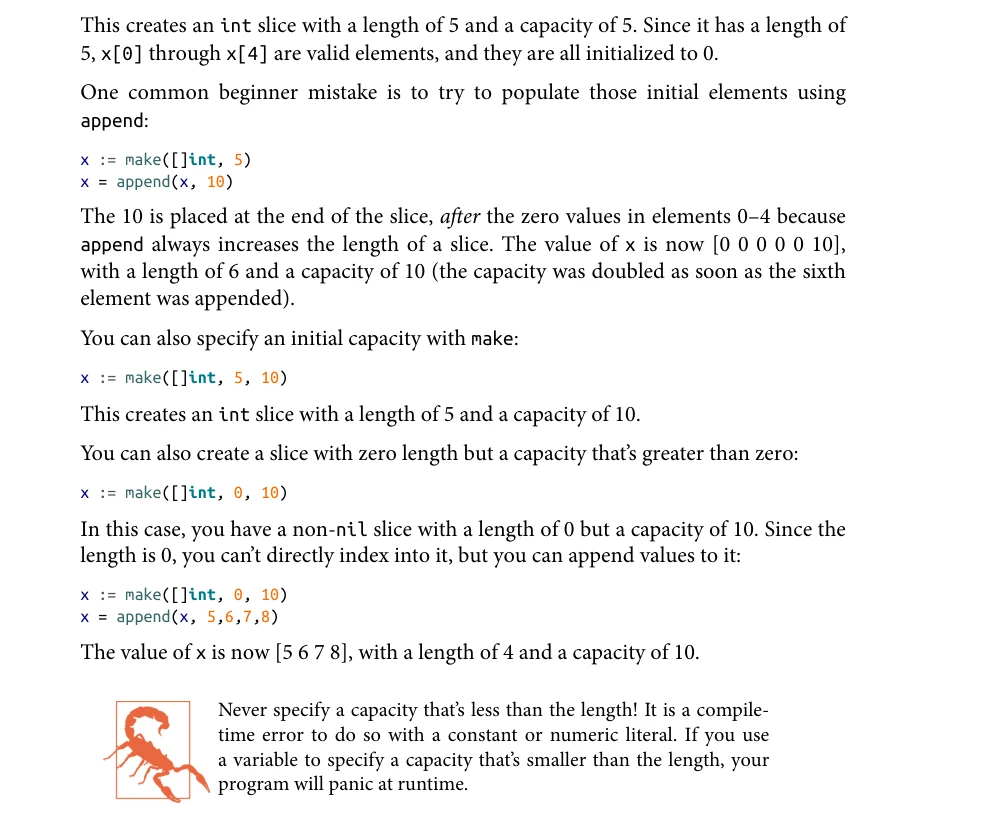
append
append function used to grow slices.
var x []intx = append(x,10,11)
Slices and Capacity in Go
A slice is a sequence of elements backed by an underlying array.
Each slice has:
Length: number of actual elements.
Capacity: number of elements it can hold before needing to grow.
When append is called:
If there’s room (length < capacity), the element is added directly.
If not, a new larger array is allocated by the Go runtime.
Existing elements are copied, new ones added, and the updated slice is returned.
Go Runtime and Slice Growth
The Go runtime handles memory management, garbage collection, and other low-level services.
It’s included in every Go binary, making distribution easier but increasing binary size (~2MB).
Growing a slice has a performance cost (allocation + copy + GC).
To reduce repeated allocations, the runtime increases capacity by:
Doubling it if current capacity < 256.
Using (current_capacity + 768) / 4 when capacity ≥ 256.
This results in growth rates that gradually reduce toward 25% as the slice gets larger.
Go use sequence of bytes to represent a string. These bytes don’t have to be in any particular character encoding, but several Go library functions assume that string is composed of a sequence of UTF-8 encoded code points.
A string can be converted back and forth to a slice of bytes or a slice of runes.
The map that’s built into Go is a hash map, or hash table
Grokking Algorithms, Chapter 05
[!video]- GopherCon 2016: Inside the Map Implementation - Keith Randall
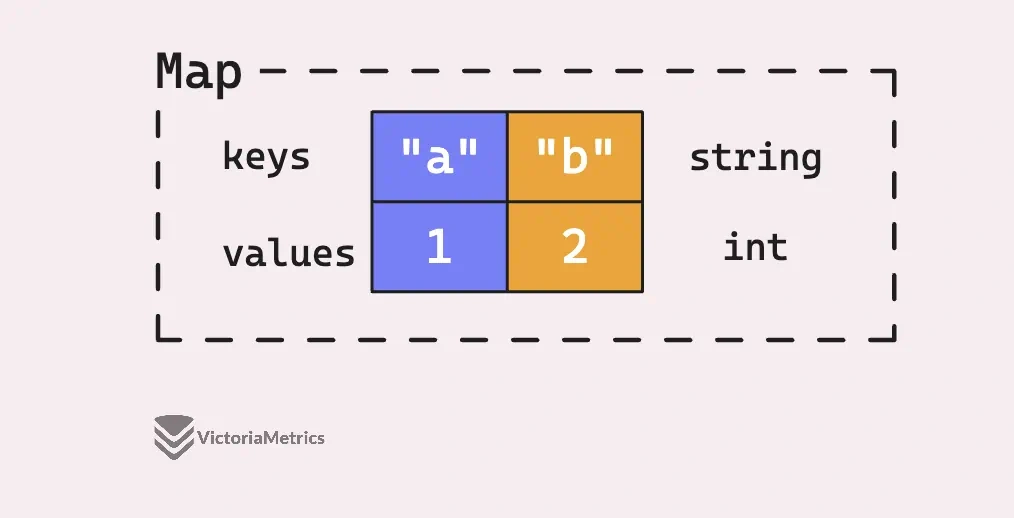
m := make(map[string]int)m["a"] = 1m["b"] = 2m // map[a:1 b:2]
Question
Why are maps used for?
For example, here is an inefficient program that uses a loop to find an element among millions of elements.
millions := []int{/* millions of elements */}for _, v := range millions { if v == userQuery { // do something }}
Maps allow fast-lookup for map keys in O(1) time CORRECT
Maps allow fast-lookup for map keys in O(n) time
Maps allow fast-traversal on map keys in O(1) time
1: That’s right. Maps work in O(1) in average for fast-lookup.
2: Map doesn’t work in O(n) time for key lookup.
When should you not use a map?
To find an element through a key
To loop over the map keys CORRECT
To add structured data to your program
1: That is when you use a map.
2: Right! Looping over map keys happen in O(n) time. So, maps are the worst data structures for key traversing.
3: Maps don’t allow you to add structured data to your program.
Which type below cannot be a map key?
map[string]int
[]string
[]int
[]bool
All of them CORRECT
5: Slices, maps, and function values are not comparable. So, they cannot be map keys.
Which are the key and element types of the map below?
map[string]map[int]bool
Key: string Element: bool
Key: string Element: int
Key: string Element: map[int]
Key: string Element: map[int]boolCORRECT
4: The map contains other maps. The element type of a map can be of any type.
What is a map value behind the scenes?
A map header
A pointer to a map header CORRECT
Tiny data structure with 3 fields: Pointer, Length and Capacity
2: That’s right. Maps are complex data structures. However, each map value is only a pointer to a map header (which is a more complex data structure).
Maps in Go are not Reference Types, But they Behave like them.
m := make(map[string]int)
The variable m is not the actual map data, it’s a pointer to a runtime structure(runtime.hmap) that holds the actual data.
So when you pass m to a function, you’re copying the pointer, not the whole map.
This means:
Multiple copies of m (in different variables or function arguments) point to the same underlying data.
If one copy modifies the map, **all see the change**.
Nil Maps and Empty Maps
Declare a variable nilMap which will eventually point to a map from strings to ints, but for now, don’t point it to anything(does not point to any underlying map structure yet).
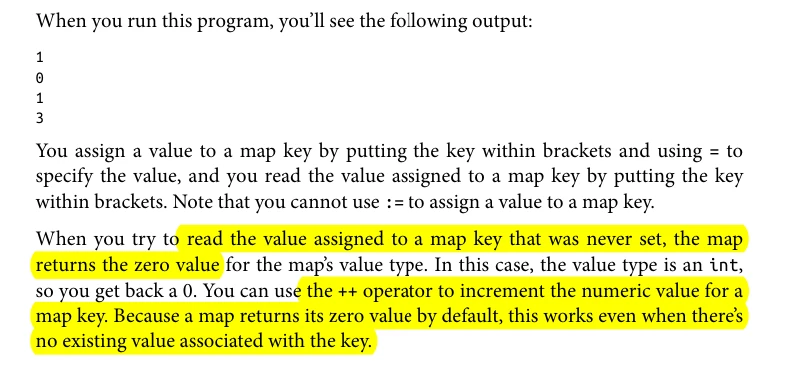
var nilMap map[string]intlen(nilMap) // Return 0nilMap["foo"] // Return 0nilMap["newKey"] = 42 // 🚨 panic: assignment to entry in nil map
Following syntax creates an empty map. It safe for both reading and writing.
If you know how many key-value pairs you plan to insert into a map, you can use make to create a map with a specific initial size.
ages := make(map[int][]string, 10)
The second argument is capacity hint, not a strict limit.
Go uses it to optimize initial allocation, it preallocates room for about that many keys.
This avoids early resizing and copying during the first few insertions.
You can check if they are equal to nil, but you cannot check if two maps have identical keys and values using == or differ using !=.
Map or Slice
You should use slices for lists of data when the data should be processed
sequentially or the order of the elements is important.
Maps are useful when you need to organize values using something other than an increasing integer value, such as a name
Sets are commonly used to test membership, eliminate duplicates, or perform set-theoretic operations like union, intersection, etc.
intSet := map[int]bool{} // empty mapvals := []int{5, 10, 2, 6, 7, 2, 1}for _, v := range vals { intSet[v] = true}fmt.Println(len(vals), len(intSet))fmt.Println(intSet[5])fmt.Println(intSet[500])if intSet[100] { fmt.Println("100 is in the set")}
We wrote 11 values into intSet, but the length of intSet is 8, because you cannot have duplicate keys in a map. If you look for 5 in intSet, it returns true, because there is a key with the value 5. However, if you look for 500 or 100 in intSet, it returns false. This is because you haven’t put either value into intSet, which causes the map to return the zero value for the map value, and the zero value for a bool is false.
Some people prefer to use struct{} for the value when a map is being used to implement a set. (I’ll discuss structs in the next section.) The advantage is that an empty struct uses zero bytes, while a boolean uses one byte.
The disadvantage is that using a struct{} makes your code clumsier. You have a less obvious assignment, and you need to use the comma ok idiom to check if a value is in the set:
intSet := map[int]struct{}{} // Map Literal / Empty Mapvals := []int{5, 10, 2, 5, 8, 7, 3, 9, 1, 2, 10}for _, v := range vals { intSet[v] = struct{}{}}if _, ok := intSet[5]; ok { fmt.Println("5 is in the set")}
struct{} is the zero-size type in Go.
struct{}{} is the literal syntax for “create a value of that type”.
var y struct{} // y is of type struct{}y = struct{}{} // valid value assigned
Go doesn’t have class, because it doesn’t have inheritance.
Also note that unlike in map literals, no commas separate the fields in a struct declaration.
type person struct { name string age int pet string}bob := person{}bob.name = "Bob"fmt.Println(bob.name)julia := person{ "Julia", 40, "cat",}// It allows you to specify the fields in any order, and you don’t need to provide a value for all fields. // Any field not specified is set to its zero value.beth := person{ age: 30, name: "Beth",}
Unlike maps, there is no difference between assigning an empty struct literal and not assigning a value at all. Both initialize all fields in the struct to their zero values. There are two styles for a nonempty struct literal.
Anonymous Struct
Anonymous structs are handy in two common situations. The first is when you translate external data into a struct or a struct into external data (like JSON or Protocol Buffers). This is called unmarshaling and marshaling data.
// Define an anonymous struct type and declare a variable `person` of that type.// The struct has three fields: name, age, and pet.var person struct { name string age int pet string}// Assign values to the fields of the `person` struct.person.name = "bob" // Set the name field to "bob"person.age = 50 // Set the age field to 50person.pet = "dog" // Set the pet field to "dog"// Define and initialize a new struct `pet` using a composite literal.// This struct is also anonymous and has two fields: name and kind.pet := struct { name string kind string}{ name: "Fido", // Set the name of the pet to "Fido" kind: "dog", // Set the kind of the pet to "dog"}
Struct with Tags
Tags are metadata added to struct fields, often used for defining JSON serialization rules and other data formatting.
type Person struct { Name string `json:"name"` Age int `json:"age"`}func main() { person := Person{"Alice", 30} data, _ := json.Marshal(person) fmt.Println(string(data)) // Output: {"name":"Alice","age":30}}
Nested Structs
In a nested struct, you include one struct as a field within another struct. This means that to access the fields of the nested struct, you need to use the full path (parent.child.field). This approach does not support inheritance-like behavior.
package mainimport "fmt"type Address struct { City string Country string}type Person struct { Name string Age int Address Address // Nested struct (Address is a field)}func main() { p := Person{ Name: "Alice", Age: 30, Address: Address{ City: "New York", Country: "USA", }, } fmt.Println("Name:", p.Name) fmt.Println("City:", p.Address.City) // Accessing nested field fmt.Println("Country:", p.Address.Country)}
Access: You need to access fields of Address through p.Address.
No Inheritance-like Behavior: Address fields are not directly accessible on Person.
Embedded Structs
In an embedded struct, you include a struct type without naming it as a field. This is called embedding and it promotes the embedded struct’s fields and methods to the outer struct. This allows inheritance-like behavior because you can access the fields and methods of the embedded struct directly from the outer struct.
package mainimport "fmt"type Address struct { City string Country string}type Person struct { Name string Age int Address // Embedded struct (no explicit field name)}func main() { p := Person{ Name: "Alice", Age: 30, Address: Address{ City: "New York", Country: "USA", }, } fmt.Println("Name:", p.Name) fmt.Println("City:", p.City) // Accessing embedded field directly fmt.Println("Country:", p.Country)}
Direct Access: Fields of Address can be accessed directly from Person without needing the Address field name.
Inheritance-like Behavior: This allows Person to “inherit” fields and methods from Address.
Function as a Field in Golang Structure
package mainimport "fmt"type Person struct { Name string Greet func(string) string Farewell func() string}func main() { person := Person{ Name: "C", } // Assign the greet and farewell functions after the person is defined person.Greet = func(greeting string) string { return greeting + ", " + person.Name } person.Farewell = func() string { return "Goodbye, " + person.Name } // Call the function fields fmt.Println(person.Greet("Hello")) fmt.Println(person.Farewell())}
Pointer to Structs
package mainimport "fmt"func main() { // declare a struct Person type Person struct { name string age int } // instance of the struct Person person1 := Person{"John", 25} // create a struct type pointer that // stores the address of person1 var ptr *Person ptr = &person1 // print struct instance fmt.Println(person1) // print the struct type pointer fmt.Println(ptr)}
 var ptr = &Person{
	name: "John",
    age: 25,
 }
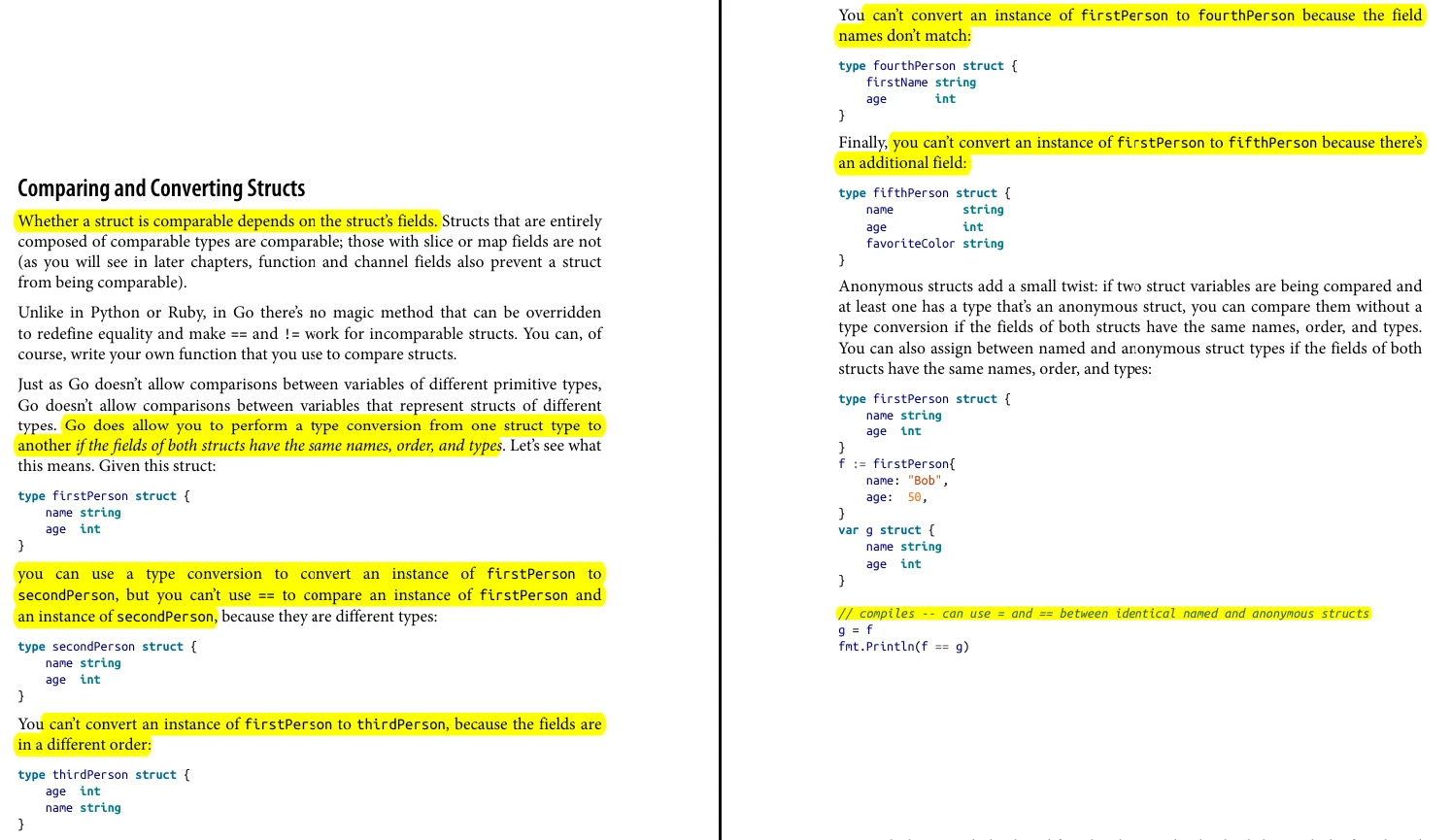
Converting Struct
Learning Go, Page 64
Summary
Expression
Meaning
struct{}
Empty struct type
struct{}{}
Empty struct value/literal
map[string]struct{}
Memory-efficient set
chan struct{}
Signal-only channel (zero memory)
struct{}
var x struct{} // Declare variable of empty struct typey := struct{}{} // Create and assign an empty struct literal
Uses no memory
Is often used for signals, markers, or set membership without storing data