Core Idea
Kubernetes is API-centric: every resource is defined in the API, every action flows through the API server, and CRDs are the sanctioned way to extend that API.
- API shape: JSON serialization, the core group versus named API groups, and the alpha, beta, and stable lifecycle.
- Accessing the kube-apiserver, then extending the API with custom resource definitions.
- The API server section covers what sits behind all of that traffic.
API
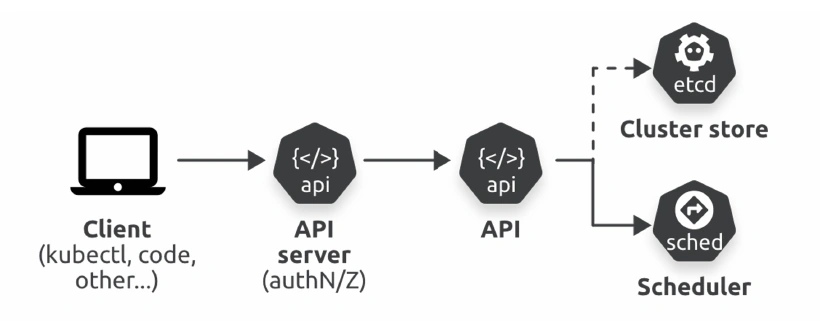
Kubernetes is API-centric — all resources are defined in the API, and all communication goes through the API server.
JSON serialization
Serialization is the process of converting an object into a string, or stream of bytes, so it can be sent over a network and persisted to a data store. The reverse process of converting a string or stream of bytes into an object is deserialization.
- Clients like kubectl serialize objects when posting them to the API server
- The API server serializes responses back to clients
As well as serializing objects for transit over the network, Kubernetes also serializes them for storage in the cluster store.
Kubernetes also supports Protobuf as a serialization schema.
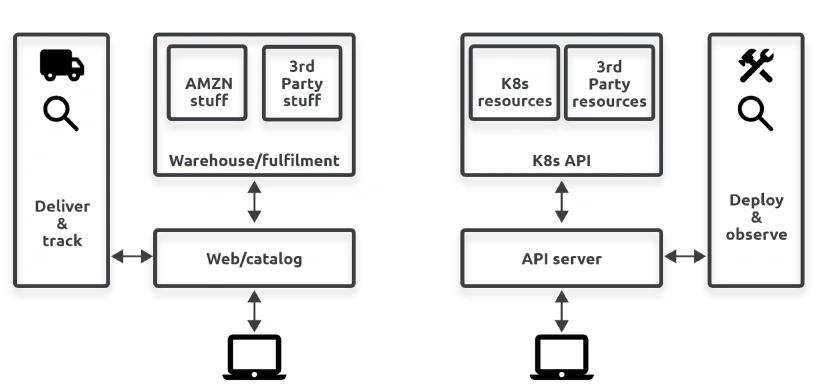
The API is where all Kubernetes resources are defined. It’s large, modular, and RESTful.
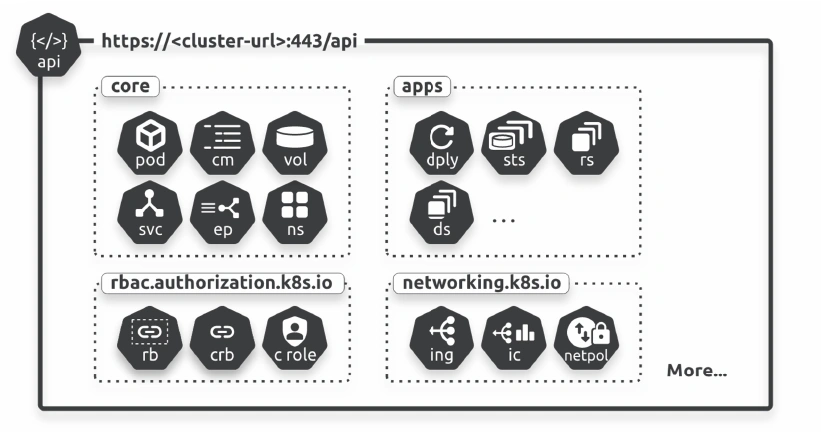
There are two types of API group
- The core group
- The named groups
Core API Group
Resources in the core group are mature objects that were created in the early days of Kubernetes before we divided the API into groups.
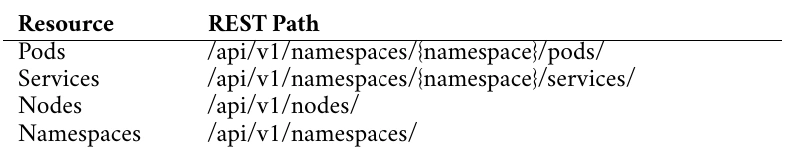
They are located in /api/v1 REST path.
Named API Groups
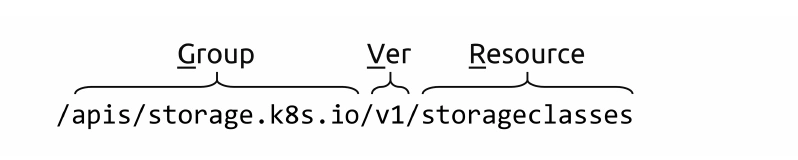
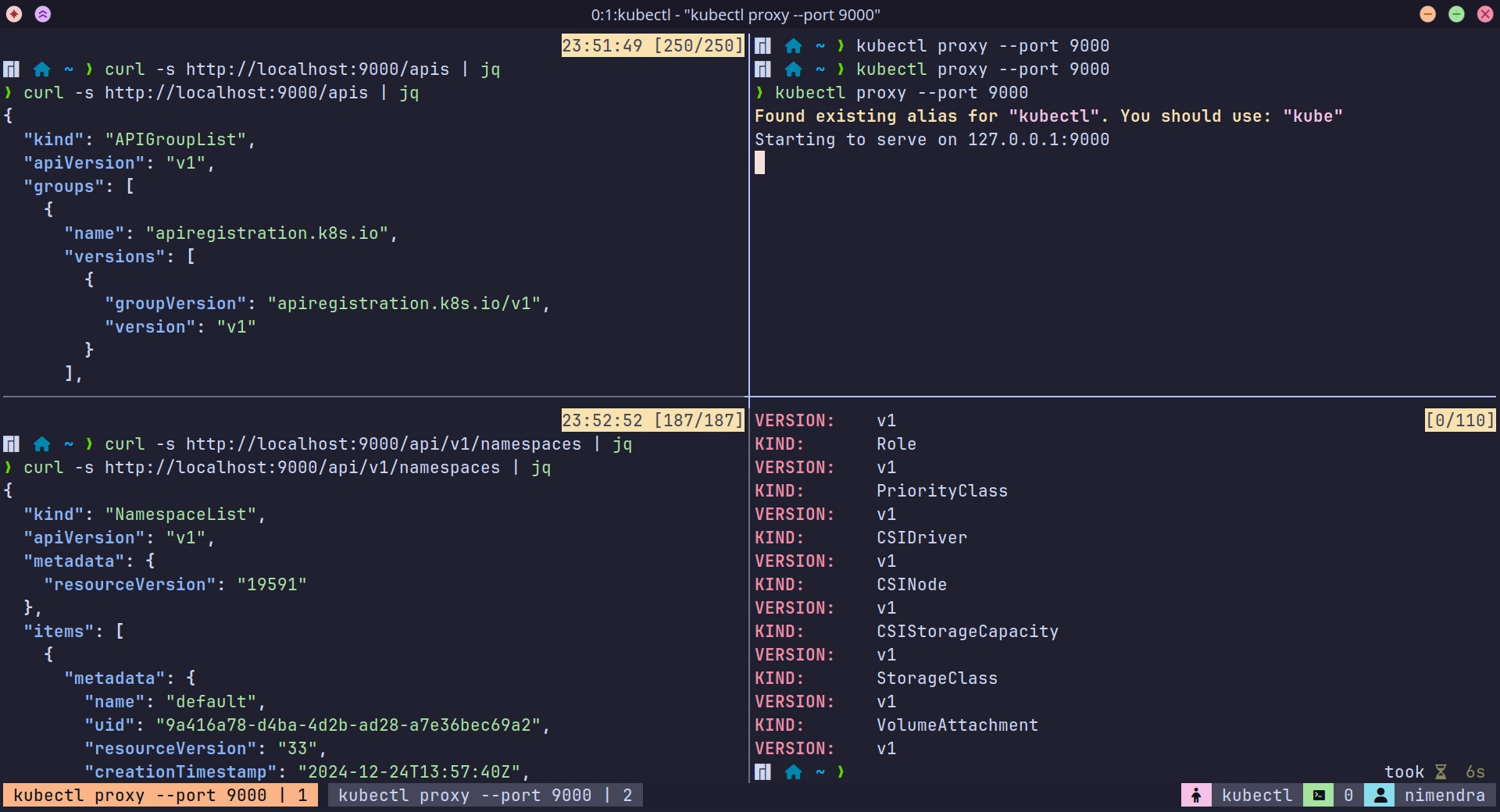
Resources in the named groups live below the /apis/{group-name}/{version}/ REST path.

Accessing the kube-apiserver
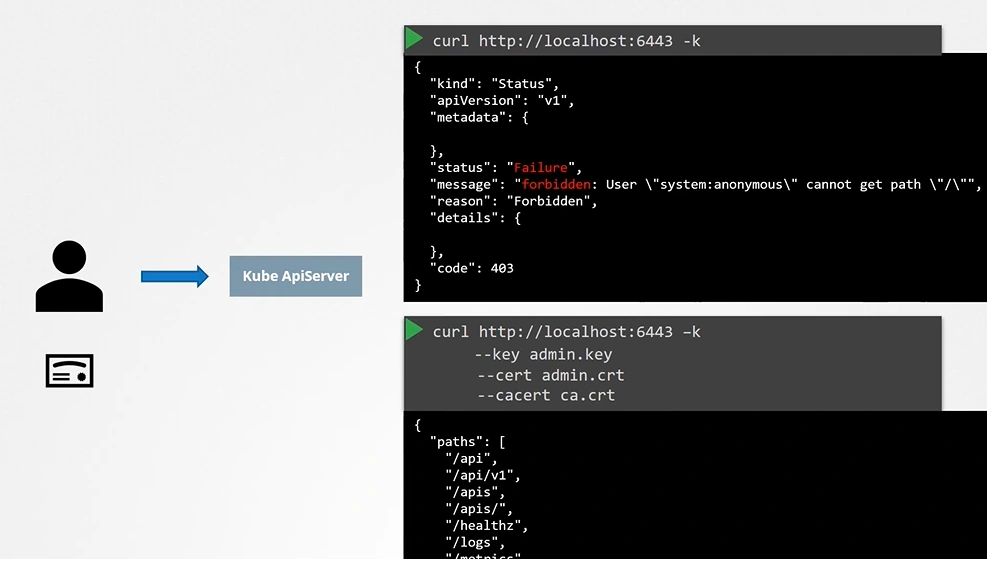
You have to authenticate by passing the certificate files.
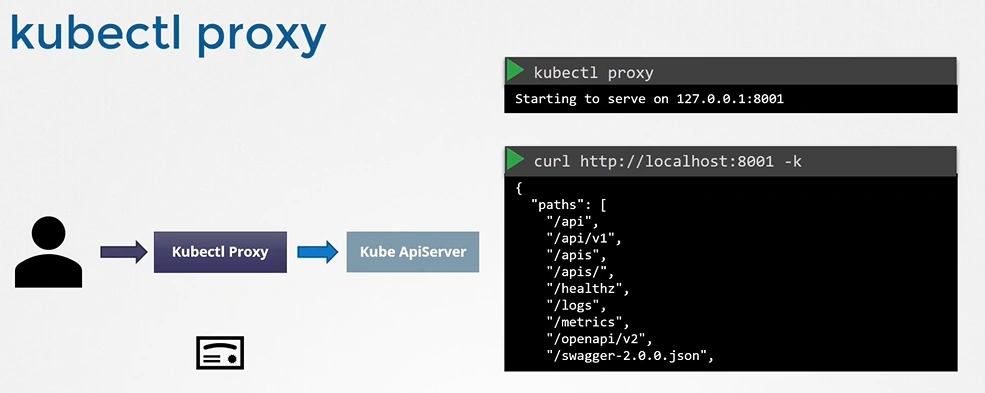
An alternate is to start a kubeproxy client
kubectl proxy != kube proxy
Creates a proxy server or application-level gateway between localhost and the Kubernetes API server.
kubectl proxy
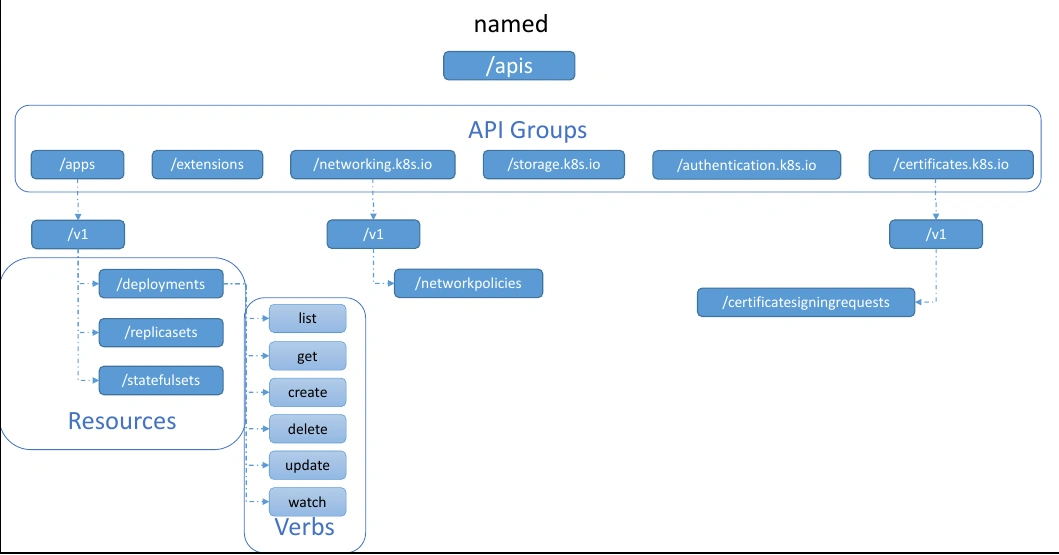
Alpha , beta and stable
Kubernetes has a strict process for accepting new API resources. New resources come in as alpha, progress through beta, and eventually graduate as Generally Available (GA). We sometimes refer to GA as stable.
/apis/apps/v1alpha1/xyz/apis/apps/v1beta1/xyz
Extending API
Kubernetes ships with a collection of built-in controllers that deploy and manage built-in resources.
However, you can extend Kubernetes by adding your own resources and controllers.
The high-level pattern for extending the API involves two main things:
- Create your custom resource
- Write your custom controller
CRD
Custom Resource Definitions (CRDs)
Kubernetes has a CustomResourceDefinition (CRD) object that lets you create new resources in the API that look, smell, and feel like native Kubernetes resources.
apiVersion: apiextensions.k8s.io/v1
kind: CustomResourceDefinition # <==
metadata:
  name: books.nigelpoulton.com
spec:
  group: nigelpoulton.com
  scope: Cluster # <==  Can be "Namespaced" or "Cluster"
  names:
    plural: books
    singular: book
    kind: Book
    shortNames:
    - bk
  versions:
    - name: v1
      served: true
      storage: true
      schema:
        openAPIV3Schema:
          type: object
          properties:
            spec:
              type: object
              properties:
                bookTitle:
                  type: string
                topic:
                  type: string
                edition:
                  type: integer
      additionalPrinterColumns:
      - name: Title
        type: string
        description: Title of the book
        jsonPath: .spec.bookTitle
      - name: Edition
        type: integer
        description: Edition number
API Server
API server exposes the API over a RESTful HTTPS interface.
The API server is a Kubernetes control plane service that some clusters run as a set of Pods in the kube-system Namespace.
It uses TLS to encrypt the client connection, and it leverages authentication and authorization mechanisms to ensure only valid requests are accepted and executed.
