database/redis distributedsystem systemdesign
SET Command
The SET command is used to store a string value under a given key. If the key already exists, its value will be overwritten.
SET key valueSET mykey "Hello"# Output
"OK"Additional Options:
SET key value EX seconds→ Set a key with an expiration time (in seconds)SET key value PX milliseconds→ Set a key with an expiration time (in milliseconds)SET key value NX→ Set a key only if it does not already existSET key value XX→ Set a key only if it already exists
Example with Expiration:
SET mykey "Hello" EX 10HSET Command
The HSET command is used to store a field-value pair in a hash. Hashes in Redis are similar to JSON objects or dictionaries.
HSET hash_name field valueHSET user:1001 name "Alice" age 30# Output
(integer) 2Retrieving Hash Values
- To get a specific field value:
HGET user:1001 nameOutput:
"Alice"
- To get all fields and values:
HGETALL user:1001Output:
1) "name"
2) "Alice"
3) "age"
4) "30"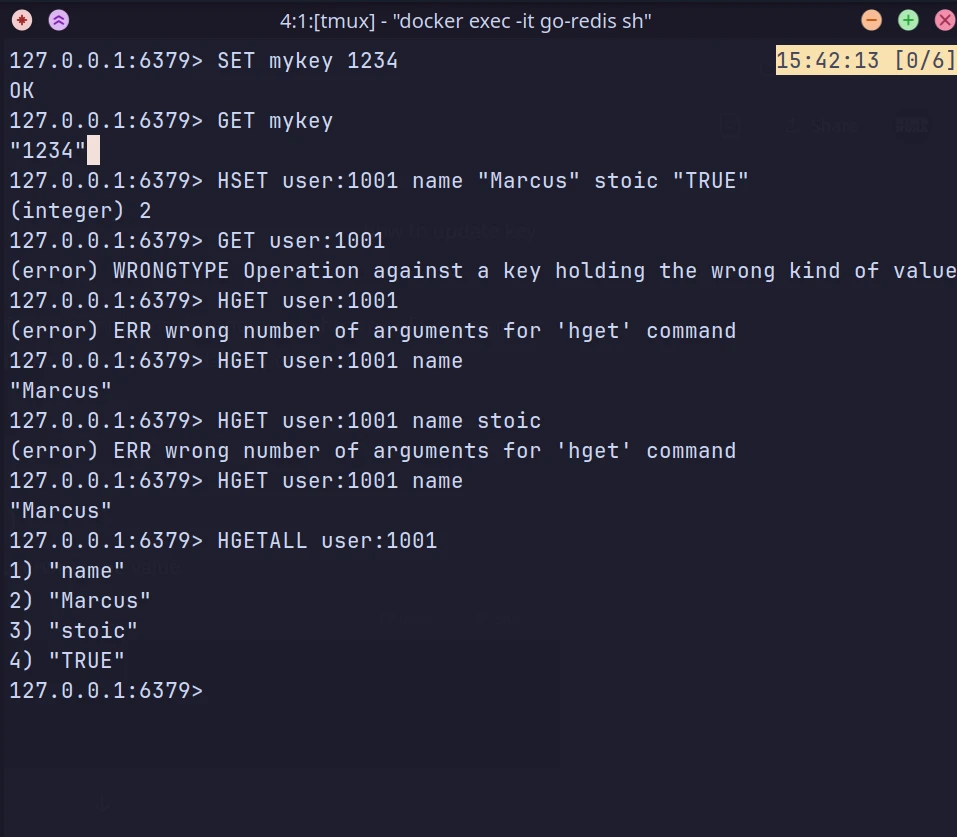
EXPIRE Command
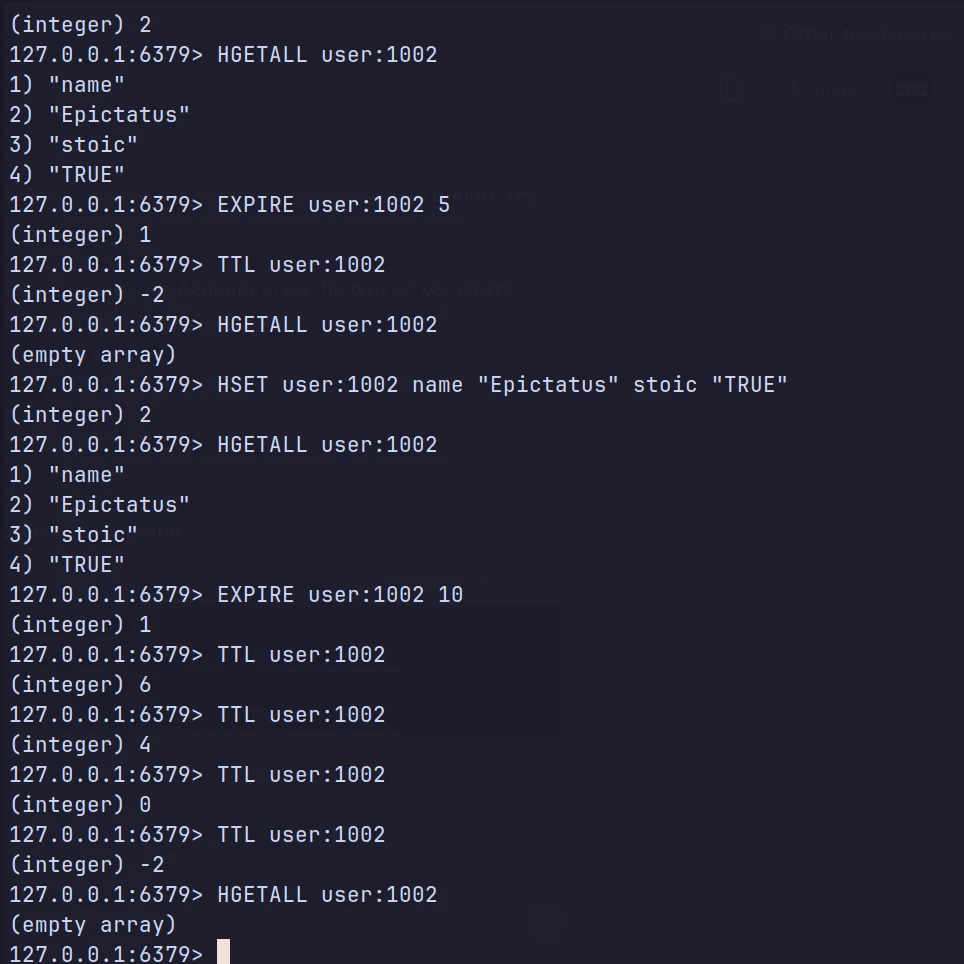
The EXPIRE command sets a time-to-live (TTL) on a key, after which it is automatically deleted.
EXPIRE key secondsEXPIRE mykey 10Output:
(integer) 1
To remove expiration (make the key persistent):
PERSIST mykeyTTL Command
The TTL command returns the remaining time (in seconds) before a key expires. If the key has no expiration, it returns -1.
when the TTL (Time-To-Live) expires, the key is **automatically deleted** from Redis.
TTL keyTTL mykeyOutput:
(integer) 10
This means the key will expire in 10 seconds.
- If the key does not exist,
TTLreturns-2. - If the key exists but has no expiration,
TTLreturns-1.