Kubernetes: Manage Nodes with drain, cordon, and uncordon Commands | by Claire Lee | Medium
Core Idea
Three commands take a node out of and back into service:
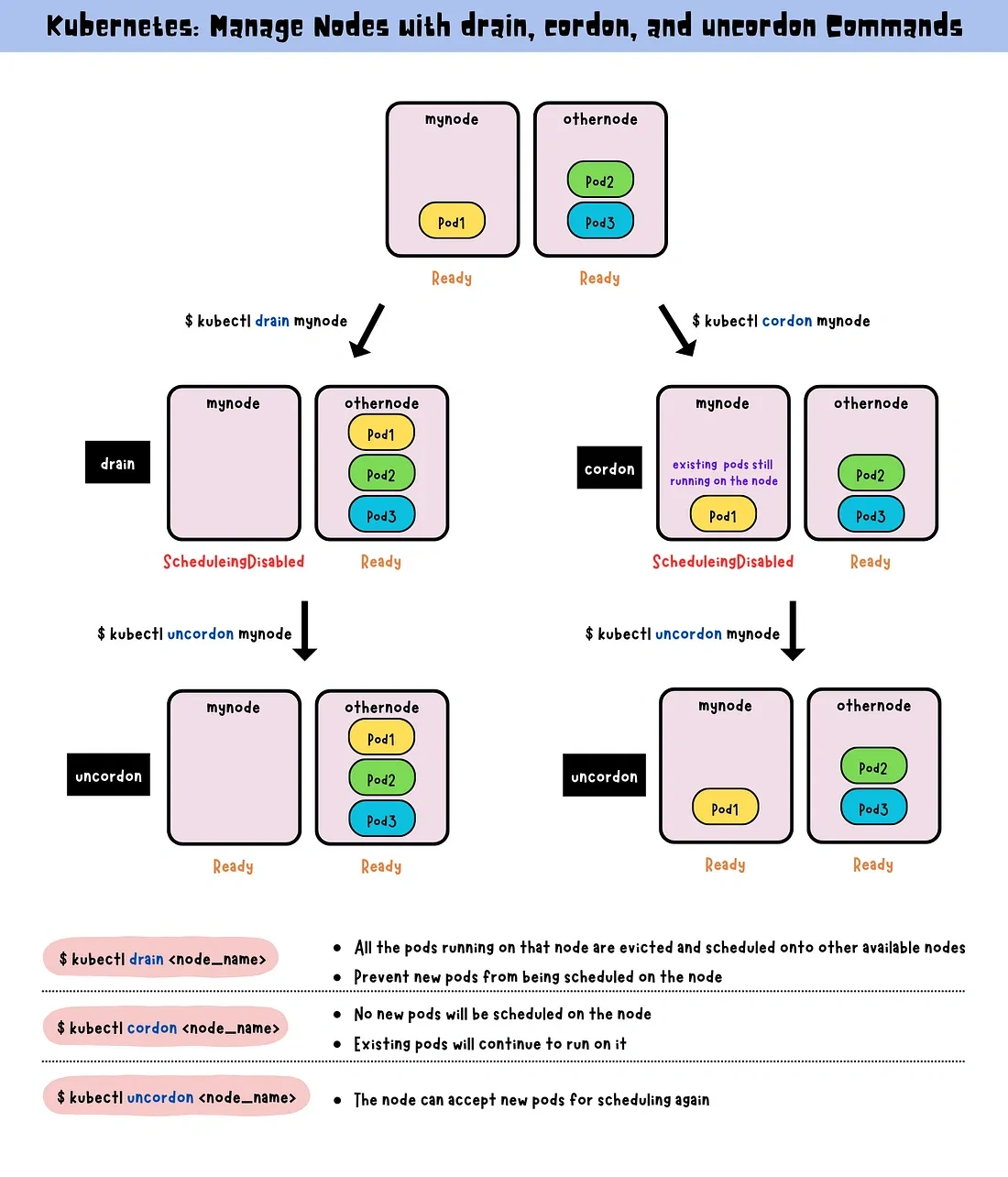
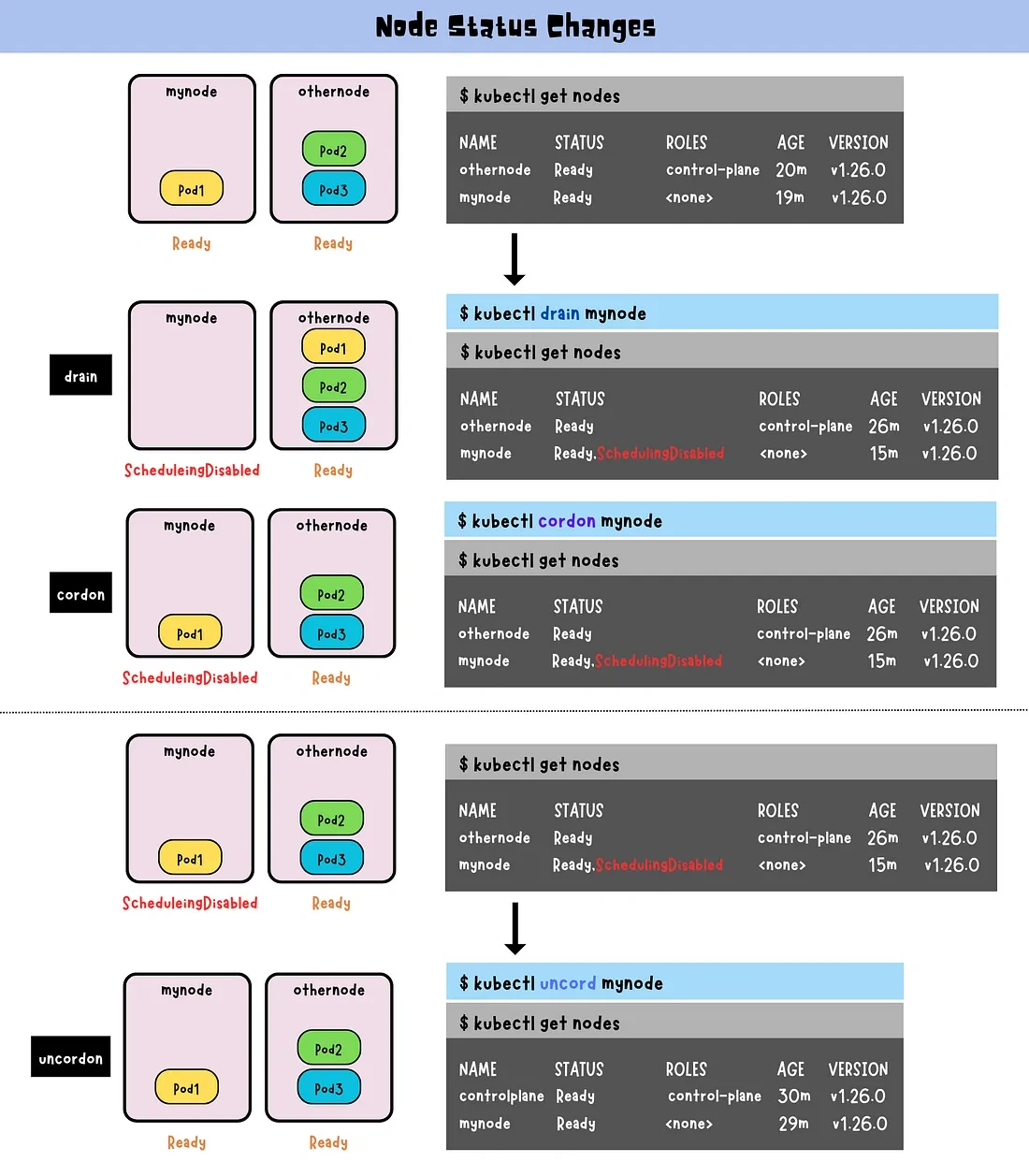
drainevicts its pods for maintenance,cordononly blocks new pods,uncordonmakes it schedulable again.
kubectl drain: blocks new pods and evicts existing ones so workloads reschedule elsewhere; pair with--ignore-daemonsets --delete-emptydir-data.kubectl cordon: marks the node unschedulable; running pods are untouched.kubectl uncordon: lets the scheduler place new pods on the node again.
| Command | Effect on New Pods | Effect on Existing Pods |
|---|---|---|
kubectl cordon | Blocks new pods from scheduling | No effect (existing pods continue running) |
kubectl uncordon | Allows new pods to schedule | No effect (existing pods continue running) |
kubectl drain | Blocks new pods and evicts existing pods | Evicts existing pods (reschedules if possible) |
1. kubectl drain
Safely evict all pods from a node to prepare it for maintenance (e.g., updates, scaling down) or removal from the cluster.
Ensures workloads are rescheduled to other available nodes in the cluster.
kubectl drain <node-name> --ignore-daemonsets --delete-emptydir-data--ignore-daemonsets: Ignore DaemonSet pods and don’t try to evict them.--delete-emptydir-data: Removes pods usingemptyDirvolumes since their data would be lost.
2. kubectl cordon
Marks a node as unschedulable, preventing any new pods from being scheduled on it.
Existing pods on the node are not affected and continue running.
3. kubectl uncordon
Marks a node as schedulable, allowing the Kubernetes scheduler to assign new pods to it.
kubectl uncordon <node-name>