Core Idea
Containerization is build, ship, run: write a Dockerfile, build with Buildx and BuildKit for multi-architecture images, and follow the cache and package-size best practices.
- The Dockerfile as the recipe behind build, ship, and run.
- Buildx, BuildKit, drivers, multi-architecture builds, and Build Cloud.
- Best practices: use the build cache, install only essential packages.
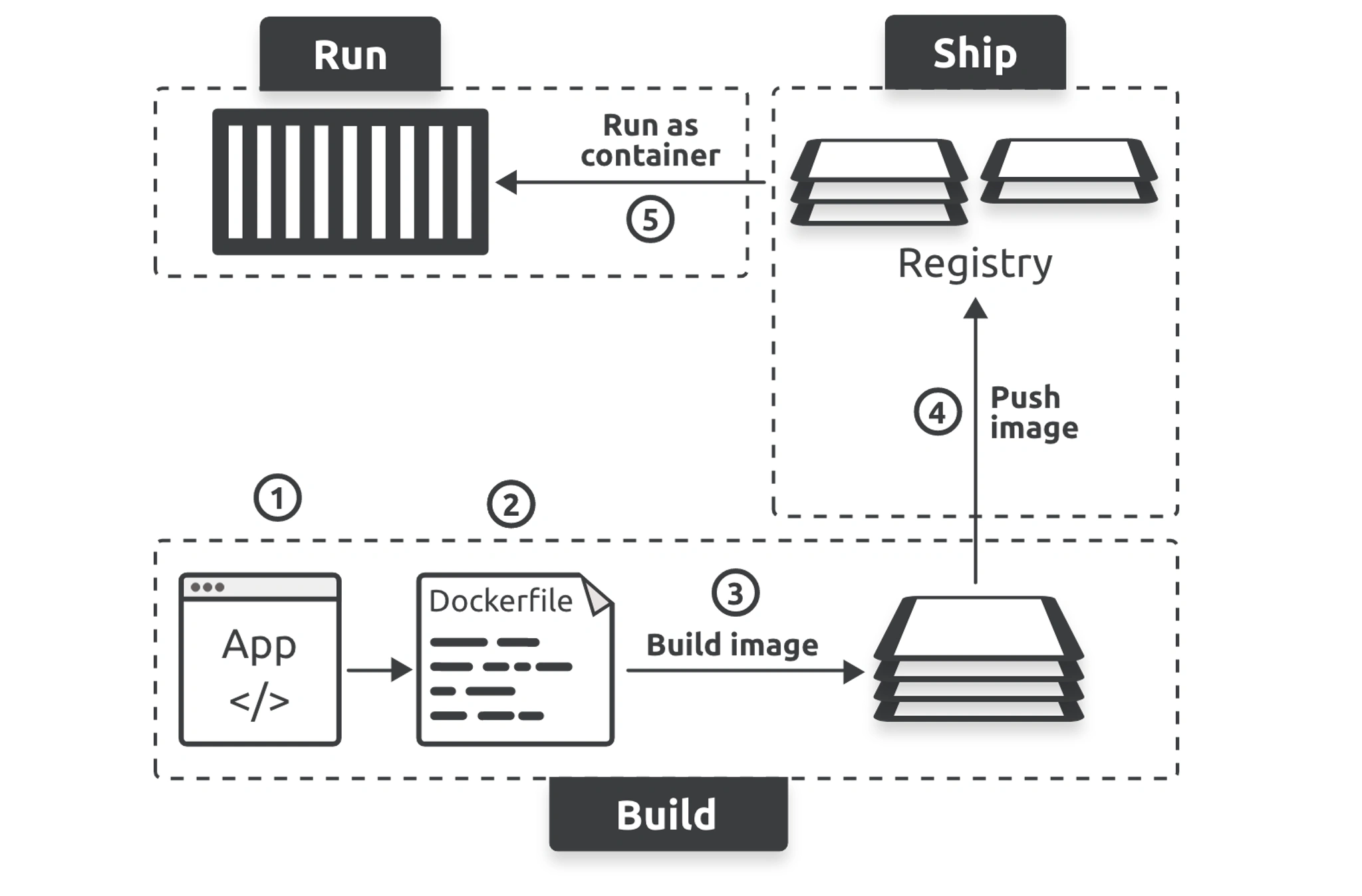
Docker aims to make it easy to build, ship, and run applications. We call this containerization and the process looks like this.
Dockerfile
In the past, you had to create Dockerfiles manually. Fortunately, newer versions of Docker support the docker init command that analyses applications and automatically creates Dockerfiles that implement good practices.
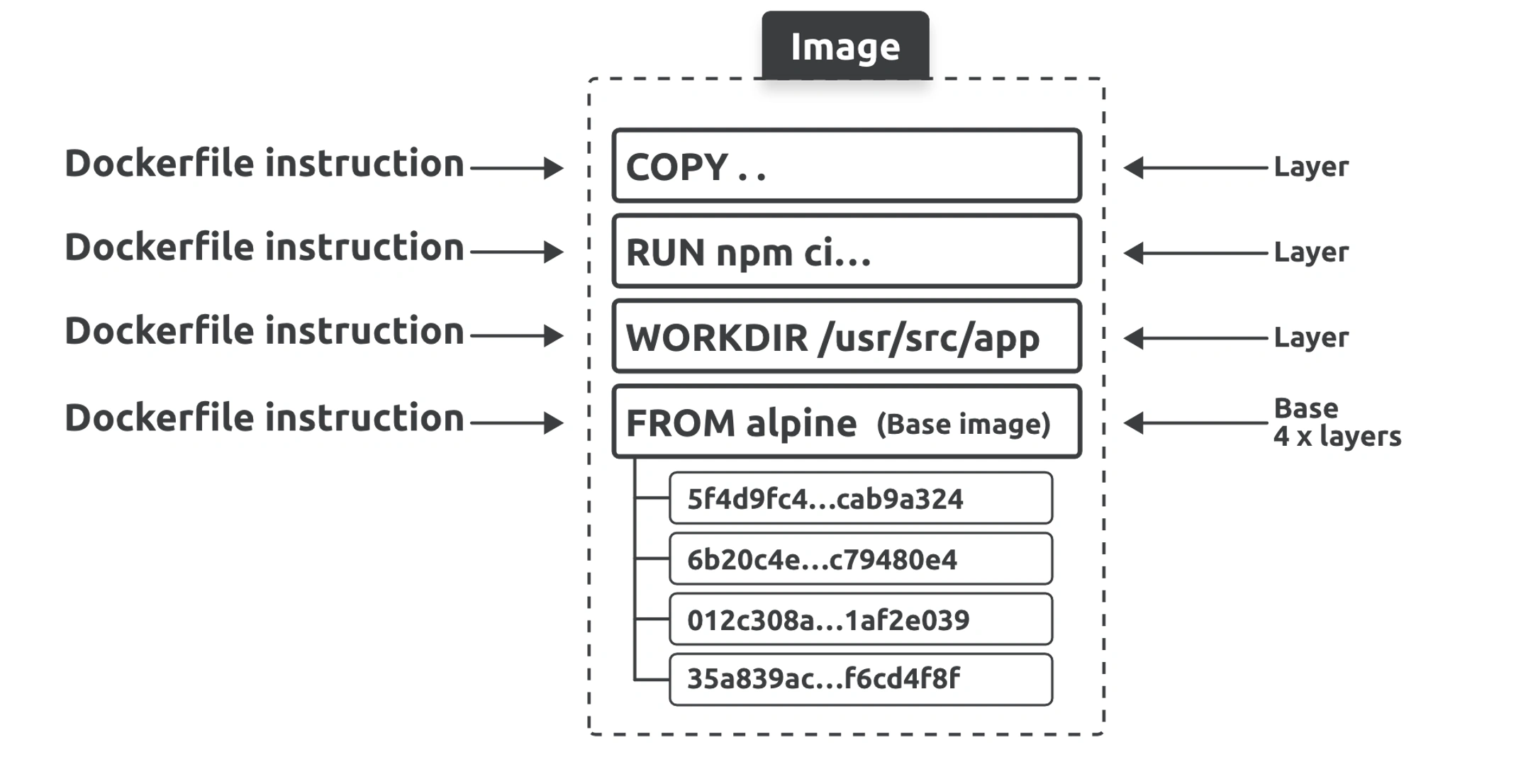
ll non-comment lines are called instructions or steps and take the format <INSTRUCTION> <arguments>. Instruction names are not case-sensitive, but it’s common to write them in UPPERCASE to make them easier to read.
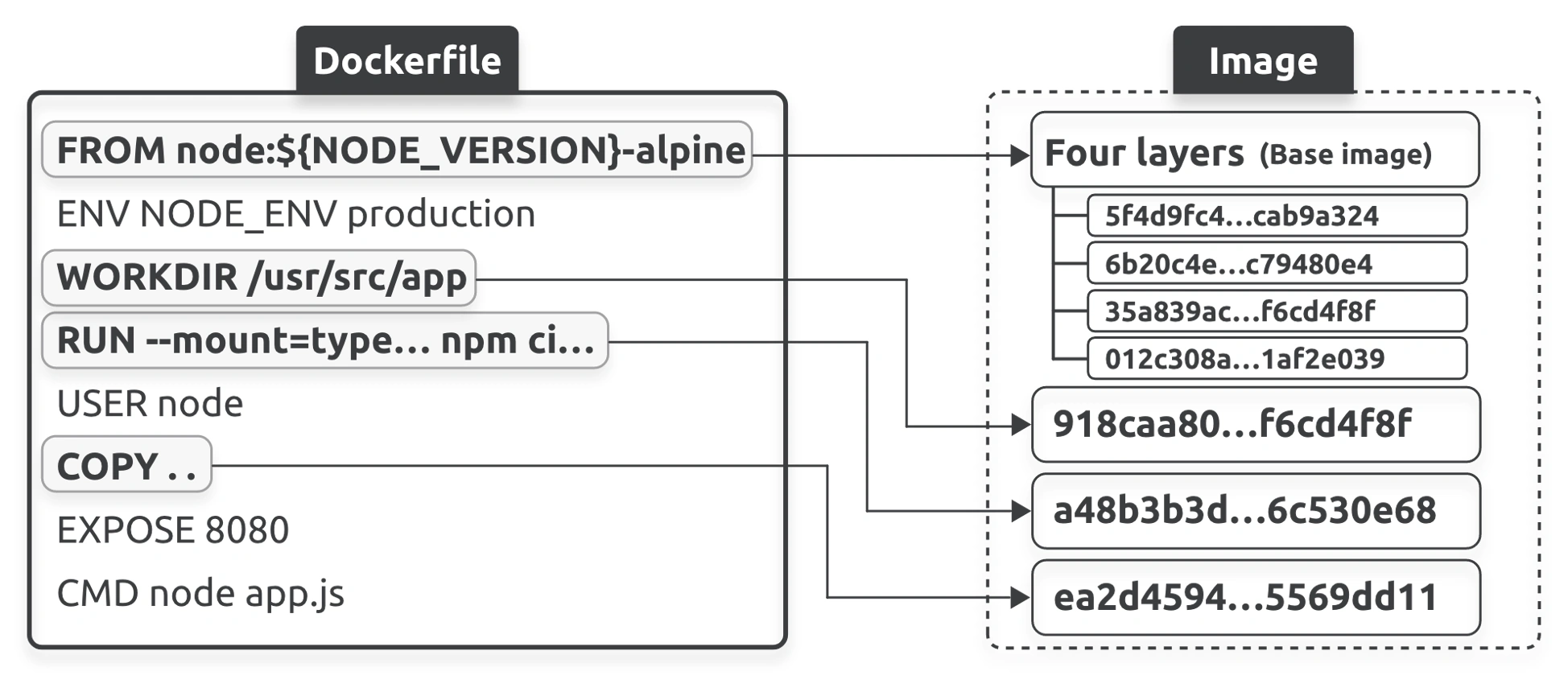
Some instructions create new layers, whereas others add metadata.
Examples of instructions that create new layers are FROM, RUN, COPY and WORKDIR. Examples that create metadata include EXPOSE, ENV, CMD, and ENTRYPOINT. The premise is this:
- Instructions that add content, such as files and programs, create new layers
- Instructions that don’t add content don’t add layers and only create metadata
NOTE
Older builders didn’t create a layer for
WORKDIRinstructions. However, the instruction modifies filesystem permissions and the current builder creates a very small layer. This behavior may change in the future.
👉 01003 - Docker Scratch Image
Buildx, BuildKit, drivers, and Build Cloud
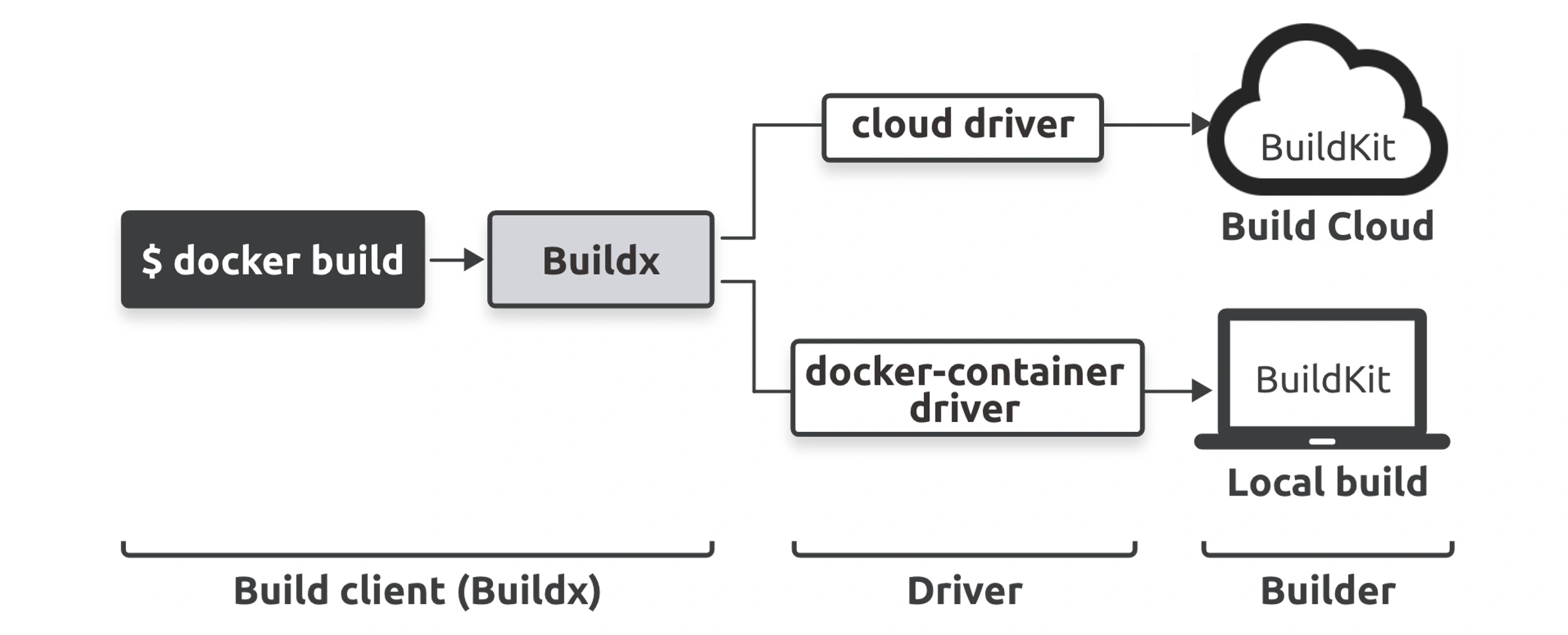
Build system has a client and server.
- Client: Buildx
- Server: Buildkit
You can configure Buildx to talk to multiple BuildKit instances, and we call each instance of BuildKit a builder. Builders can be on your local machine, in your cloud or datacenter, or Docker’s Build Cloud.
If you point buildx at a local builder, image builds will be done on your local machine. If you point it at a remote builder, such as Docker Build Cloud, builds will be done on remote infrastructure.
Multi-architecture builds
You can use the docker build command to build images for multiple architectures, including ones different from your local machine
Build & Buildx build
docker buildis an alias ofdocker buildx build. Howeverdocker builduses thedefaultbuildx builder which hasdockerset a driver anddockerdriver doesn’t support features like Multi-arch images.To use custom builder with
docker buildcommand add a--builderoption with the name of your custom builder. So in your case command would look like this.docker build \ --platform=linux/arm64,linux/amd64 \ -t myrepo/myapp:1.0.0 \ -t myrepo/myapp:latest \ --load \ --builder multi-platform-builder \ .
Build Cloud
Docker subscription that grants you access to Build Cloud, you can go to build.docker.com and configure your first cloud builder
docker buildx create --driver cloud <name>docker buildx build \
--builder=cloud-nigelpoulton-ddd \
--platform=linux/amd64,linux/arm64 \
-t nigelpoulton/ddd-book:ch8.1 --push .Best Practices
Leverage the build cache
Any time an instruction results in a cache miss, the cache is invalidated and no longer checked for the rest of the build.
This means you should write your Dockerfiles so that instructions most likely to invalidate the cache go near the end of the Dockerfile.
This allows builds to benefit from the cache for as long as possible.
the files that the COPY . /src instruction copies into the layer have changed since the cached layer was built, you cannot use the cached layer as you’d get old versions of the files. To protect against this, Docker performs checksums against each file it copies. If the checksums don’t match, the cache is invalidated, and Docker builds a new layer.