Core Idea
Expressions refer to or compute values inside a Terraform configuration: types, strings, operators, conditionals, for loops, splats, and dynamic blocks are the toolbox.
- Types and values, strings and templates, and operators.
- Control shapes: conditional expressions, for expressions, and splat expressions.
- Dynamic blocks and version constraints (including progressive versioning).
Expressions are used to refer to or compute values within a configuration.
- Types and Values
- Strings and Templates
- References to Values
- Operators
- Function Calls
- Conditional Expressions
- For Expressions
- Splat Expressions
- Dynamic Blocks
- Type Constraints
- Version Constraints
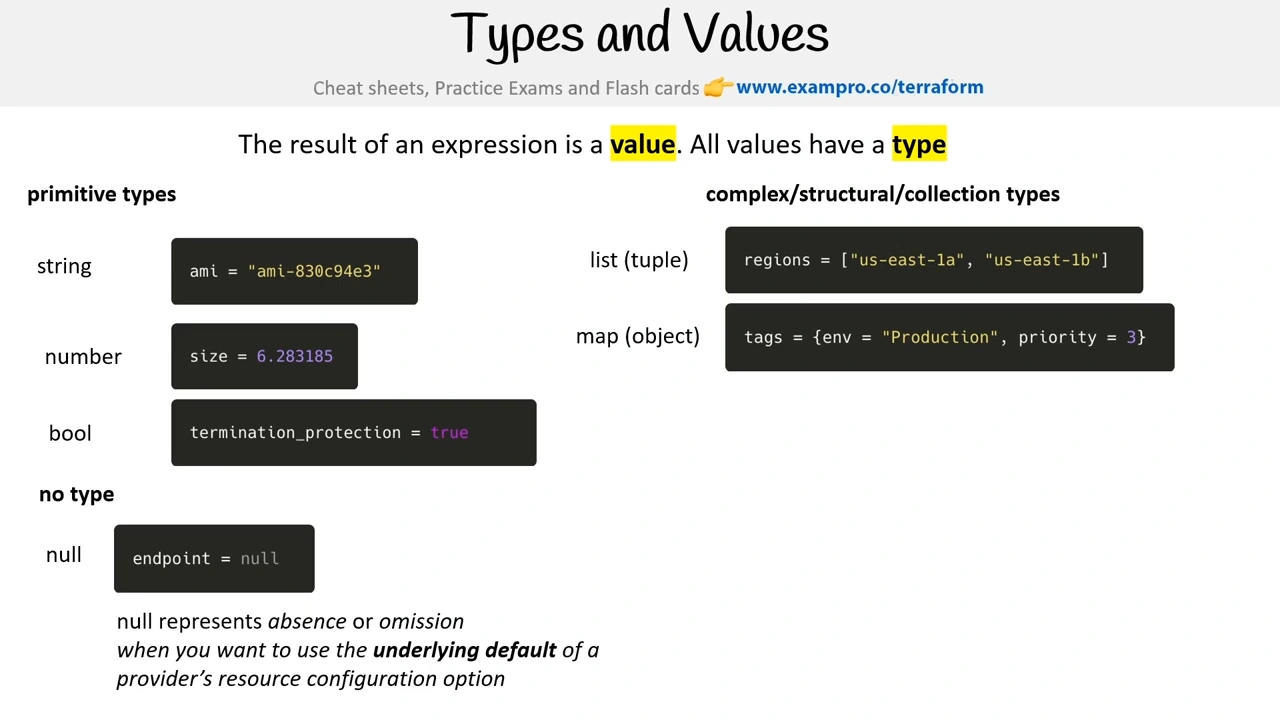
Types & Values
Strings
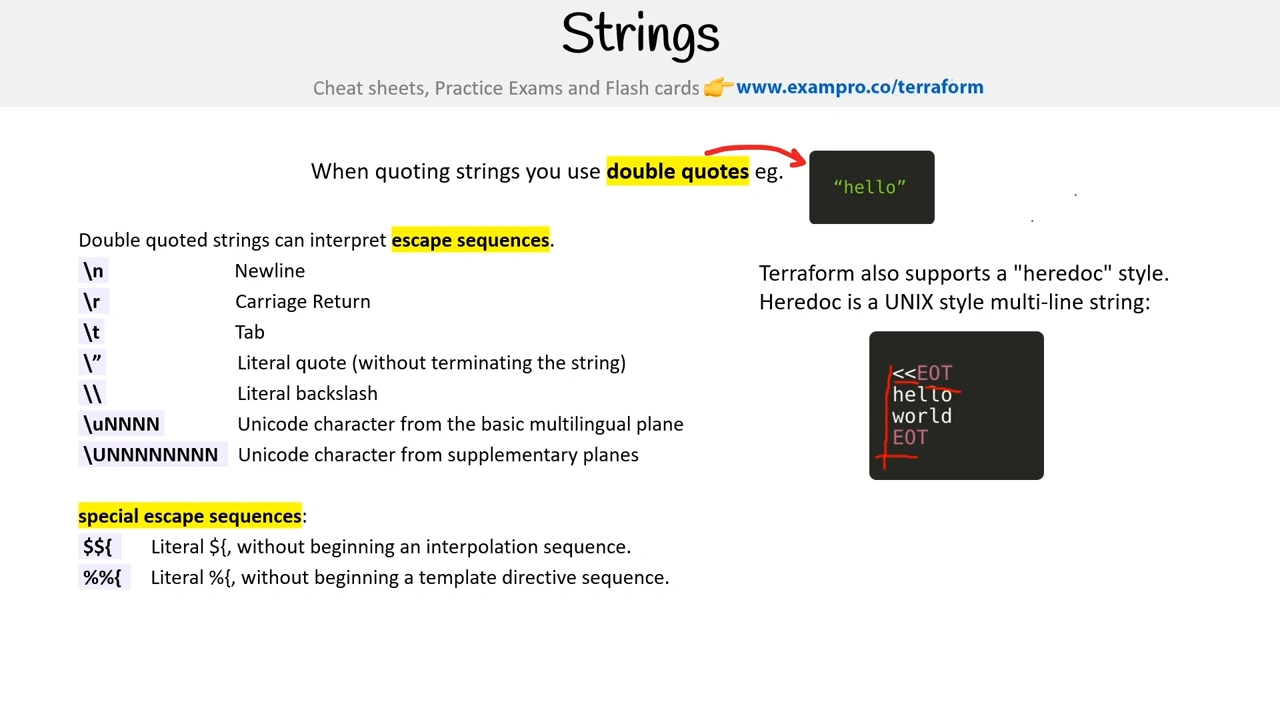
👉 Heredoc
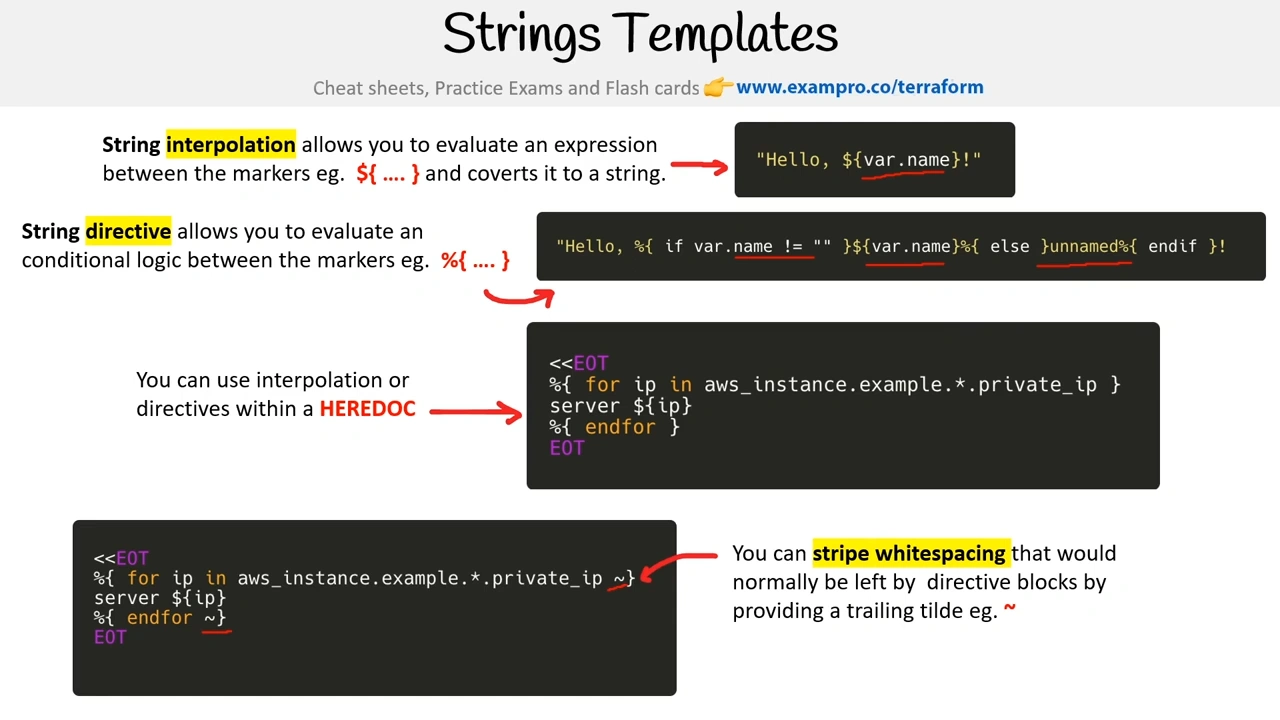
Strings Templates
Operators
Operators are mathematical operations you can perform to numbers within expressions.
- Multiplication a * b
- Division a / b
- Modulus a % b
- Addition a + b
- Subtraction a – b
- Flip to Negative (* -1) -a
- Equals a == b
- Does not Equal a != b
- Less Than a < b
- Less Than or Equal a <= b
- Greater Than a > b
- Greater Than or Equal a >= b
- Or a || b
- And a && b
- Flip Boolean !a
Conditional Expression
For Expression
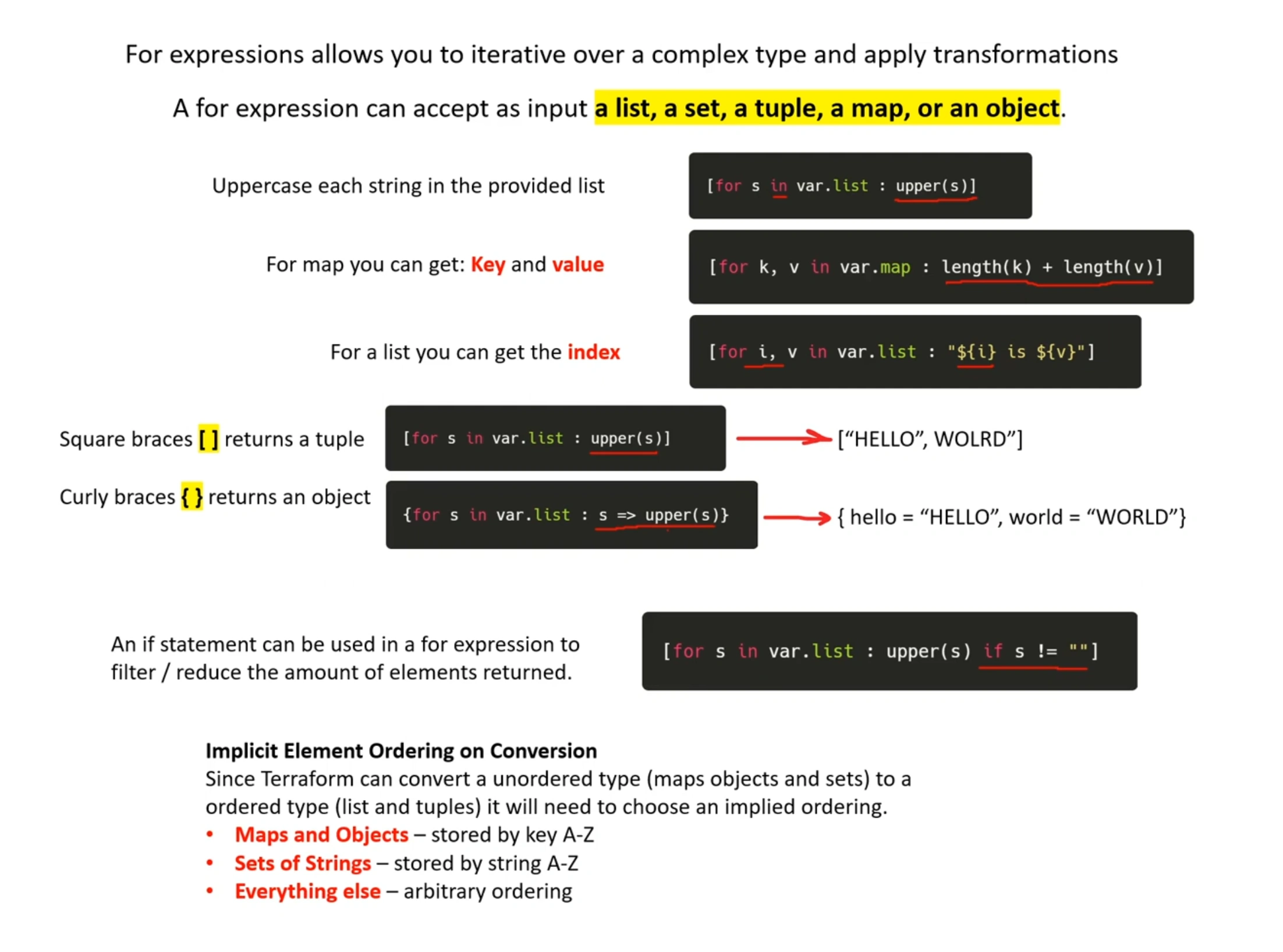
For expressions allows you to iterative over a complex type and apply transformations
A for expression can accept as input a list, a set, a tuple, a map, or an object.
Uppercase each string in the provided list
For map, you can get: Key and value
For a list, you can get the index
Square braces [ ] returns a tuple → [“HELLO”, WOLRD”]
Curly braces { } returns an object → { hello = “HELLO”, world = “WORLD”}
An if statement can be used in a for expression to filter/reduce the amount of elements returned.
Implicit Element Ordering on Conversion
Since Terraform can convert an unordered type (maps objects and sets) to a ordered type (list and tuples) it will need to choose an implied ordering.
- Maps and Objects – stored by key A-Z
- Sets of Strings – stored by string A-Z
- Everything else – arbitrary ordering
| Construct | Type | Description | Use Case |
|---|---|---|---|
| Count | Meta-Argument | Based on a count value | Resources you are provisioning are identical |
| For_each | Meta-Argument | Based on a set of input values | Resources change between the different instances |
| For | Expression | Based on a set of input values | Transform a value |
output "s3_bucket_names" {
  description = "Names of the created S3 buckets"
  value       = [for bucket in aws_s3_bucket.buckets : bucket.bucket]
}

output "s3_bucket_arns" {
  description = "ARNs of the created S3 buckets"
  value       = [for bucket in aws_s3_bucket.buckets : bucket.arn]
}
See
Terraform For Loop - Expression Overview with Examples
[!video]- For Expressions Follow Along - HashiCorp Terraform Associate (003)
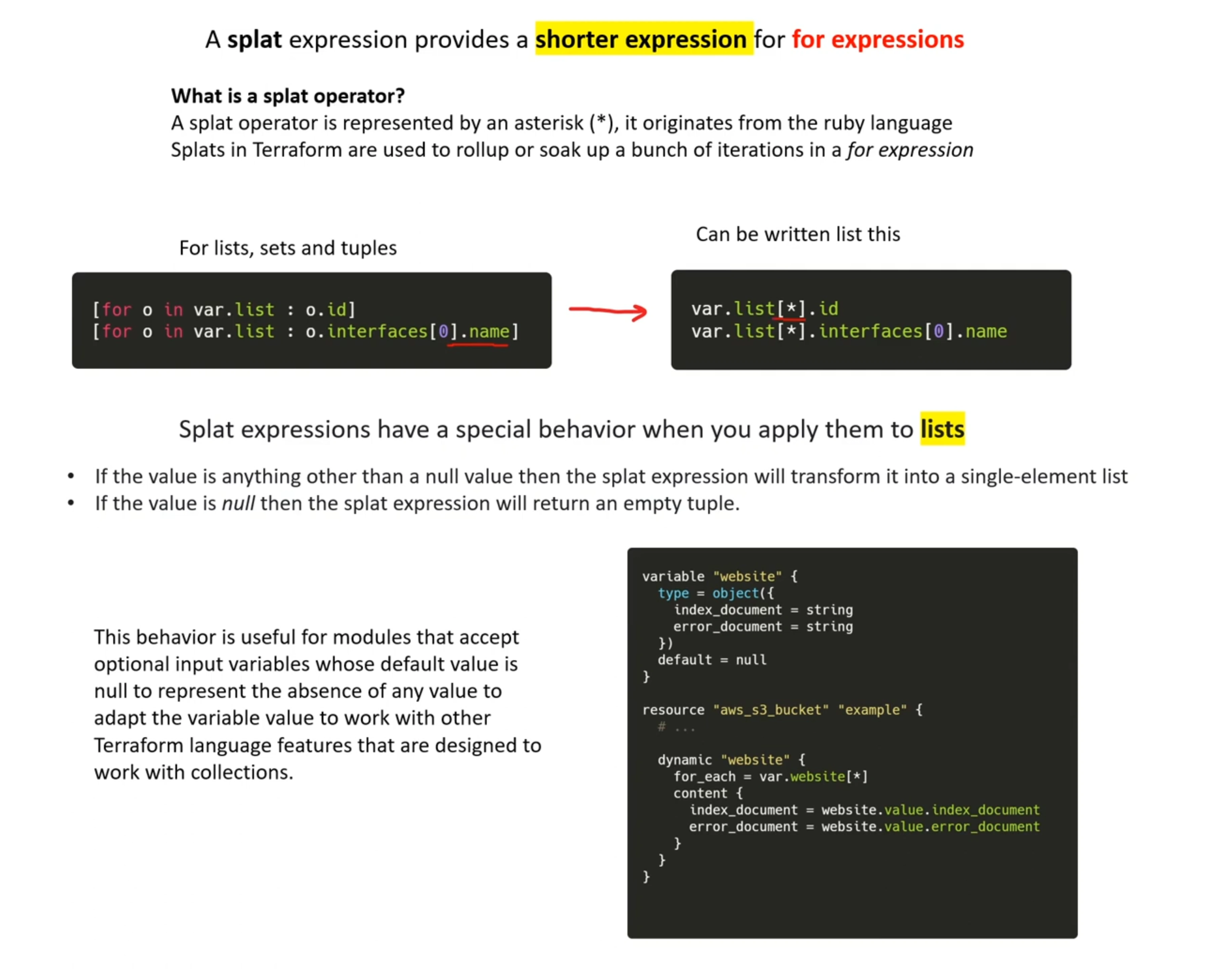
Splat Expression
Dynamic Blocks
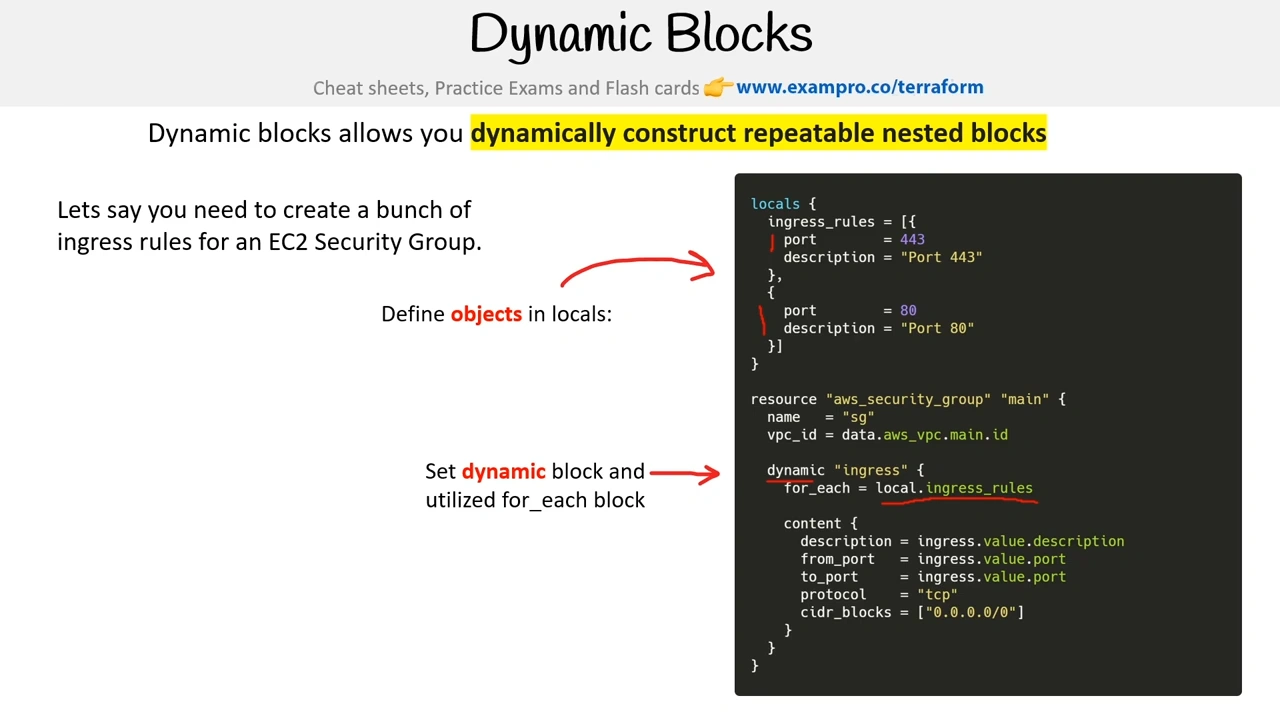
What are Terraform Dynamic Blocks - Examples
Version Constraints
Terraform utilizes Semantic Versioning for specifying Terraform, Providers, and Modules versions
Semantic Versioning is open-standard on how to define versioning for software management e.g. MAJOR.MINOR.PATCH
Semantic Versioning 2.0.0 | Semantic Versioning
- MAJOR version when you make incompatible API changes,
- MINOR version when you add functionality in a backwards-compatible manner, and
- PATCH version when you make backwards-compatible bug fixes. Additional labels for pre-release and build metadata are available as extensions to the MAJOR.MINOR.PATCH format.
A version constraint is a string containing one or more conditions, separated by commas.
- = or no operator. Match exact version number e.g. “1.0.0”, “=1.0.0”
- != Excludes an exact version number e.g. “!=1.0.0”
- = < <= Compare against a specific version e.g. “>= 1.0.0”
- ~> Allow only the rightmost version (last number) to increment e.g. ~> 1.0.0”
Progressive Versioning
Progressive Versioning is the practice of using the latest version to keep a proactive stance of security, modernity, and development agility
Practicing Good Hygiene
By being up to date you are pushing left things you will need to fix to stay compatible. You will have to deal with smaller problems instead of dealing with a big problem later on
Run Nightly Builds of your golden images or terraform plan as a warning signal to budget the time to improve for outage.
A nightly build is an automated workflow that occurs at night when developers are asleep. If the build breaks because a change is required for the code, the developers will see this upon arrival in the morning and be able to budget accordingly.