See
Core Idea
Meta-arguments bend Terraform’s one-block-one-object rule:
countandfor_eachmultiply resources,depends_onorders them, andlifecycletunes their behavior.
- What meta-arguments are, then each one:
depends_on,count,for_each,lifecycle(resource behaviour and lifecycle rules).- Use cases and a count versus for_each comparison.
aliasfor multi-instance resources, shown with primary and secondary region S3 buckets.
See
In Terraform a single resource block represents a single infrastructure object. But what if we want to create multiple near-identical infrastructure objects without having to copy-paste the resource block multiple times.
This is where the Terraform count meta-argument comes into the picture
What is meta-arguments in Terraform
Important
Terraform language defines several meta-arguments, which can be used with any resource type to change the behavior of resources.
Terraform defines meta-arguments as arguments that can be used with every resource type to change the resource’s behavior. Terraform supports the following meta-arguments:
depends_on- for specifying explicit dependenciescount- for creating multiple resource instances according to a countfor_each- to create multiple instances according to a map, or set of stringsprovider- for selecting a non-default provider configurationlifecycle- for lifecycle customizationprovisioner- for taking extra actions after resource creation
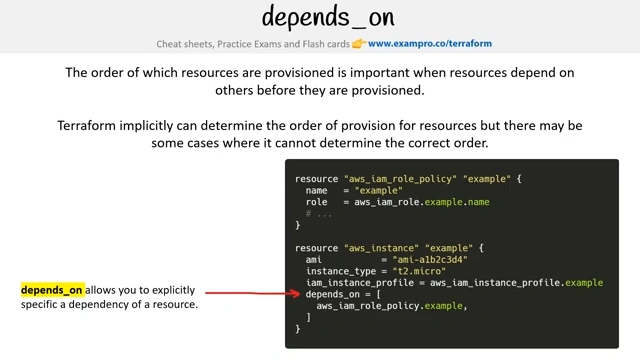
depends_on
count
When you are managing a pool of objects eg. a fleet of Virtual Machines you can use count.
Specify the amount of instances you want
Get the current count value (index) via count.index
This value starts at 0
Count can accept numeric expressions:
- Must be whole number
- Number must be known before configuration
for_each
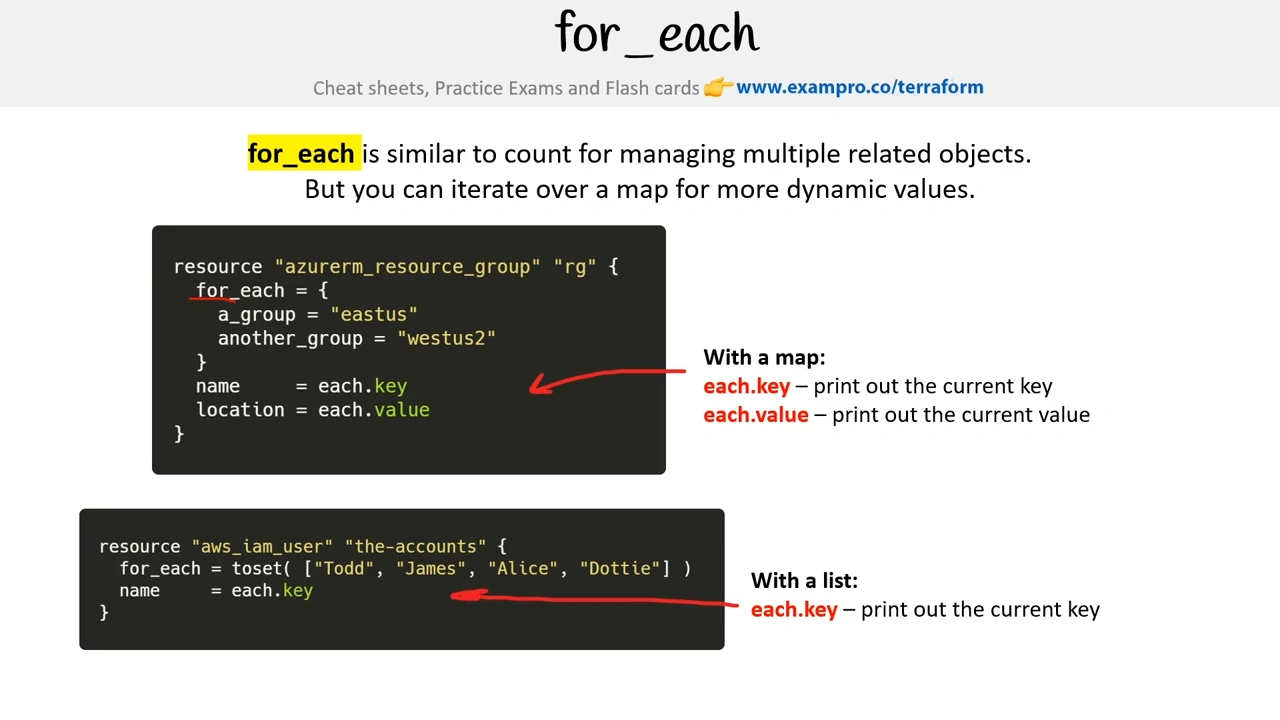
resource "aws_instance" "my_server" {
	for_each = {
		nano = "t2.nano"
		micro = "t2.micro"
		small = "t2.small"
	}
	ami = "ami-d75d26526cbca76a"
	instance_type = each.value
	tags = {
		Name = "Server-${each.key}"
	}
}
lifecycle
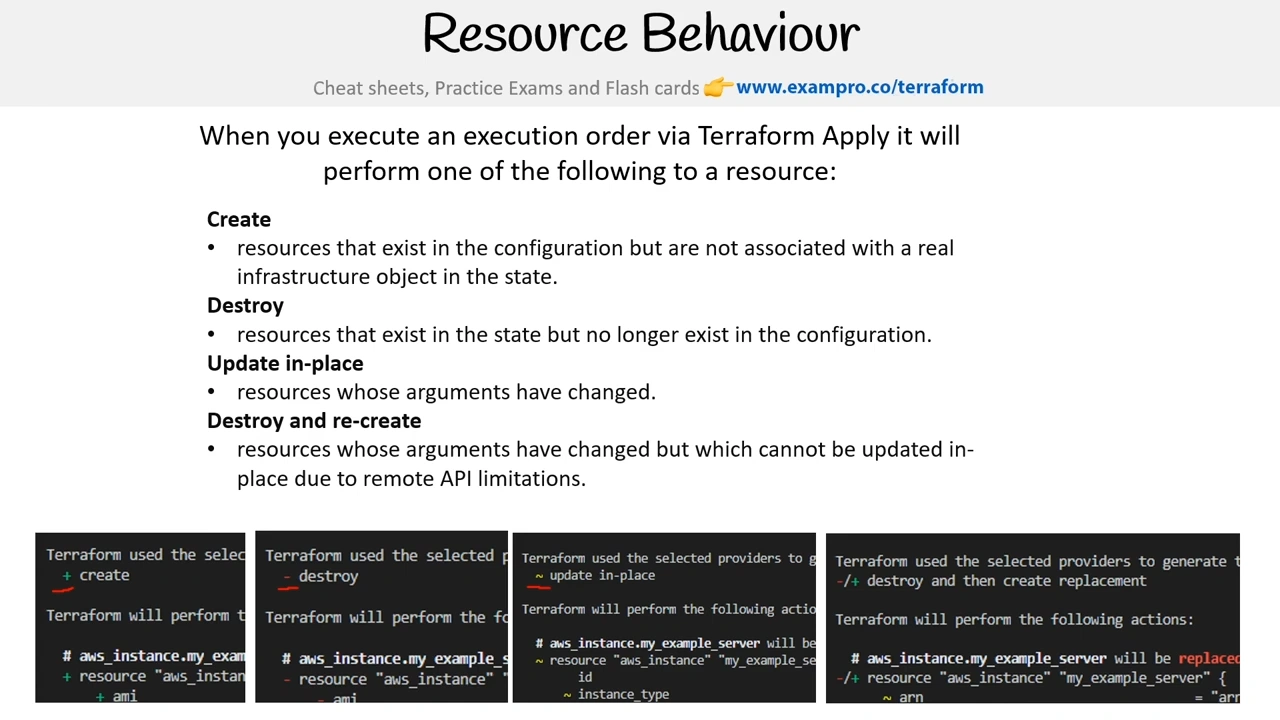
Resource Behaviour
Lifecycle
Lifecycle block allows you to change what happens to resources e.g. create, update, destroy.
Lifecycle blocks are nested within resources
-
create_before _destroy (bool)
When replacing a resource first create the new resource before deleting it (the default is destroy old first) -
prevent_destroy (bool)
Ensures a resource is not destroyed -
ignore_changes (list of attributes)
Don’t change the resource (create, update, destroy) if a change occurs for the listed attributes.
...
resource "aws_s3_bucket" "example" {
  bucket = "example-lifecycle-bucket"
  acl    = "private"

  lifecycle {
    prevent_destroy = true # Prevent accidental bucket deletion
    ignore_changes = [acl] # Ignore changes to the ACL attribute
  }

  tags = {
    Name        = "lifecycle-example-s3-bucket"
    Environment = "Dev"
  }
}
...Use Cases
- Simple provisioning of multiple resources of the same kind
resource "aws_instance" "this" {
   count         = 3
   instance_type = "t2.micro"
   ami           = "my_ami_id"
}
This will create three AWS EC2 instances.
- Conditional creation of resources
resource "aws_instance" "this" {
   count         =  var.create_instance ? 1 : 0
   instance_type = "t2.micro"
   ami           = "my_ami_id"
}

variable "create_instance" {
 type    = bool
 default = true
}
This will create an EC2 instance if the create_instance variable is set to true.
- Scaling resources dynamically using a variable
resource "aws_instance" "this" {
   count         =  var.instance_number
   instance_type = "t2.micro"
   ami           = "my_ami_id"
}

variable "instance_number" {
 type    = number
 default = 5
}- Iterating over lists and creating multiple resources of the same kind
resource "aws_instance" "this" {
   count         = length(var.instances)
   instance_type = var.instances[count.index].instance_type
   ami           = var.instances[count.index].ami
}

variable "instances" {
 type    = list(object({
   instance_type = string
   ami           = string
 }))
 default = [{
   ami           = "ami1"
   instance_type = "t2.micro"
 },
 {
   ami           = "ami2"
   instance_type = "t3.micro"
 },
 ]
}- How to use Terraform count with conditional expressions?
locals {
 server_names=["backend-service-a", "backend-service-b", "backend-service-c"]
}

resource "aws_instance" "backend_server" {
 ami           = "ami-07355fe79b493752d"
 instance_type = "t2.micro"
 count         = length(local.server_names)
 tags          = {
   Name = local.server_names[count.index]
 }
}- Conditional expressions with Terraform count=0
You can conditionally create resources in Terraform by leveraging count (for_each too). For any resource, if a certain condition is met, we will add a count of one, and if it is not met, we will add a count of zero, which means that the resource is not created.
resource "any_resource" "any_name" {
   count      = my_condition ? 1 : 0
   parameter1 = "this"
   ...
}
Count vs For Each
| Type | Description | Use case | |
|---|---|---|---|
count | Meta-argument | Based on a count value | Resources you are provisioning are identical |
for_each | Meta-argument | Based on a set of input values | Resources change between the different instances |
Alias
The alias argument in Terraform allows you to define multiple instances of the same provider to configure resources in different ways. This is especially useful when working with multiple regions, accounts, or configurations in AWS or other providers.
terraform {
  required_providers {
    aws = {
      source  = "hashicorp/aws"
      version = "~> 4.16"
    }
  }
}

provider "aws" {
  region = var.primary_region
}

provider "aws" {
  alias  = "secondary"
  region = var.secondary_region
}

# Create an S3 bucket in the primary region
resource "aws_s3_bucket" "primary" {
  provider = aws
  bucket   = "example-primary-region-bucket-${random_pet.primary_suffix.id}"
  acl      = "private"

  tags = {
    Name        = "Primary S3 Bucket"
    Environment = "Dev"
  }
}

# Create an S3 bucket in the secondary region
resource "aws_s3_bucket" "secondary" {
  provider = aws.secondary
  bucket   = "example-secondary-region-bucket-${random_pet.secondary_suffix.id}"
  acl      = "private"

  tags = {
    Name        = "Secondary S3 Bucket"
    Environment = "Dev"
  }
}
...