Core Idea
Terraform config lives in
.tf(or.tf.json) HCL files describing providers and resources, and a strict precedence order decides which variable source wins.
- Language basics: file extensions, alternate JSON syntax, settings, and HCL.
- Variables and the full variable definition precedence: autoloaded files, extra files, command line, environment variables.
- The building blocks every
.tffile draws from.
Terraform Language
Terraform files contain the configuration information about providers and resources.
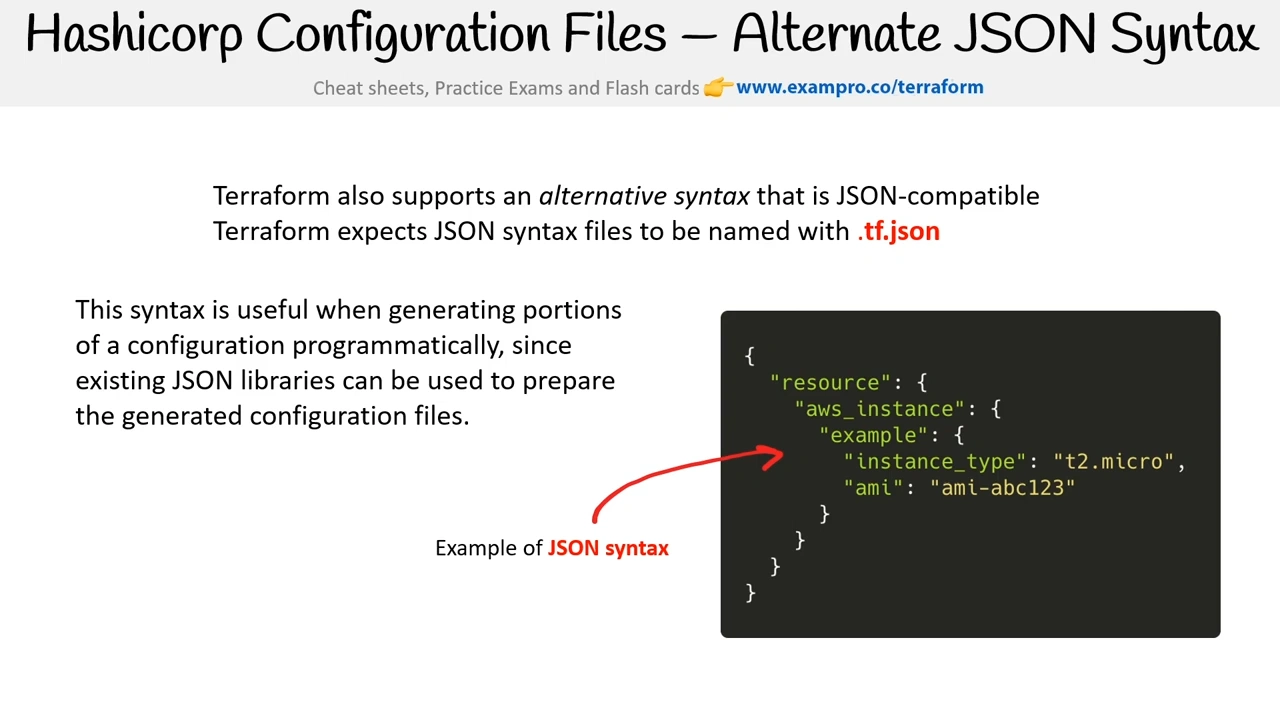
Terraform files end in the extension of .tf or either .tf.json
Terraform files are written in the Terraform Language and is the extension of HCL
Terraform language consists of only a few basic elements:
- Blocks - containers for other content, represent an object
- block type - can have zero or more labels and a body
- block label - name of a block
- Arguments - assign a value to a name
- They appear within blocks
- Expressions - represent a value, either literally or by referencing and combining other values
- They appear as values for arguments, or within other expressions.
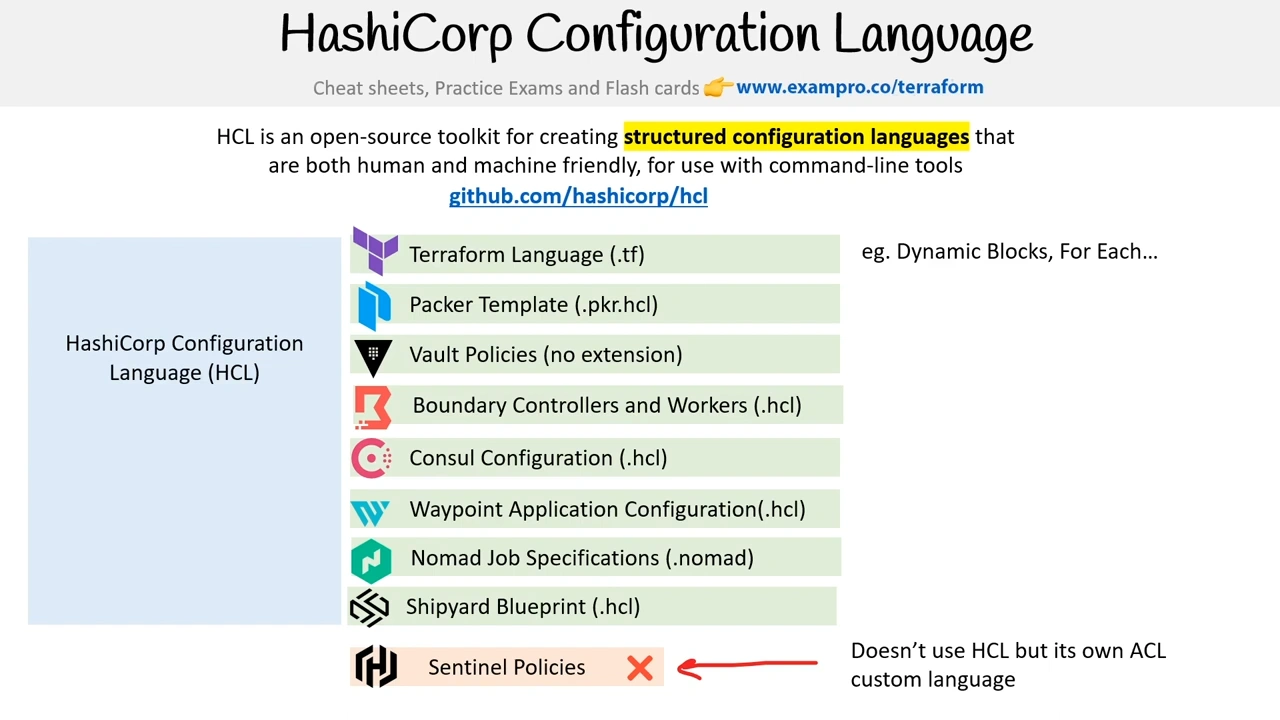
You might come across HashiCorp Configuration Language (HCL) this is the low-level language for both the Terraform Language and alternative JSON syntax
Alternate JSON Syntax
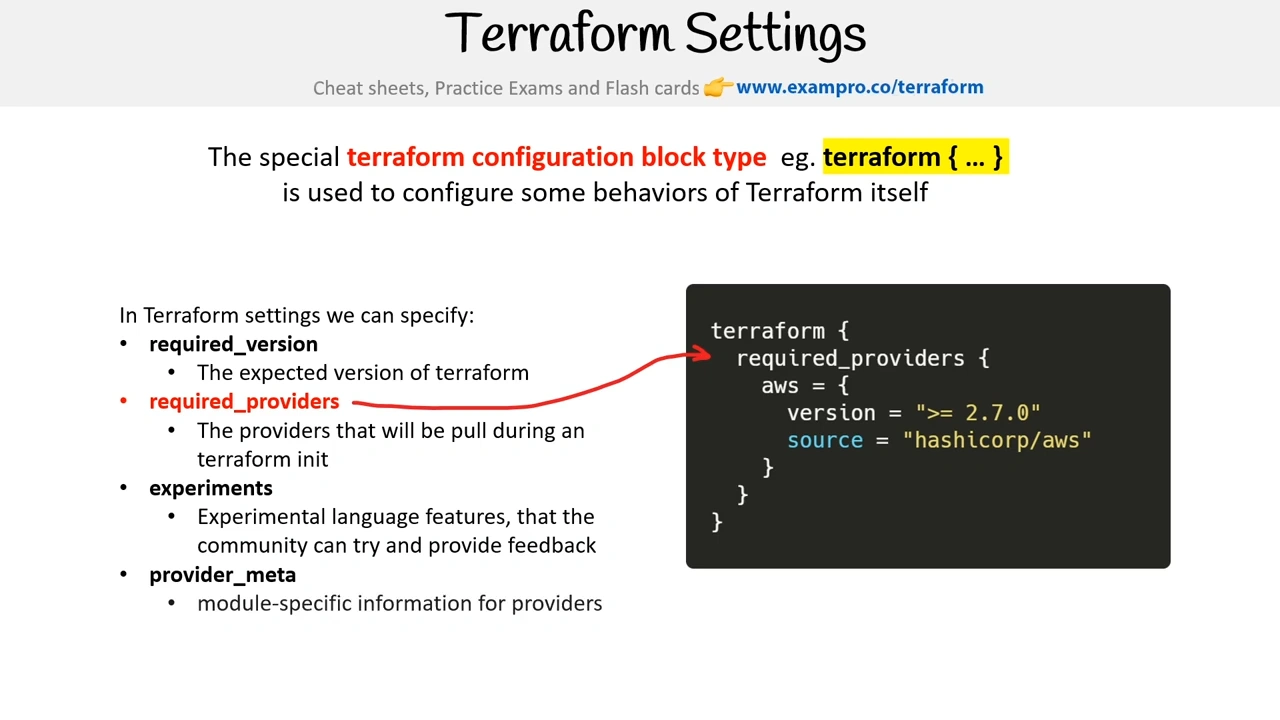
Settings
HCL
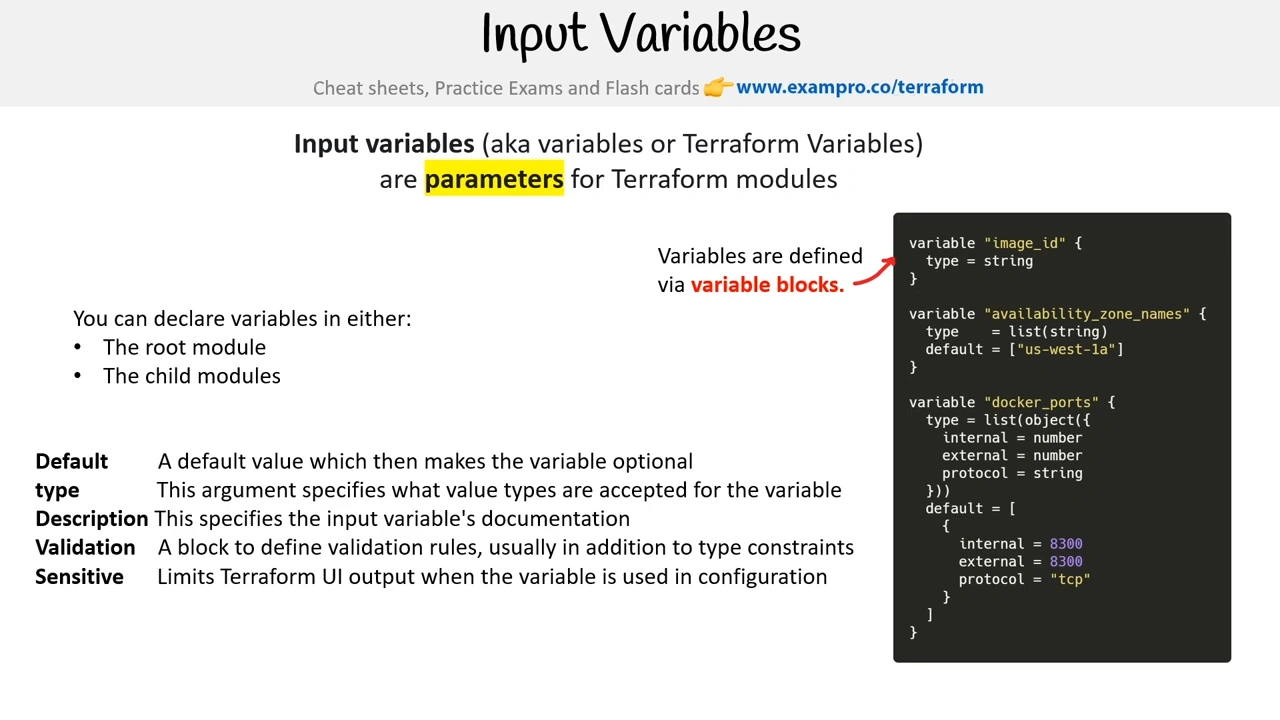
Variables
Variable Definition Precedence
Default Autoloaded Variables file
terraform.tfvars
- When you create a named terraform.tfvars file it will be automatically loaded when running terraform apply
Additional Variables Files (not autoloaded)
my_variables.tfvars
- You can create additional variables files eg. dev.tfvars, prod.tfvars
- They will not be autoloaded (you’ll need to specific them in via command line)
Additional Variables Files (autoloaded)
my_variables.auto.tfvars
- If you name your file with auto.tfvars it will always be loaded
Specify a Variables file via Command Line
-var-file dev.tfvars
- You can specific variables inline via the command line for individual overrides
Inline Variables via Command Line
-var ec2_type=“t2.medium”
- You can specific variables inline via the command line for individual overrides
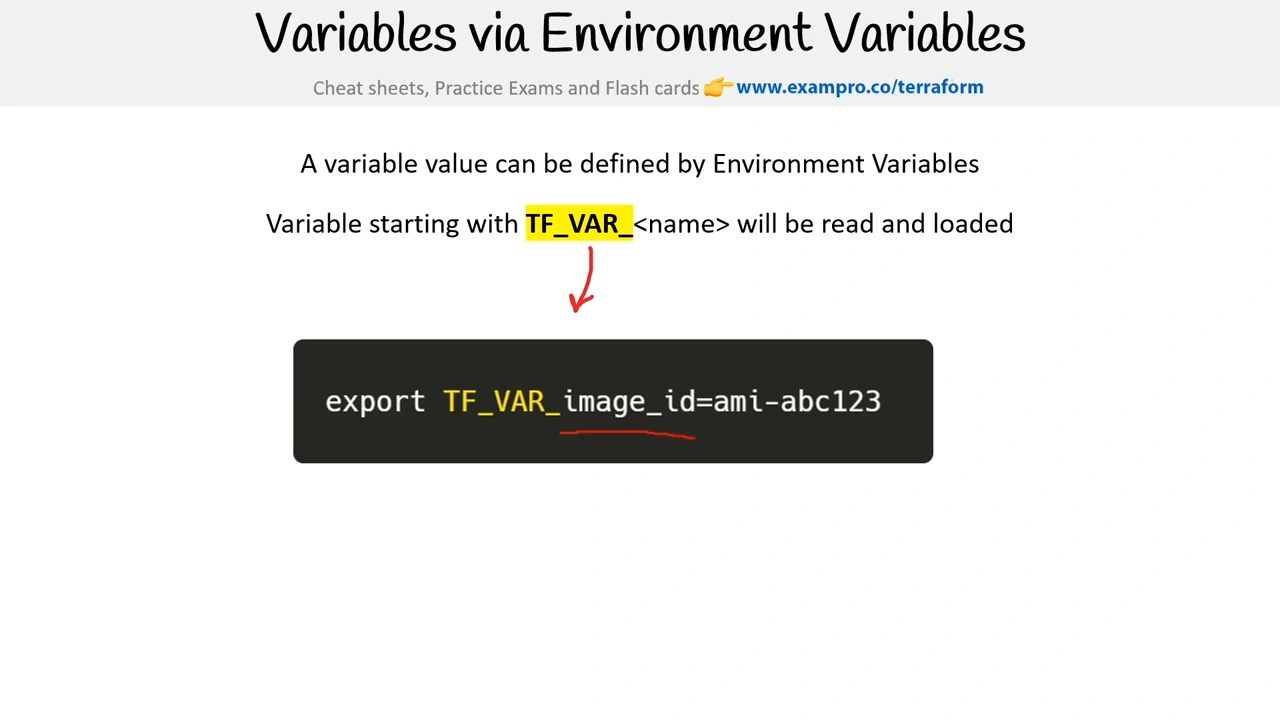
Environment Variables
TF_VAR _my _variable _name
- Terraform will watch for environment variables that begin with TF_VAR _ and apply those as variables
Terraform loads variables in the following order, with later sources taking precedence over earlier ones:
- Environment variables
- The
terraform.tfvarsfile, if present. - The
terraform.tfvars.jsonfile, if present. - Any
*.auto.tfvarsor*.auto.tfvars.jsonfiles, processed in lexical order of their filenames. - Any
-varand-var-fileoptions on the command line, in the order they are provided. (This includes variables set by an HCP Terraform workspace.)
Variable Validation
In Terraform, you can validate variables by using the validation block within a variable block.
Example: Validating a variable
variable "instance_type" {
  description = "Type of EC2 instance"
  type        = string
  default     = "t2.micro"

  validation {
    condition     = contains(["t2.micro", "t3.micro", "t3a.micro"], var.instance_type)
    error_message = "Invalid instance type. Allowed values are 't2.micro', 't3.micro', 't3a.micro'."
  }
}
Example: Validating multiple conditions
You can use logical operators for more complex validations.
variable "port" {
  description = "Port number for the application"
  type        = number

  validation {
    condition     = var.port >= 1024 && var.port <= 65535
    error_message = "Port must be between 1024 and 65535."
  }
}
Example: Validating a string pattern
Using regex to validate input values:
variable "username" {
  description = "Username for the application"
  type        = string

  validation {
    condition     = can(regex("^\\w+$", var.username))
    error_message = "Username must contain only alphanumeric characters and underscores."
  }
}
Variables via Environment Variables
A variable value can be defined by Environment Variables
Variable starting with TF_ VAR _ name will be read and loaded
Outputs
Output Values
Output Values are computed values after a Terraform apply is performed. Outputs allow you:
- to obtain information after resource provisioning e.g. public IP address
- output a file of values for programmatic integration
- Cross-reference stacks via outputs in a state file via terraform_remote _state
You can optionally provide a description
Sensitive Outputs
You can mark the output as sensitive so it does not show in the output of your Terminal
Sensitive outputs will still be visible within the state file.
To print all the outputs for a state file use the terraform output
Print a specific output with terraform output name
Use the -json flag to get output as json data.
Use the -raw flag to preserve quotes for strings
Output Chaining
Local Values
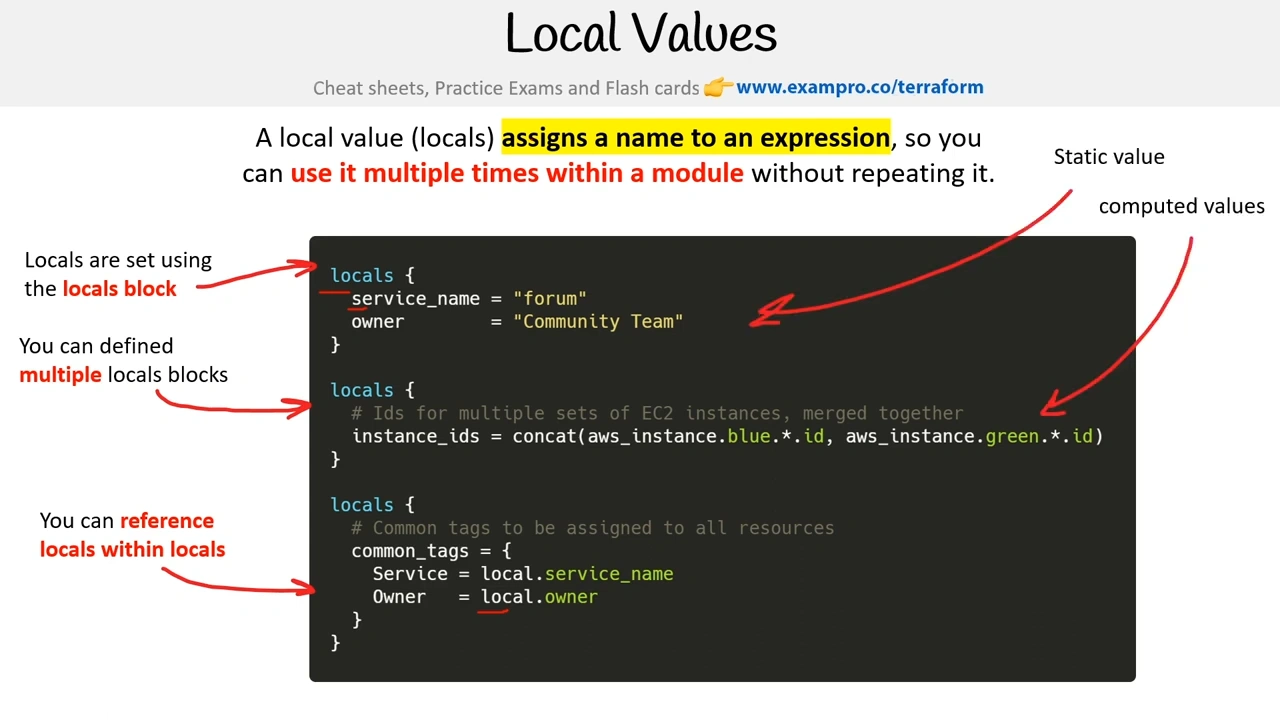
A local value (locals) assigns a name to an expression, so you can use it multiple times within a module without repeating it.
Locals are set using the locals block ← Static value
You can define multiple locals blocks ← computed values
You can reference locals within locals
Once a local value is declared, you can reference it in expressions as local.NAME.
When you are referencing you use the singular “local”
Locals help can help DRY up your code.
It is best practice to use locals sparingly since Terraform is intended to be declarative and overuse of locals can make it difficult to determine what the code is doing.
Data Sources
Data sources allow Terraform to use information defined outside of Terraform, defined by another separate Terraform configuration, or modified by functions.
You specify what kind of external resource you want to select
You use filters to narrow down the selection
You use data. to reference data sources
| Aspect | **Resources** | **Data Sources** |
|---|---|---|
| Purpose | Define and manage infrastructure components (e.g., VMs, databases, networks). | Retrieve information about existing resources or external systems. |
| Creation/Management | Responsible for creating, updating, and deleting infrastructure. | Does not create, update, or delete resources; only fetches information. |
| Interaction | Interacts with the cloud provider’s API to make actual changes in the infrastructure. | Queries cloud provider’s API or external systems to retrieve specific attributes. |
| State Management | Stored in Terraform’s state file to track the lifecycle of managed resources. | Does not store retrieved data in the state file; only used during the execution plan. |
| Example Use Case | Creating an AWS EC2 instance or an S3 bucket. | Fetching the ARN of an existing S3 bucket or the latest AMI ID for an EC2 instance. |
| Syntax Example | resource "aws_instance" "example" { ... } | data "aws_ami" "example" { ... } |
| Modification Scope | Affects the infrastructure directly when configurations are changed. | Does not modify any infrastructure; only updates fetched data when changes occur. |
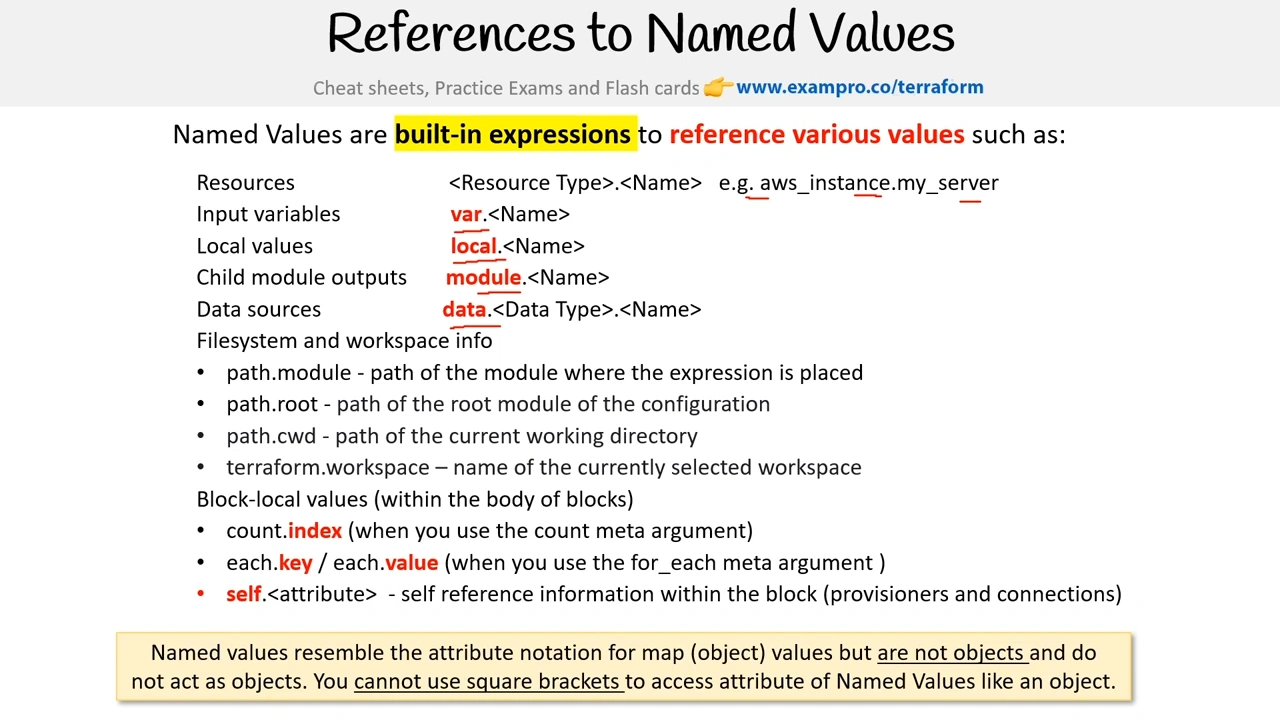
Named Values