Core Idea
Providers are the plugins that let Terraform interact with platforms, and the registry is where you find both providers and reusable modules, with Terraform Cloud for private ones.
- Providers as Terraform plugins and what they connect to.
- The Terraform Registry: providers and modules as its two unit types.
- Terraform Cloud’s private registry, plus a Terraform versus Ansible note.
Terraform Providers
Providers are Terraform Plugins that allow you to interact with:
- Cloud Service Providers (CSPs) eg. AWS, Azure, GCP
- Software as a Service (SaaS) Providers eg. Github, Angolia, Stripe
- Other APIs eg. Kubernetes, Postgres
Providers are required for your Terraform Configuration file to work.
Providers come in three tiers:
- Official — Published by the company that owns the provider technology or service
- Verified — actively maintained, up-to-date, and compatible with both Terraform and Provider
- Community — published by a community member but no guarantee of maintenance, up-to-date, or compatibility
Providers are distributed separately from Terraform and the plugins must be downloaded before use.
Terraform Registry
Terraform Registry is a website portal to browse, download or publish available Providers or Modules
https://registry.terraform.io
You can easily find documentation and code samples for providers
You can easily grab the module code:
Lots of examples for common use cases
A list of dependent modules
Provider
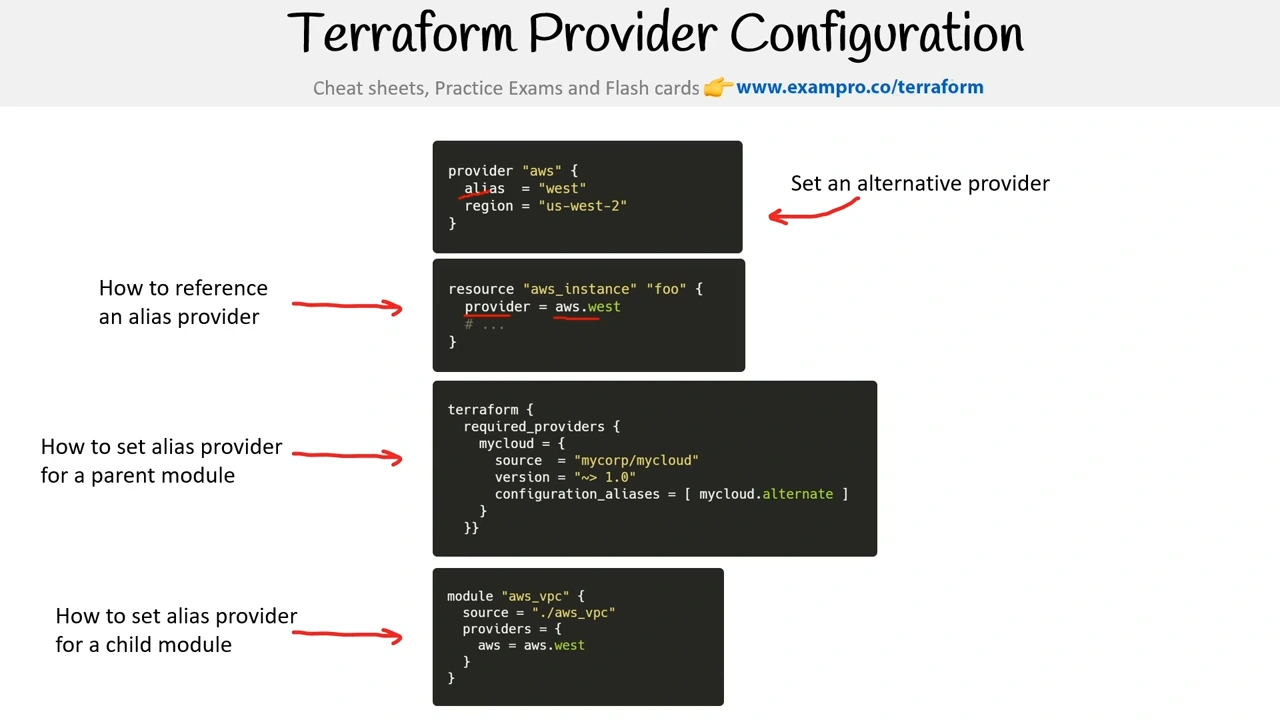
A provider is a plugin that is mapping to a Cloud Service Provider (CSPs) API.
Module
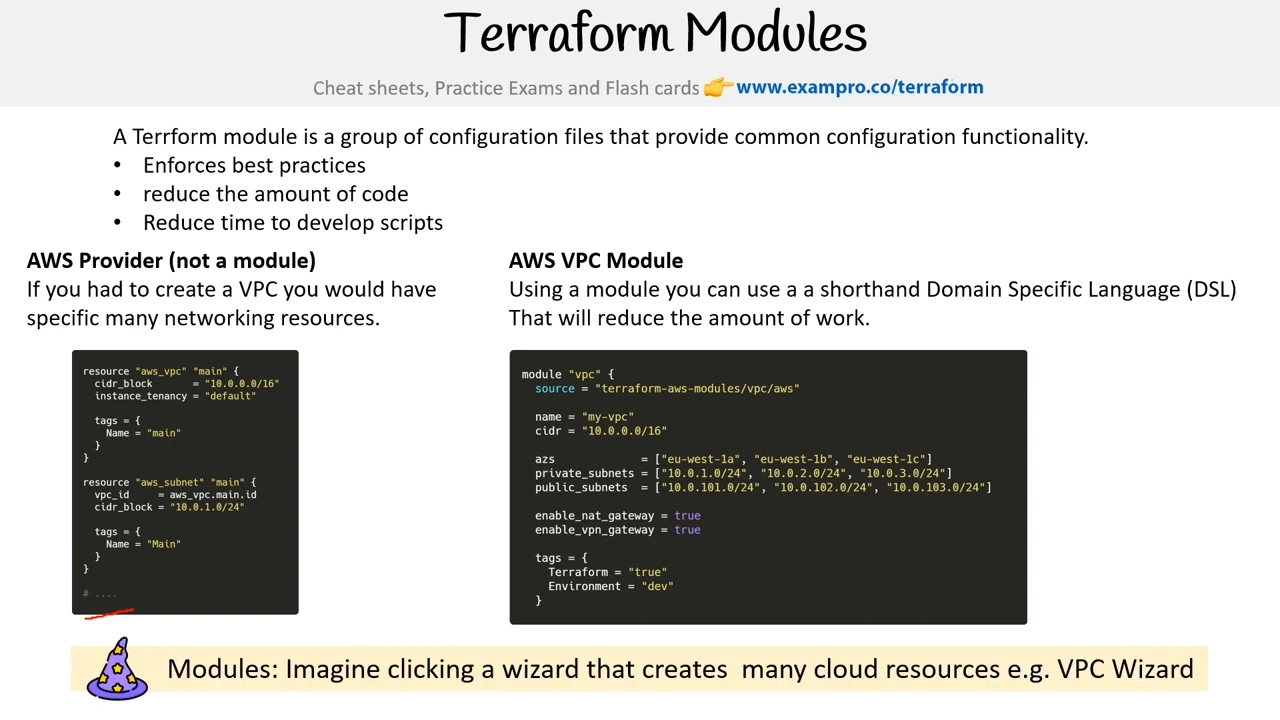
A module is a group of configuration files that provide common configuration functionality.
- Enforces best practices
- reduce the amount of code
- Reduce time to develop scripts
Everything published to Terraform Registry is public-facing
Terraform Cloud - Private Registry
Terraform Cloud allows you to publish private modules for your Organization within the Terraform Cloud Private Registry
When creating a module you need to connect to a Version Control System (VCS) and choose a repository
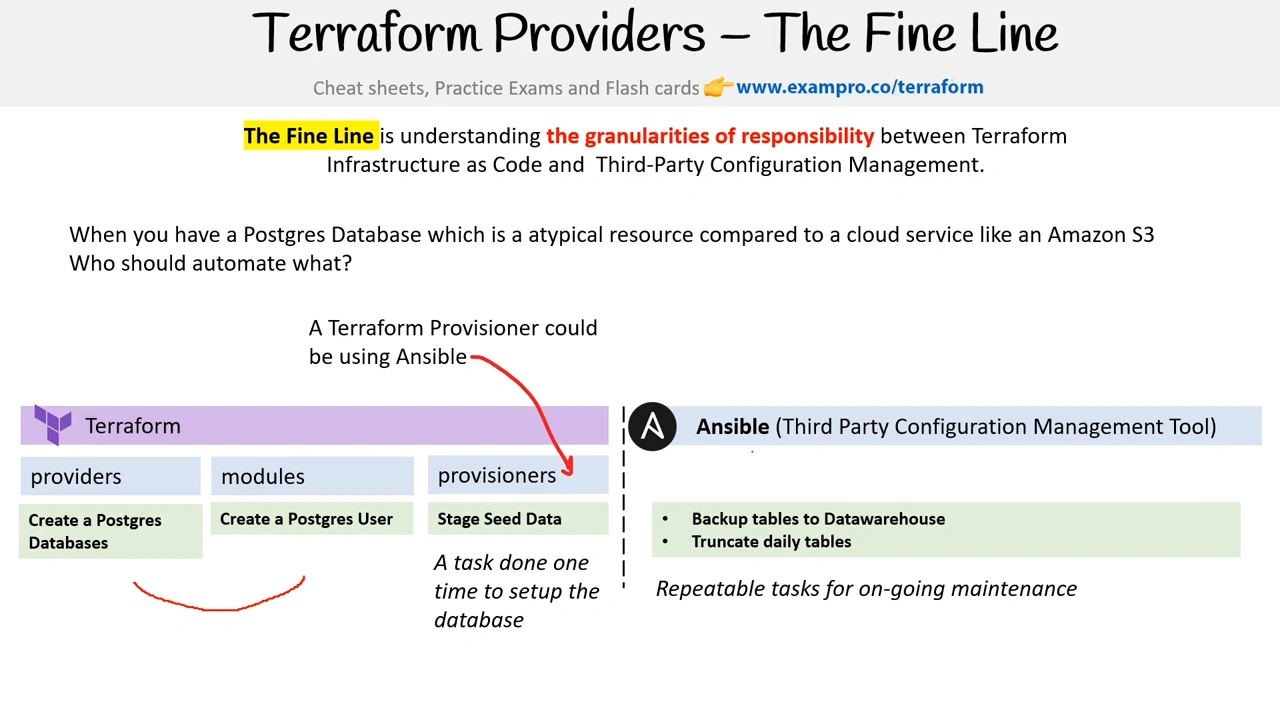
TF & Ansible