terraform lifecycle changemanagement
Core Idea
Terraform automates change: build an execution plan, see the diff before you apply it, and use ChangeSets to review infrastructure changes before they happen.
- The Terraform lifecycle and the change management, change automation, and ChangeSet concepts.
- Execution plans, including visualizing them.
- Use cases: exotic providers, multi-tier applications, disposable environments, resource schedulers.
Terraform Lifecycle
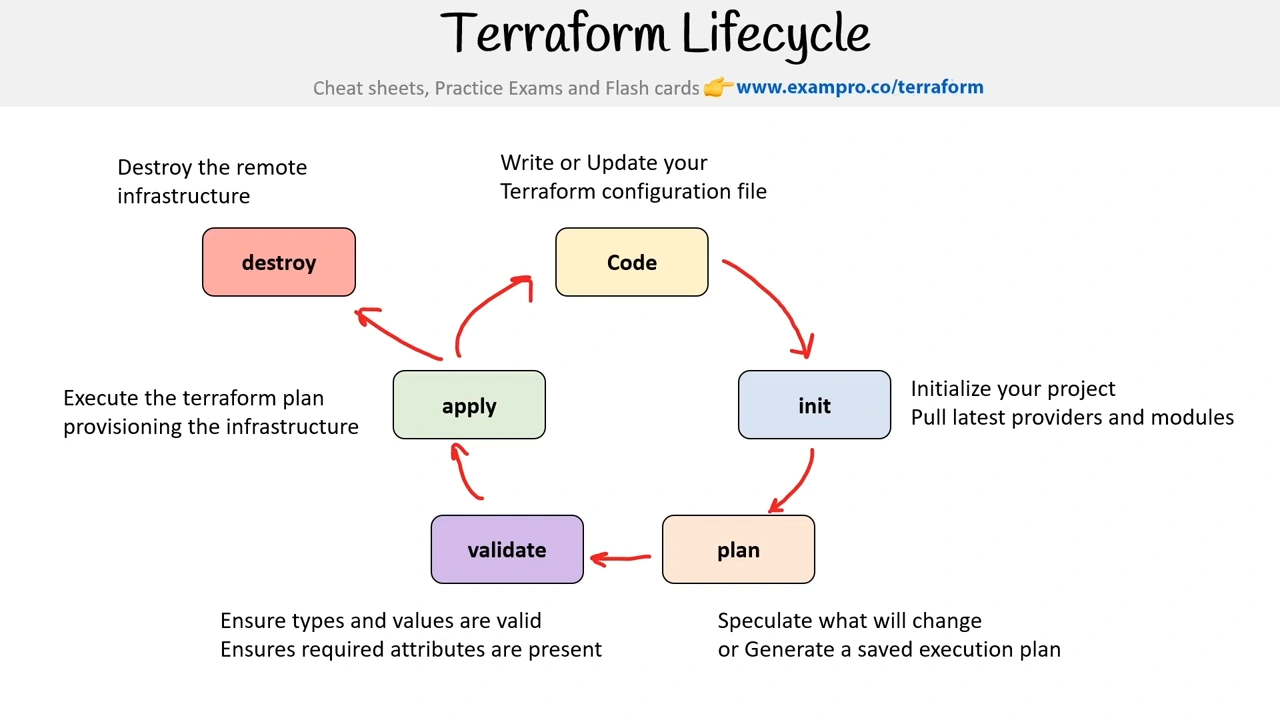
Change Automation
What is Change Management?
A standard approach to apply change, and resolving conflicts brought about by change.
In the context of Infrastructure as Code (IaC), Change management is the procedure that will be followed when resources are modified and applied via configuration script.
What is Change Automation?
a way of automatically creating a consistent, systematic, and predictable way of managing change requests via controls and policies
Terraform uses Change Automation in the form of Execution Plans and Resources graphs to apply and review complex changesets
What is a ChangeSet?
A collection of commits that represent changes made to a versioning repository. IaC uses ChangeSets so you can see what has changed by who over time.
Change Automation allows you to know exactly what Terraform will change and in what order, avoiding many possible human errors.
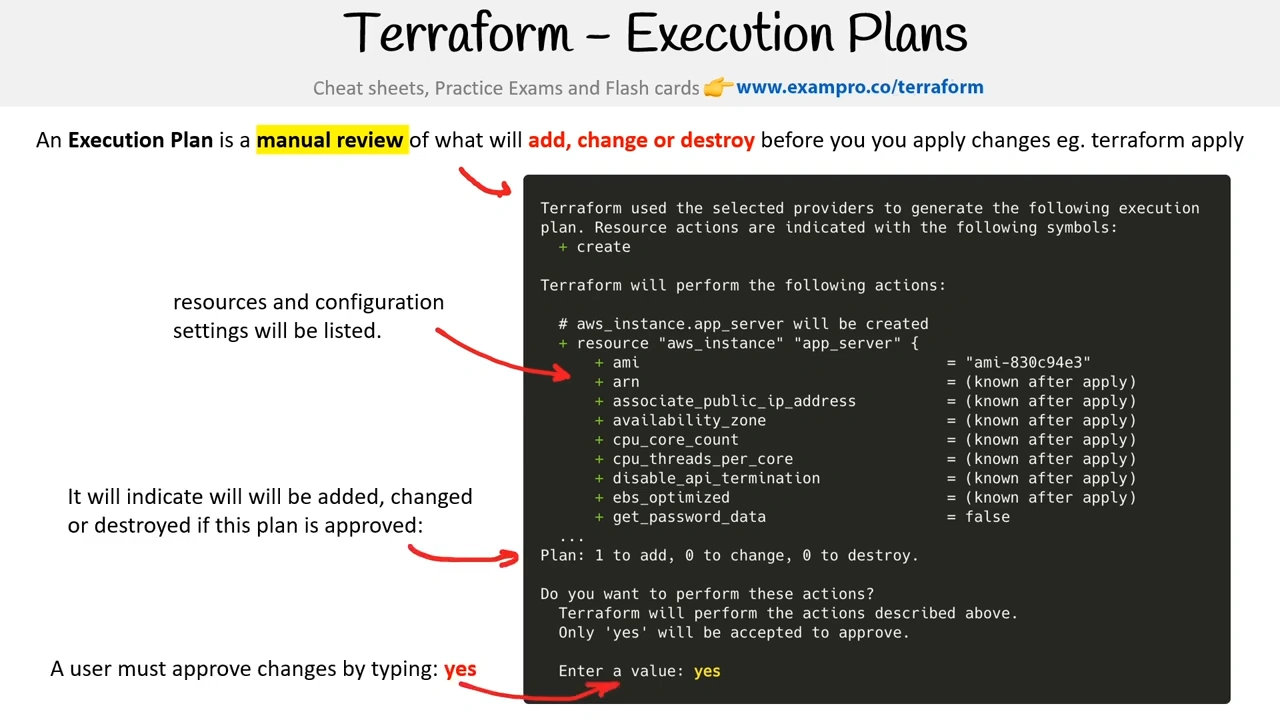
Execution Plan
An Execution Plan is a manual review of what will add, change or destroy before you apply changes
- eg. terraform apply
Visualizing Execution Plan
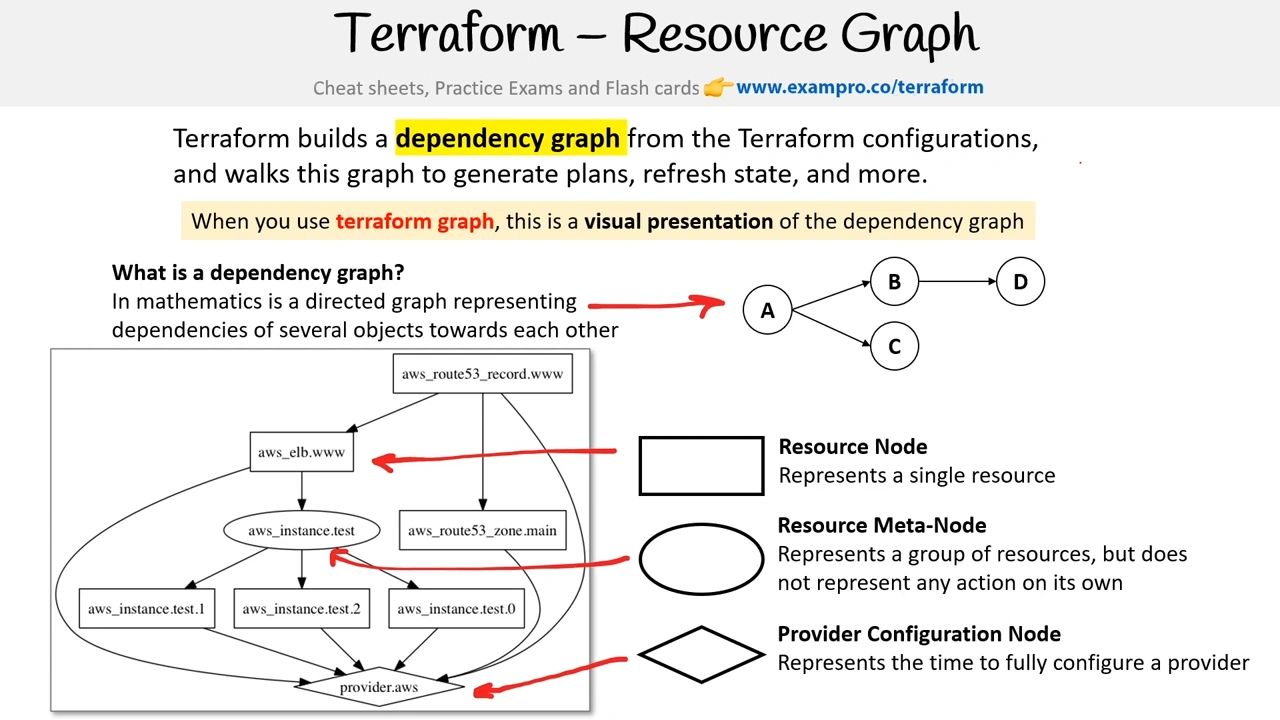
You can visualize an execution plan as a graph using the terraform graph command
Terraform will output a GraphViz file (you’ll need GraphViz installed to view the file)
What is GraphViz?
open-source tools for drawing graphs specified in DOT language scripts having the file name extension “gv”.
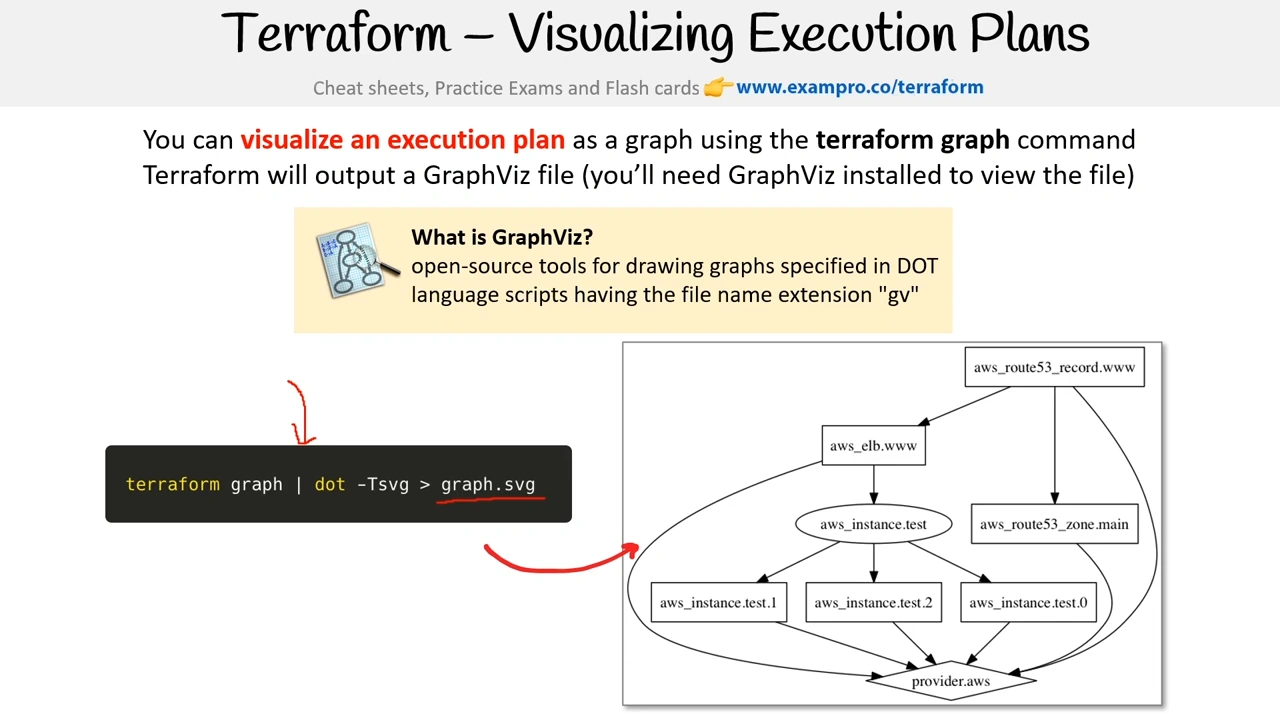
Terraform builds a dependency graph from the Terraform configurations, and walks this graph to generate plans, refresh state, and more.
Use Cases
IaC for Exotic Providers
Terraform supports a variety of providers outside of GCP, AWS, Azure and sometimes is the only provider.
Terraform is open-source and extendable to any API that could be used to create IaC tooling for any kind of cloud platform or technology. E.g. Heroku, Spotify Playlists.
Multi-Tier Applications
Terraform by default makes it easy to divide large and complex applications into isolated configuration scripts (module). It has a complexity advantage over cloud-native IaC tools for its flexibility while retaining simplicity over Imperative tools.
Disposable Environments
Easily stand up an environment for a software demo or a temporary development environment
Resource Schedulers
Terraform is not just defined to the infrastructure of cloud resources but can be used to dynamic schedule Docker containers, Hadoop, Spark, and other software tools. You can provision your own scheduling grid.
Multi-Cloud Deployment
Terraform is cloud-agnostic and allows a single configuration to be used to manage multiple providers, and to even handle cross-cloud dependencies.
Terraform Core and Terraform Plugins
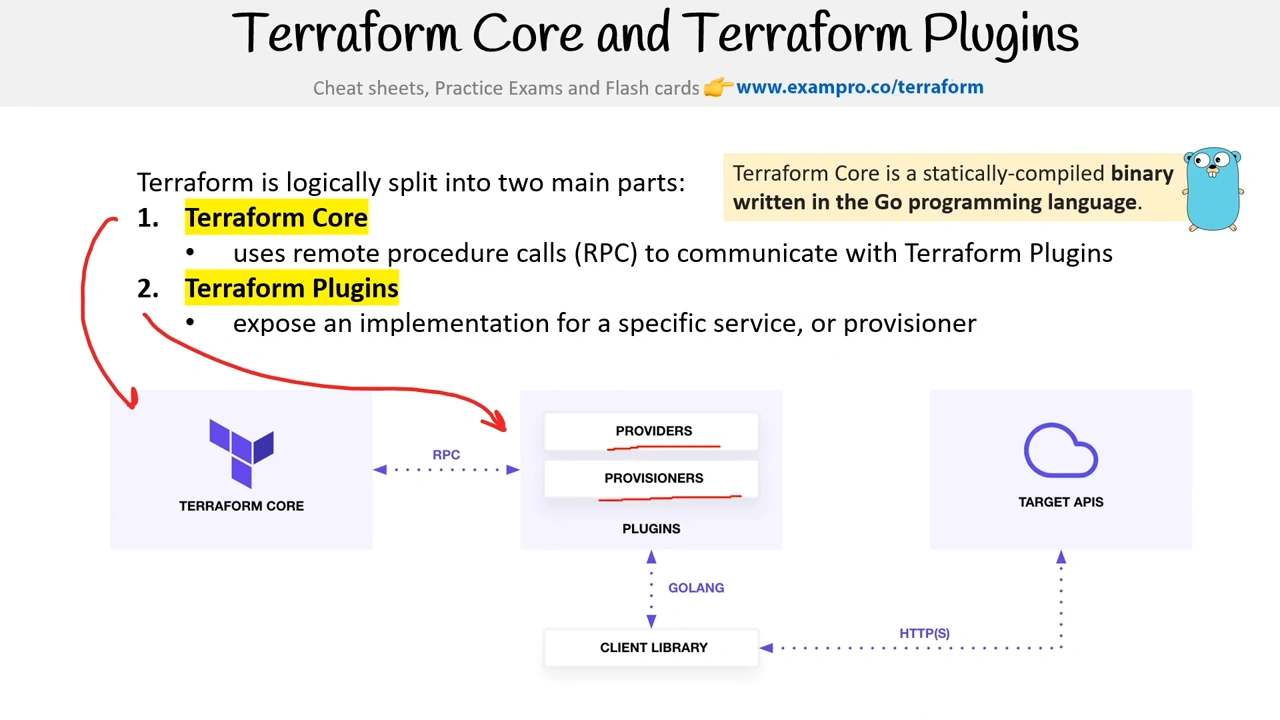
Terraform is logically split into two main parts:
- Terraform Core
- uses remote procedure calls (RPC) to communicate with Terraform Plugins
- Terraform Plugins
- expose an implementation for a specific service, or provisioner
Terraform Core is a statically-compiled binary written in the Go programming language.
Best Practices
Terraform Provisioners
Terraform Provisioners install software, edit files, and provision machines created with Terraform
Terraform allows you to work with two different provisioners:
cloud-init
Cloud-Init is an industry-standard for cross-platform cloud instance initializations. When you launch a VM on a Cloud Service Provider (CSP) you’ll provide a YAML or Bash script.
Packer
Packer is an automated image-builder service. You provide a configuration file to create and provision the machine image and the image is delivered to a repository for use.
Warning
Provisioners should only be used as a last resort. For most common situations there are better alternatives.
Local-exec
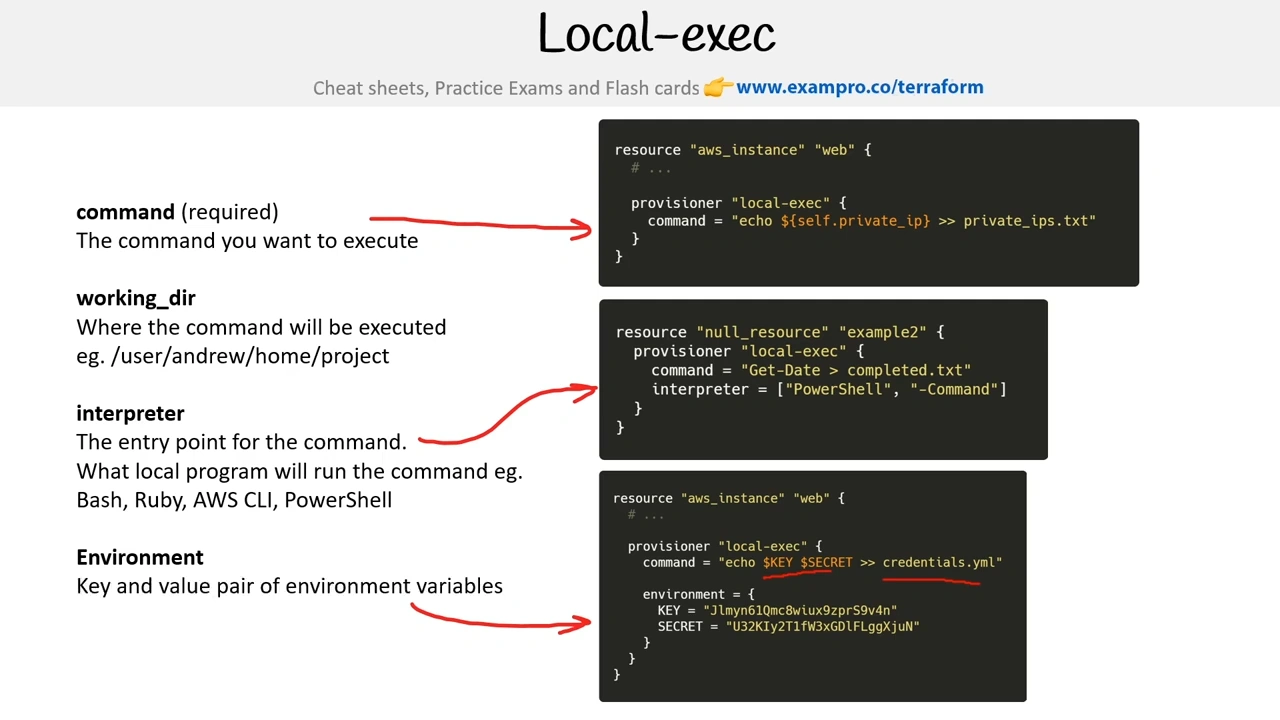
Local-exec allows you to execute local commands after a resource is provisioned.
- The machine that is executing Terraform
- eg. terraform apply is where the command will execute.
A local environment could be…..
- Local Machine (laptop/workstation)
- Build Server (GCP Cloud Build, AWS CodeBuild, Jenkins)
- Terraform Cloud Run Environment (single-use Linux virtual machine)
Example Use Case
After you provision a VM you need to supply the Public IP to a third-party security service to add the VM IP address and you accomplish this by using locally installed third-party CLI on your build server.
Outputs vs Local-Exec
Terraform outputs allows you to output results after running Terraform apply
local exec allows you to run any arbitrary commands on your local machine. Commonly used to trigger Configuration Management eg. Ansible, Chef, Puppet
Remote Exec
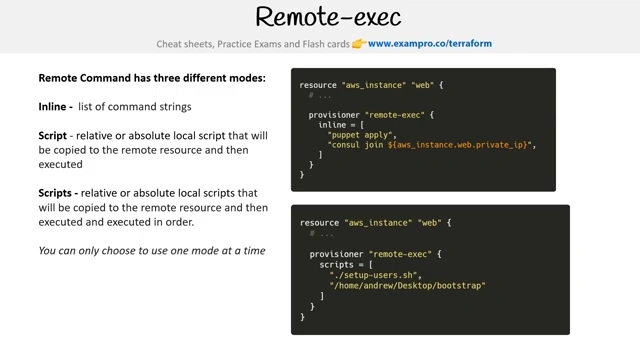
Remote-exec allows you to execute commands on a target resource after a resource is provisioned.
Local Machine executing Terraform → remote-exec → Provisioned VM (resource) executing provided commands/script
Remote-Exec is useful for provisioning a Virtual Machine with a simple set of commands.
For more complex tasks its recommended to use Cloud-Init, and strongly recommended in all cases to bake Golden Images via Packer or EC2 Image Builder
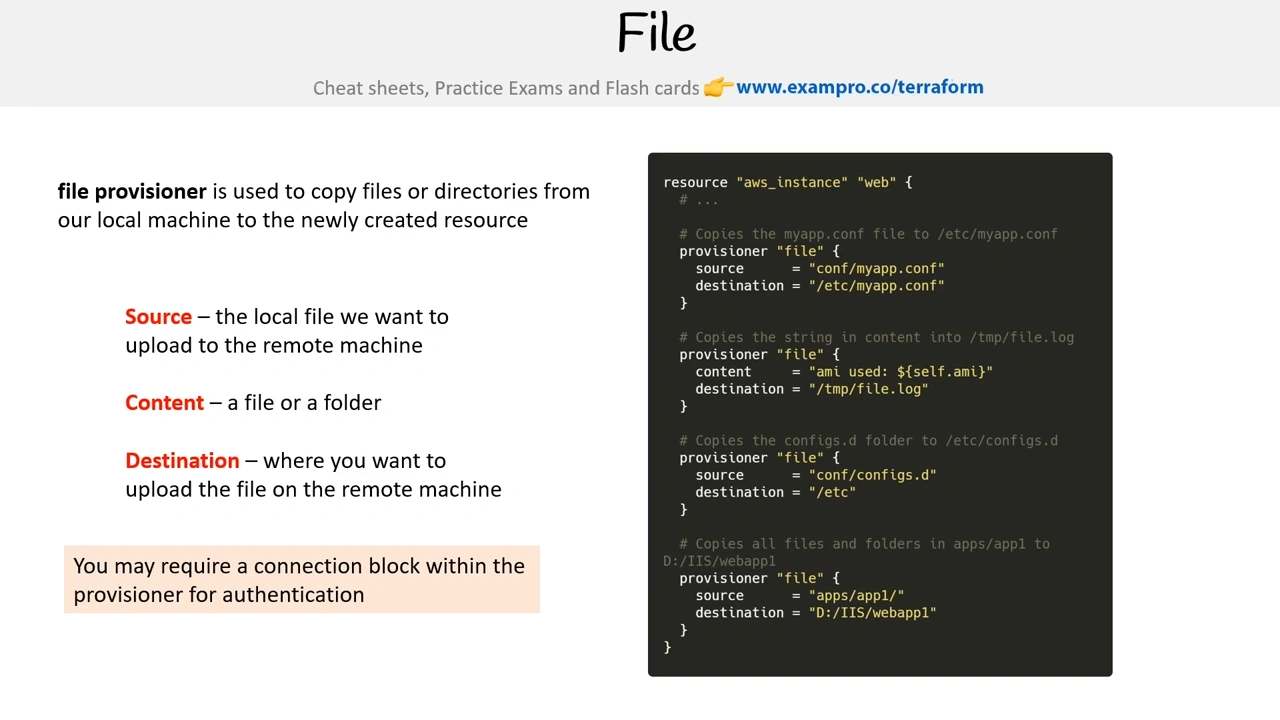
File
Connection
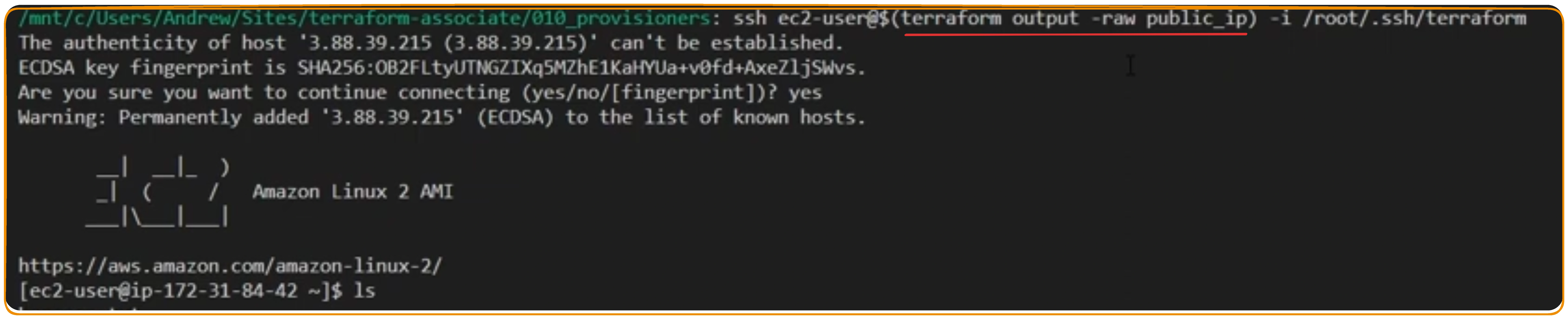
A connection block tells a provisioner or resource how to establish a connection
Null Resources
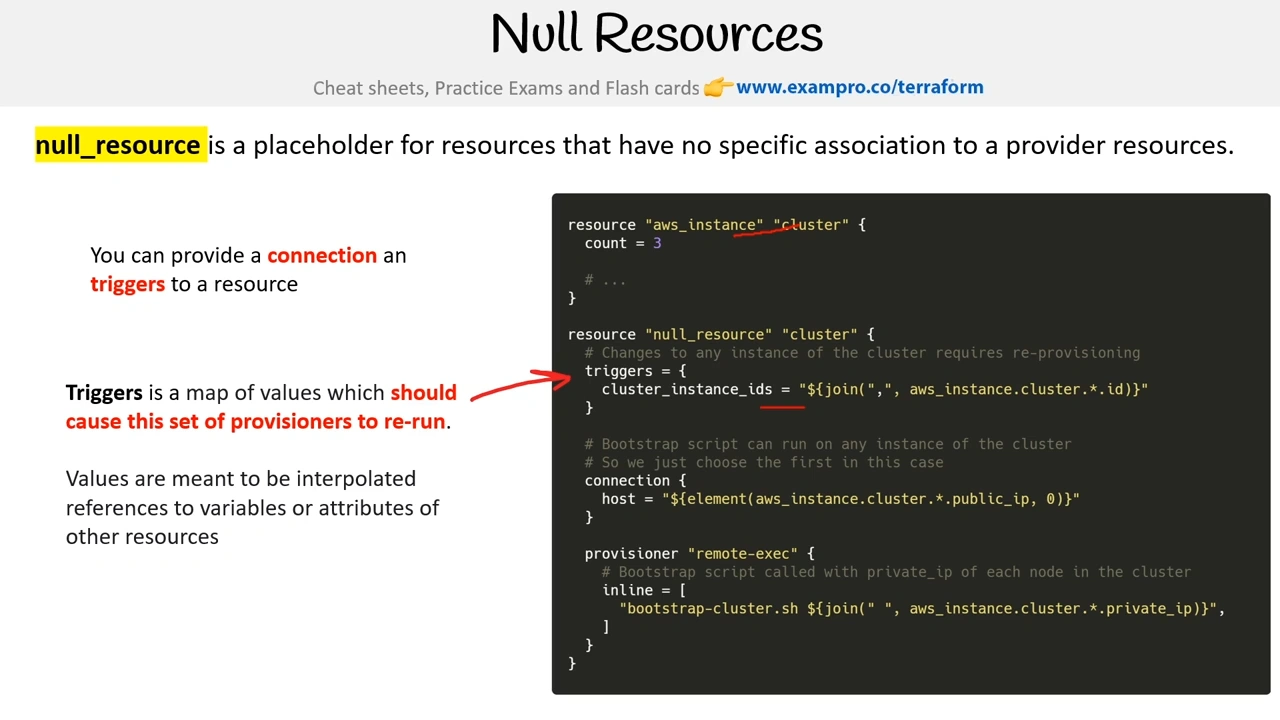
null_resource is a placeholder for resources that have no specific association with a provider’s resources.
You can provide a connection and triggers to a resource
Triggers is a map of values that should cause this set of provisioners to re-run.
Values are meant to be interpolated references to variables or attributes of other resources
Terraform Data
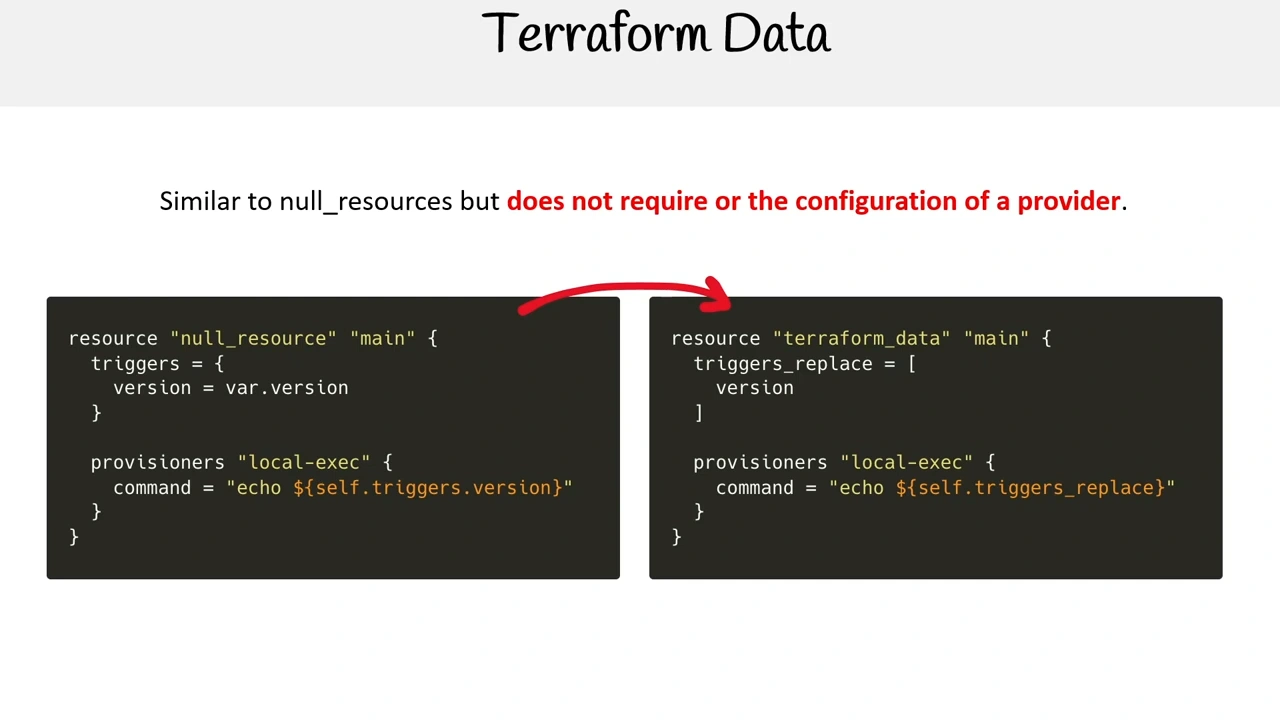
Similar to null_resources but does not require or the configuration of a provider.