softwarearchitecture softwareengineering systemdesign
Software Architecture Diagrams with C4 Model
C4 model | Lightweight standard for visualizing software architecture
What is the C4 model?
Visualize Your Software Architecture With The C4 Model
Home | C4 model
Home | Structurizr
📖 The C4 model for visualising software architecture
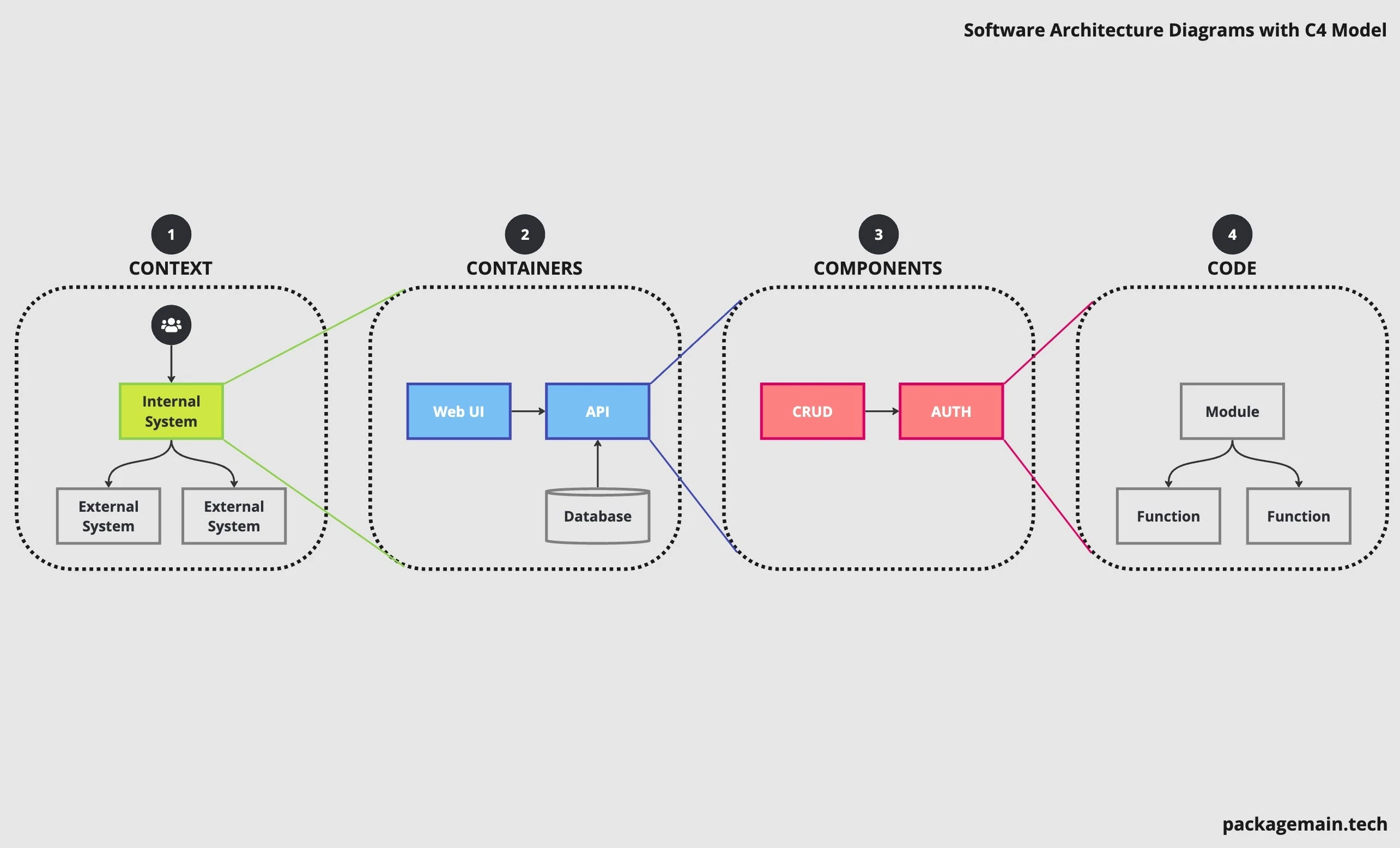
The C4 model (Context, Container, Component, Code) is a modern approach to visualizing software architecture developed by Simon Brown. It helps teams create a clear, consistent set of hierarchical diagrams to describe the architecture of a system at different levels of detail.
It’s notation independent(Notation | C4 model)
It’s tooling independent.(Tooling | C4 model)
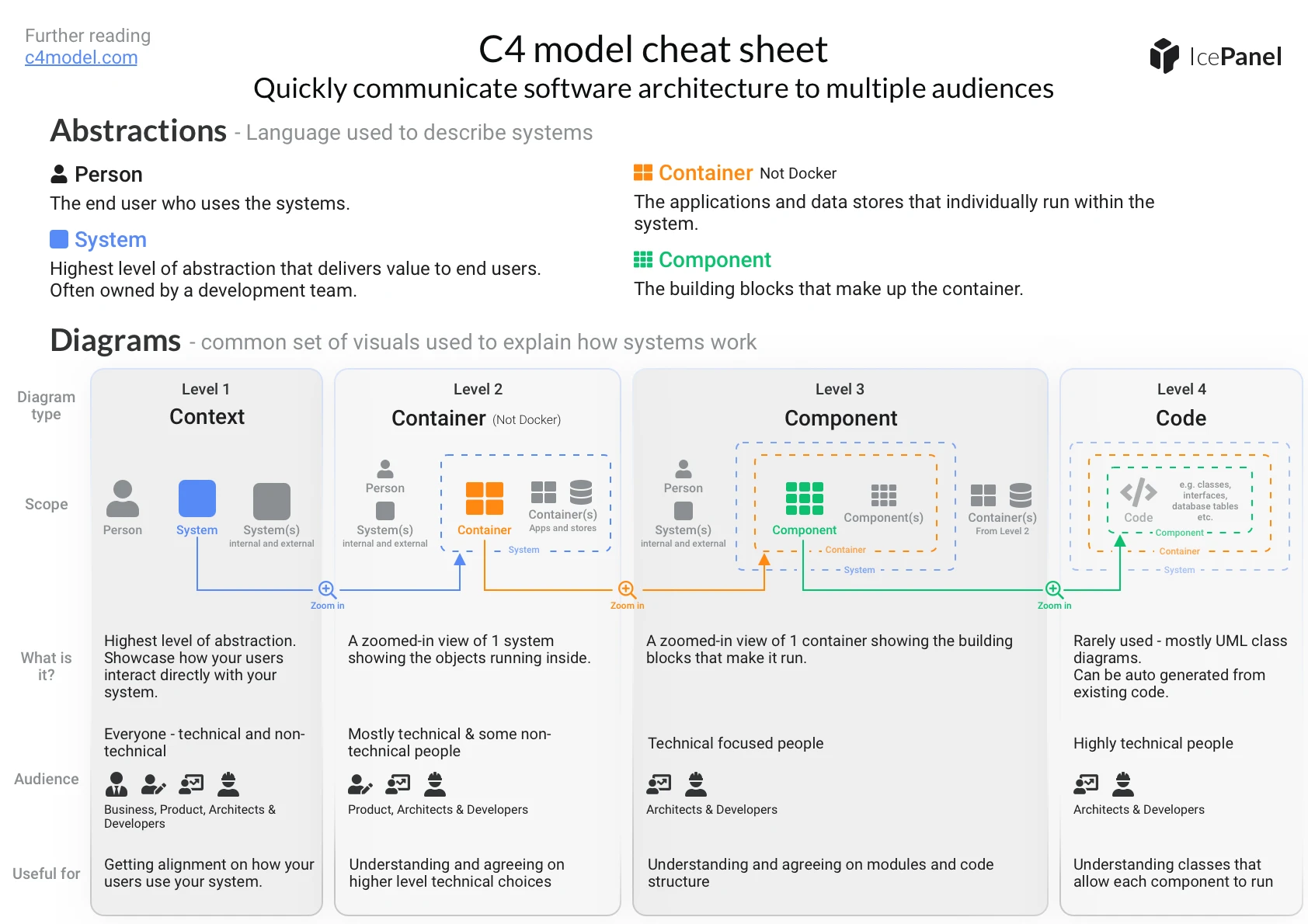
C4 Model is essentially only 2 things,
- A hierarchical set of abstractions
- Four diagram types
C4 model abstractions
Describe your software system and the ecosystem around it.
🧍 Person
End user who uses the systems.
Examples: Customer, admin user or employee.
🏢 System
The highest level of abstraction that delivers value to end users, whether they are human or not. Systems are often owned by a development team.
Examples: SendGrid is an external system.
📦 Container
Applications and data stores that make up a system. These are independently deployable and runnable. (Not to be confused with Docker containers)
Example: API service, front-end application or mobile app.
🧩 Component
Building blocks and modules that make up each container.
Example: Authentication module or payment card validator.
C4 Model Diagrams
The second part of the C4 model is the 4 hierarchical diagram types, each tailored for a specific audience. Each diagram type visualizes the abstractions for each of the C4 levels.
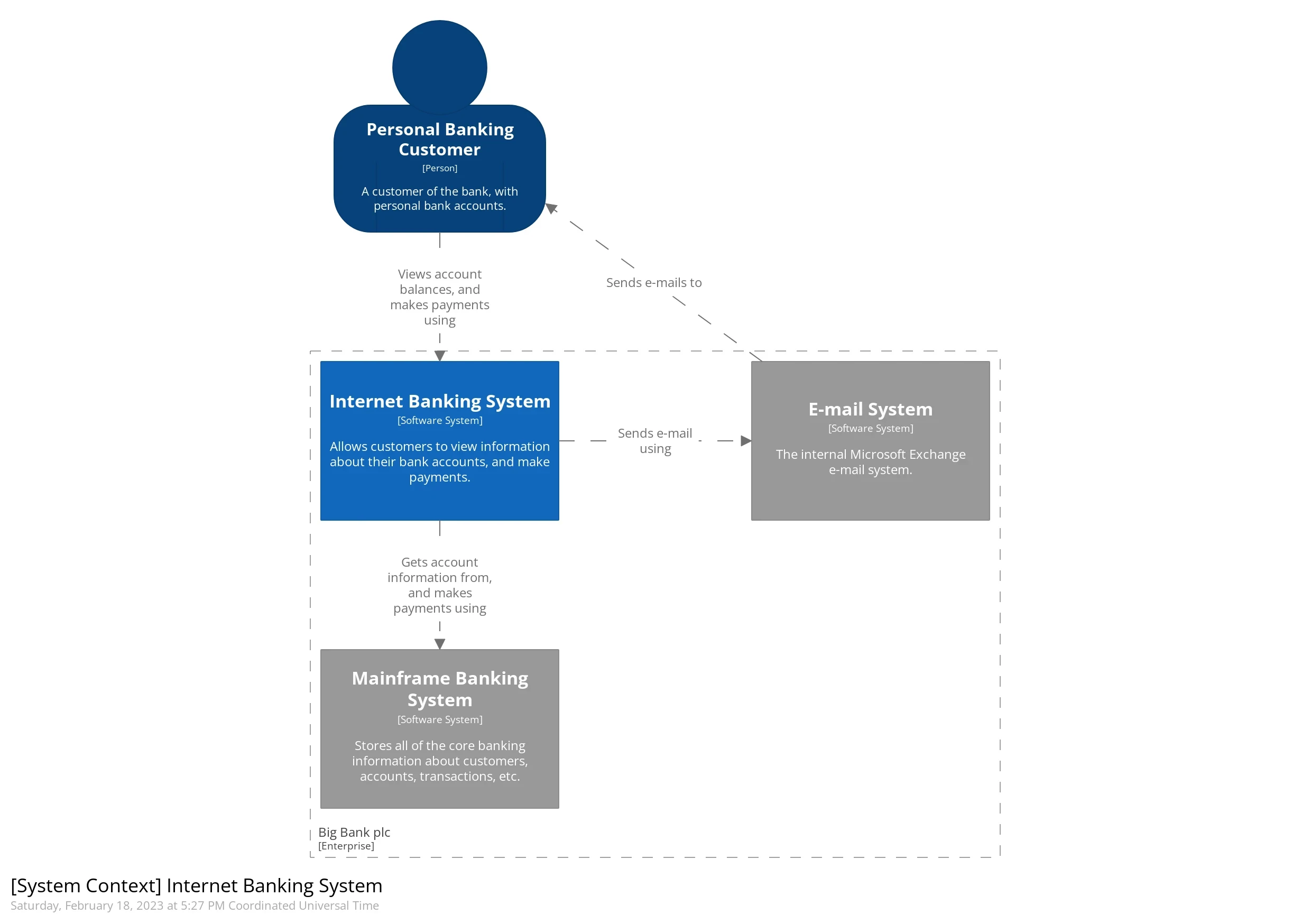
Level 1 - System Context Diagram
High level overview of how user interact with the internal and external systems.
Audience: Architects, developers, product and business. For technical and non-technical audiences.
Scope: Persons and systems
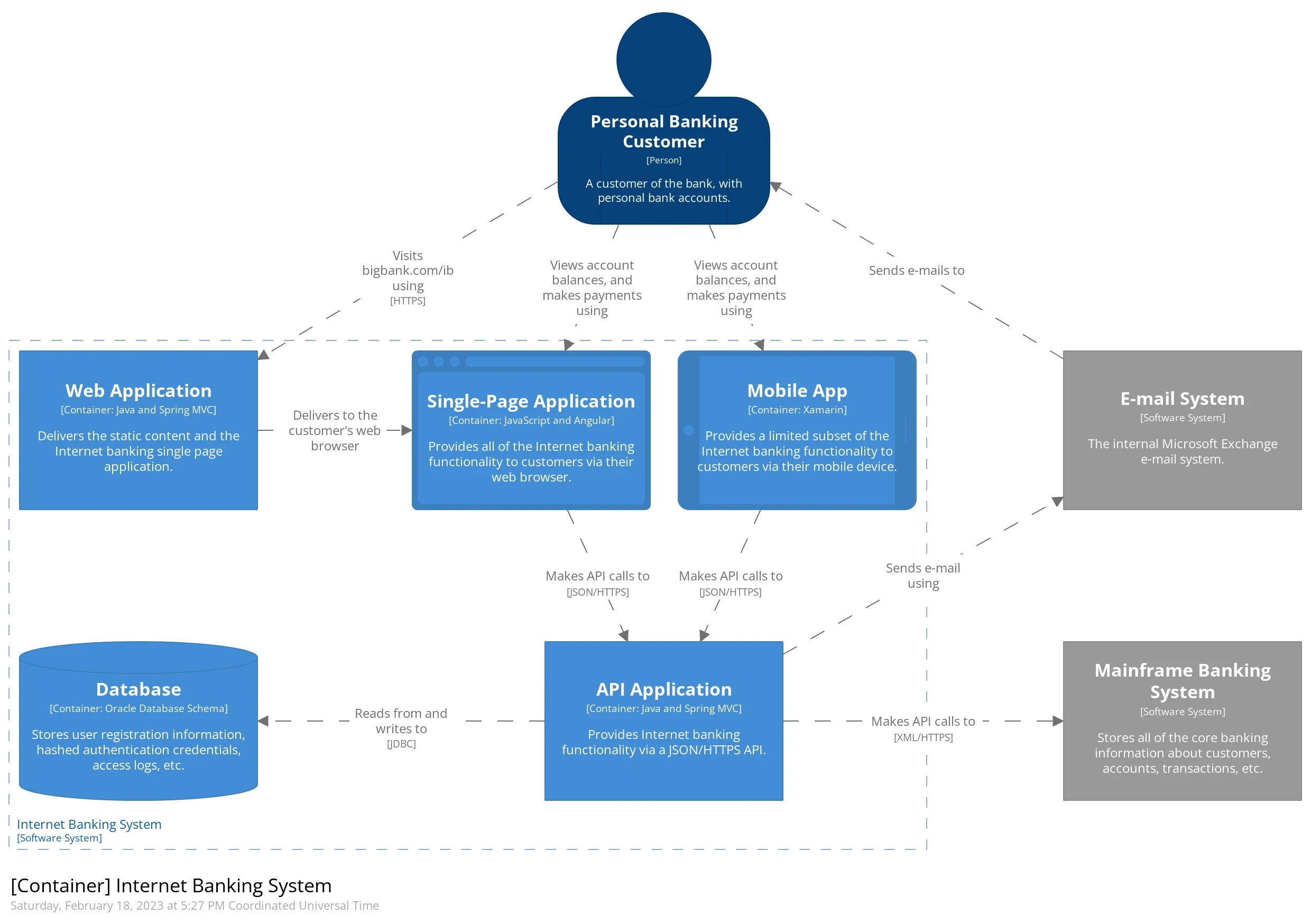
Level 2 - Container diagram
Attention
Not Docker container. Container means Applications/services (containers) like web apps, mobile apps, databases, APIs, etc.
Zoomed-in view of one system that shows the running containers inside it.
Audience: Architects, developers, product. For high-level technical audiences.
Scope: Persons, systems and containers
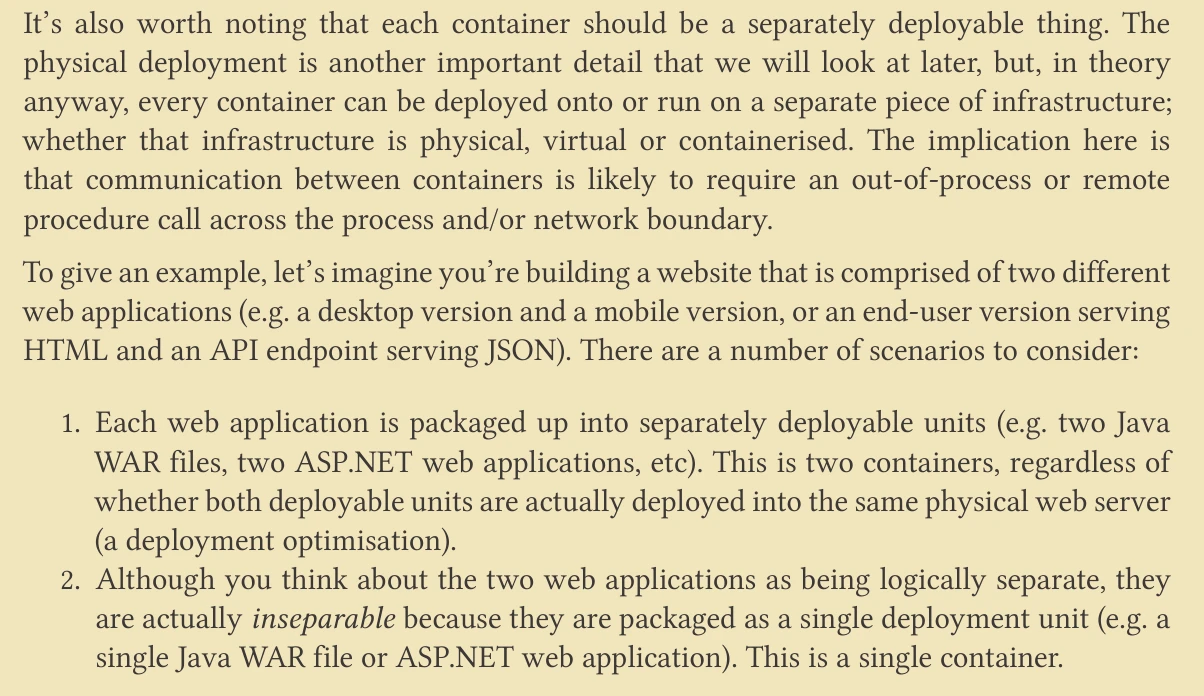
Containers are separately deployable.
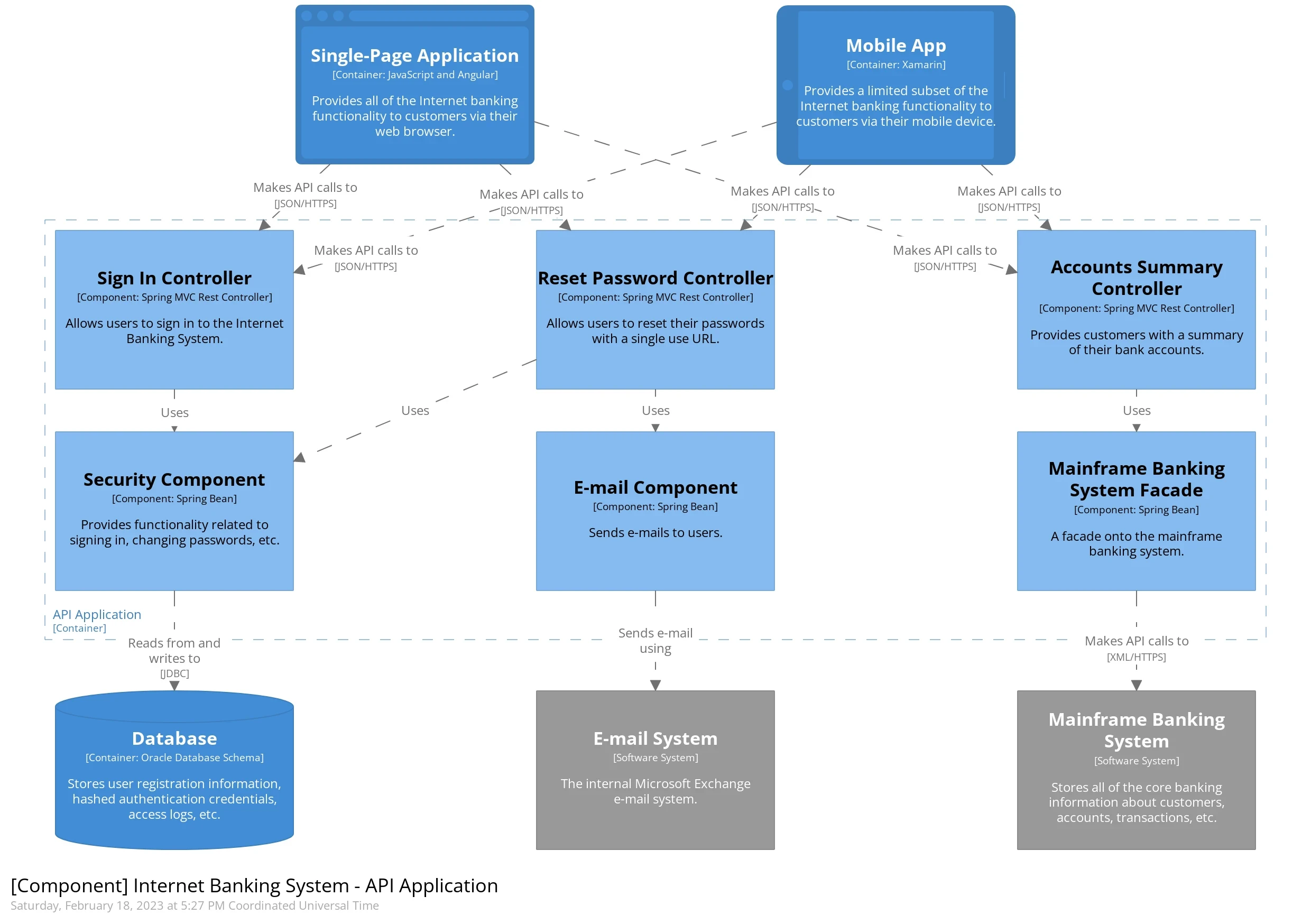
Level 3 - Component diagram
A zoomed-in view of one container that shows the components making it up.
Audience: Architects and developers. For low-level technical audiences.
Scope: Persons, systems, containers and components.
Level 4 - Code Diagram
Usually in the form of UML class diagrams that are ideally autogenerated from the actual code. This level is rarely used as it goes into too much technical detail for most teams.
Audience: Architects and developers. For low-level technical audiences
Scope: Persons, systems, containers and components.
Supplementary diagrams
Besides the 4 diagrams above there are a few more worth mentioning:
- Deployment diagram
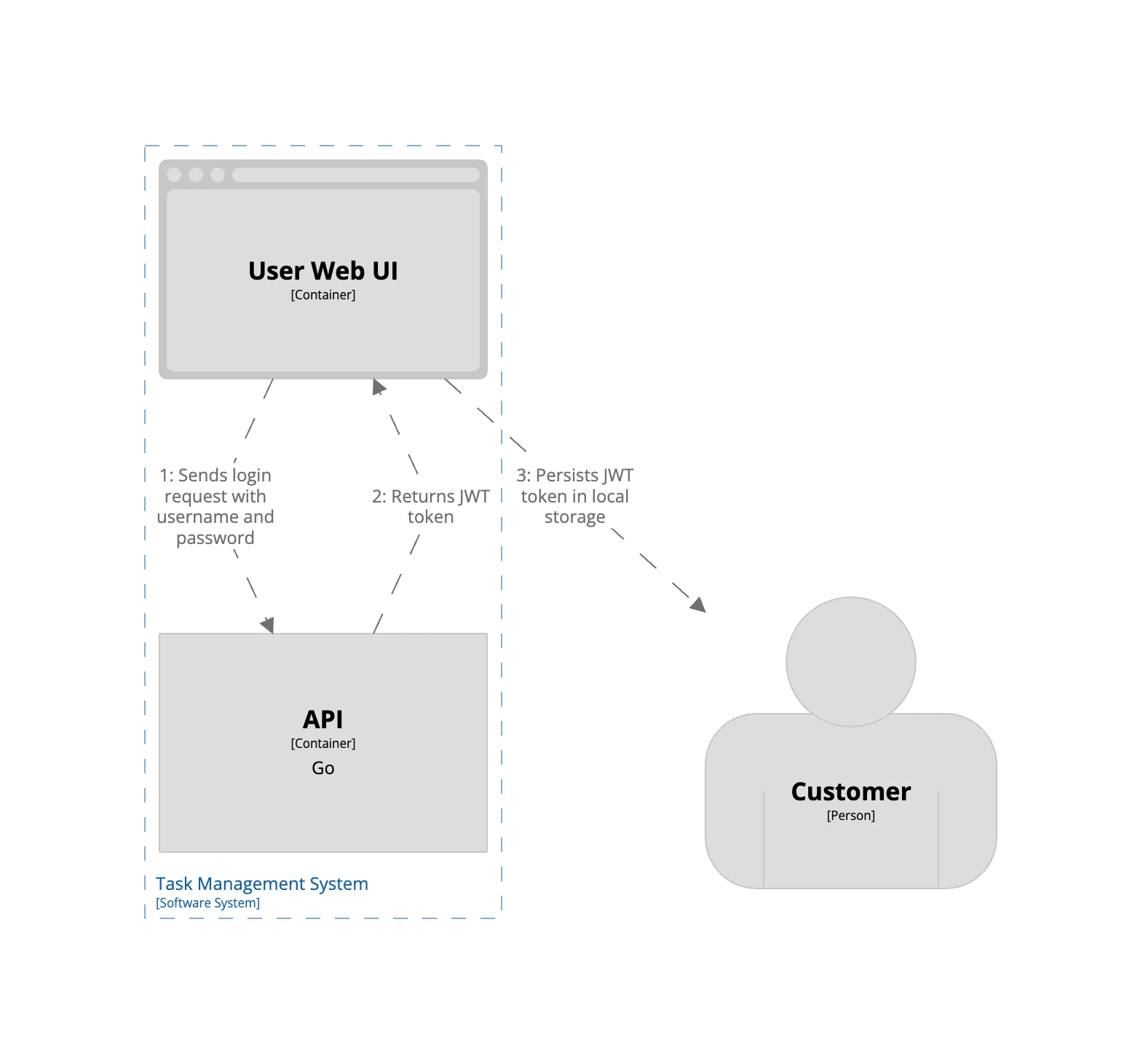
- Dynamic diagram: to describe the process or a flow
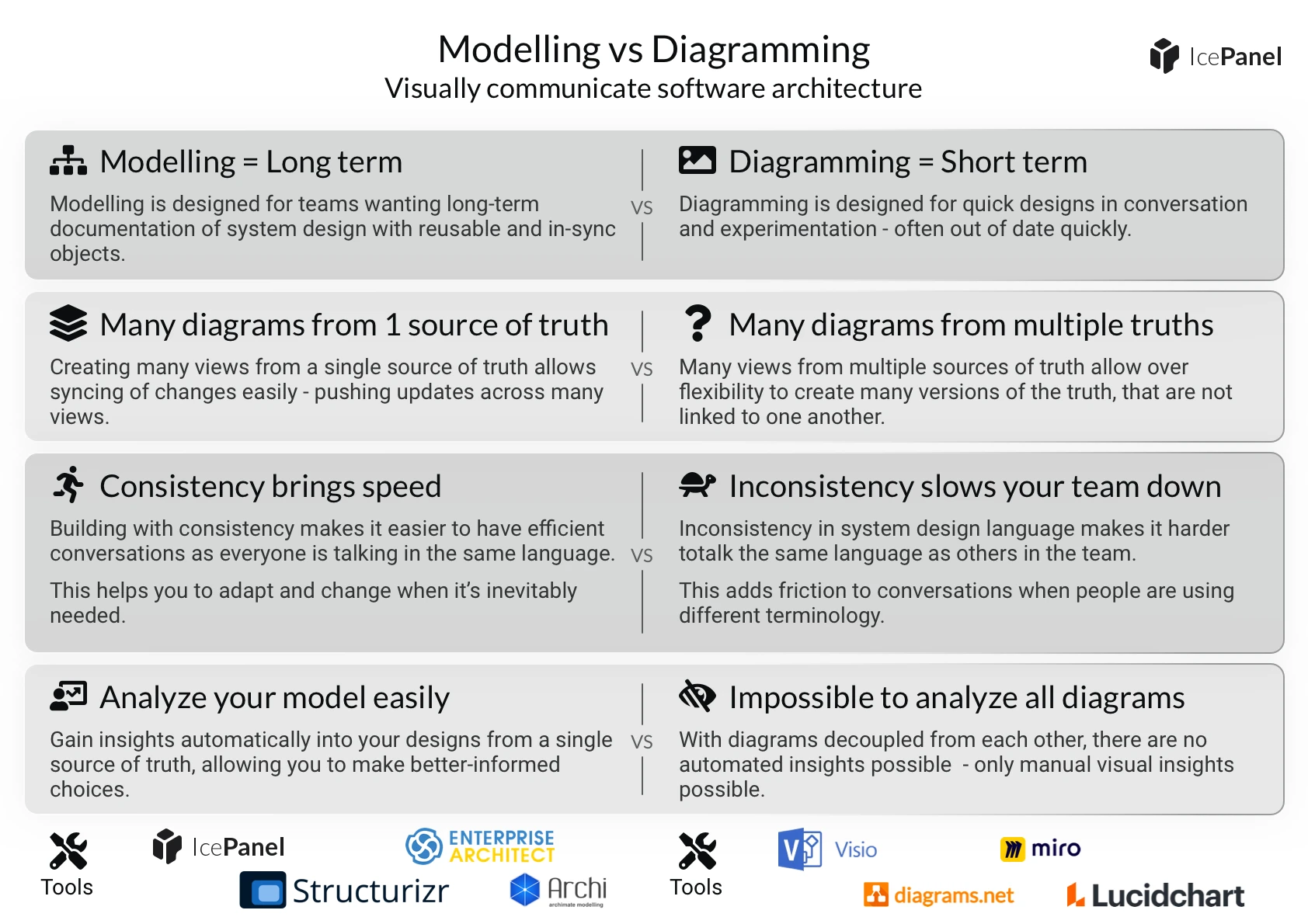
Modelling vs Diagramming
Microservices and Serverless in the C4 model
Two Ways to Represent Microservices
- Microservices as Software Systems
- Use this when the microservices are external (outside your control).
- Model them as external software systems — black boxes you depend on but don’t own.
- Microservices as Containers
- Use this when the microservices are internal (you own/build them).
- Model each microservice as a container within your system.
- Each container may contain one or more components, depending on complexity (e.g., single class or mini-hexagonal architecture).
- Each microservice’s database should be a separate container.
I tend to treat the serverless concepts (e.g. Amazon Lambdas, Azure Functions) in the same way as microservices. If you’re building a software system comprised of a number of **serverless functions, think of them as containers because they are all separately deployable**.
Diagram as Code
The power of C4 comes with a diagram-as-code approach, this means treating your diagrams just like your codebase:
- Version control: Store them in a source control system (like Git) for easy tracking and collaboration.
- Collaboration: Work together on diagrams using pull requests, similar to code reviews.
- Automation: Integrate them into your build pipelines for automatic rendering with your preferred tools.
How to create C4 diagrams with code (Structurizr DSL)